Using the HT22 System - 19
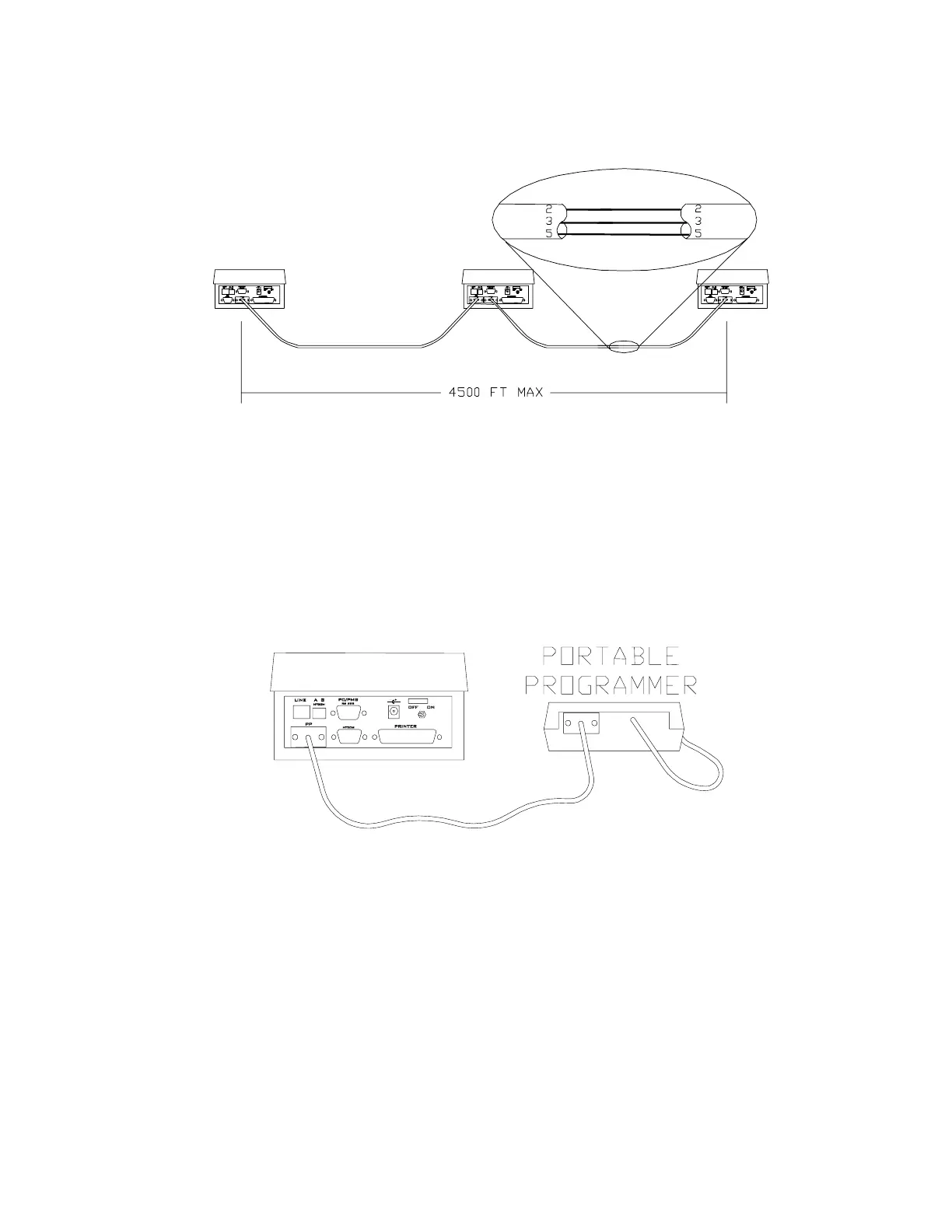
Figure 5 – HTCOM Cable Connection
Connecting the Portable Programmer
For systems with more than
one encoder, the Portable
Programmer must be
connected to the Main
Encoder
To connect the PP to the HT22 main station, connect
one end of the PP HTCOM cable to the 9-pin connector
on the top of the PP, and connect the other end of the
cable into the 9-pin connector marked PP HTCOM on
the rear panel of the HT22 main station.
Figure 6 – Connecting the Portable Programmer
Connecting the Printer
The HT22 can utilize any standard parallel printer for
printing reports. The reports will print on any standard
size paper; the unit prompts you to enter the number of
lines per page each time you generate a printed report.



 To Next Page