29716AF 37
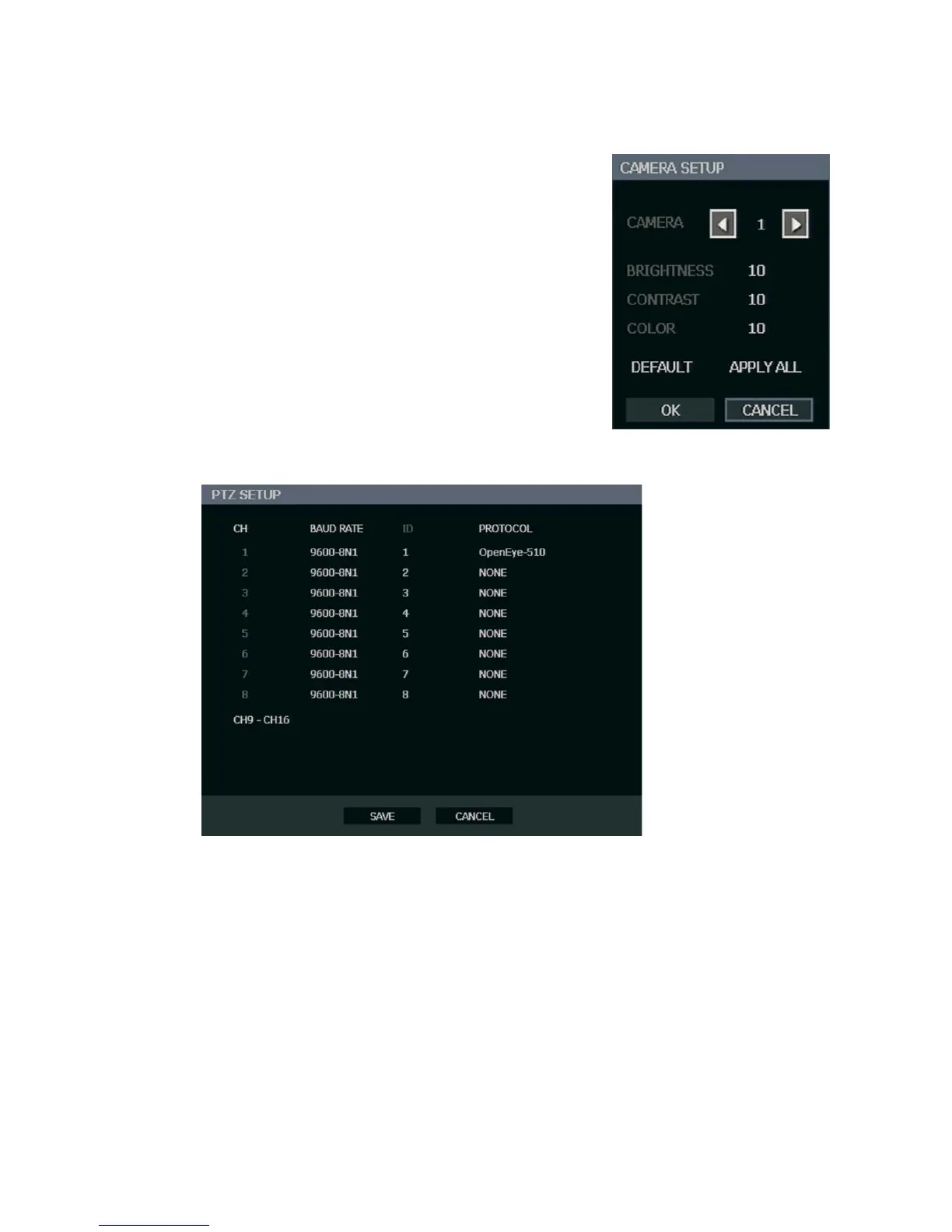
Color Setup (Adjust)
CAMERA – 1 ~ 16 [camera to apply color settings to]
BRIGHTNESS – 0 ~ 20
CONTRAST – 0 ~ 20
COLOR – 0 ~ 20
DEFAULT – Apply default system color settings
APPLY ALL – Apply current color settings to all
cameras
PTZ Setup
CH – Camera Channels
BAUD RATE – Sets the port information for the connected camera. [Consult the
documentation provided by the camera manufacturer to obtain this information.]
ID – Sets the PTZ ID from 1-255
PROTOCOL – Select a PTZ protocol


 To Next Page