29716AF 45
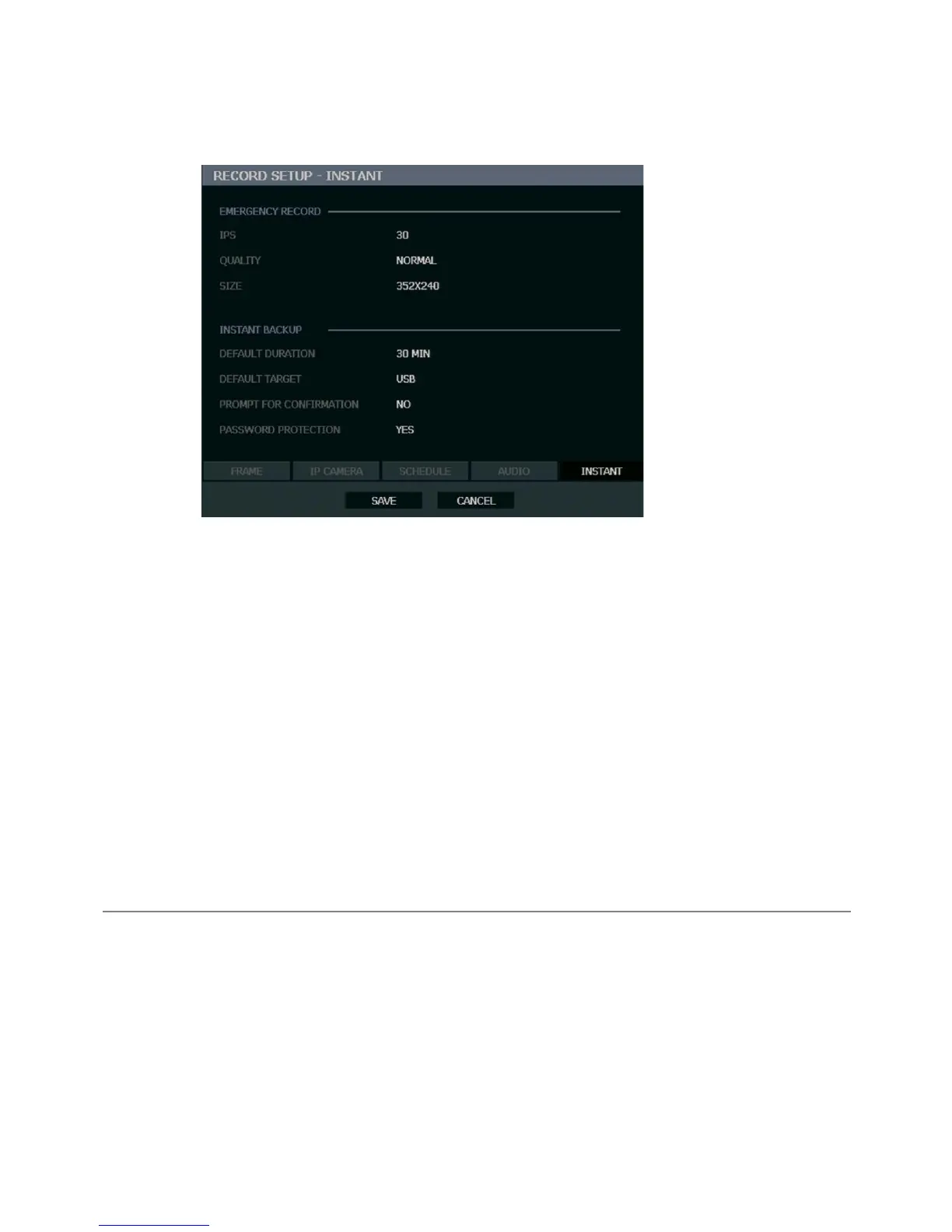
Emergency Recording
Configure the recording settings for Emergency Recording and Instant Backup to use when
they are activated.
Emergency Record:
IPS – Set the images (frames) per second (recording rate per camera).
QUALITY – Set the picture quality (affects file size).
SIZE – Set the resolution of the video image.
Instant Backup:
Default Duration – Set the number of minutes to back up (15, 20, 30, 40, 50, 60). If the
Default Duration is set to 30 MIN, the recorder will export the last 30 minutes of data when
the Instant Backup button is pressed.
Default Target – Set the location the recorder will export to (USB, DVD/CD). Make sure you
have the selected media on hand.
Prompt for Confirmation – When enabled, the recorder will prompt the user to confirm the
export.
Password Protection – Requires the Admin user to login before Instant Backup will start.
Using Emergency Recording
To activate Emergency Recording on the recorder:
• Press the REC key on the remote control, or click the Emergency Recording button on
the mouse-over OSD menu.
The E-REC recording icon will appear in the lower right corner of the screen.
To cancel Emergency Recording:
• Press the REC key on the remote control, or click the Emergency recording button on the
mouse-over OSD menu.
The recorder will resume scheduled recording.



 To Next Page