29716AF 53
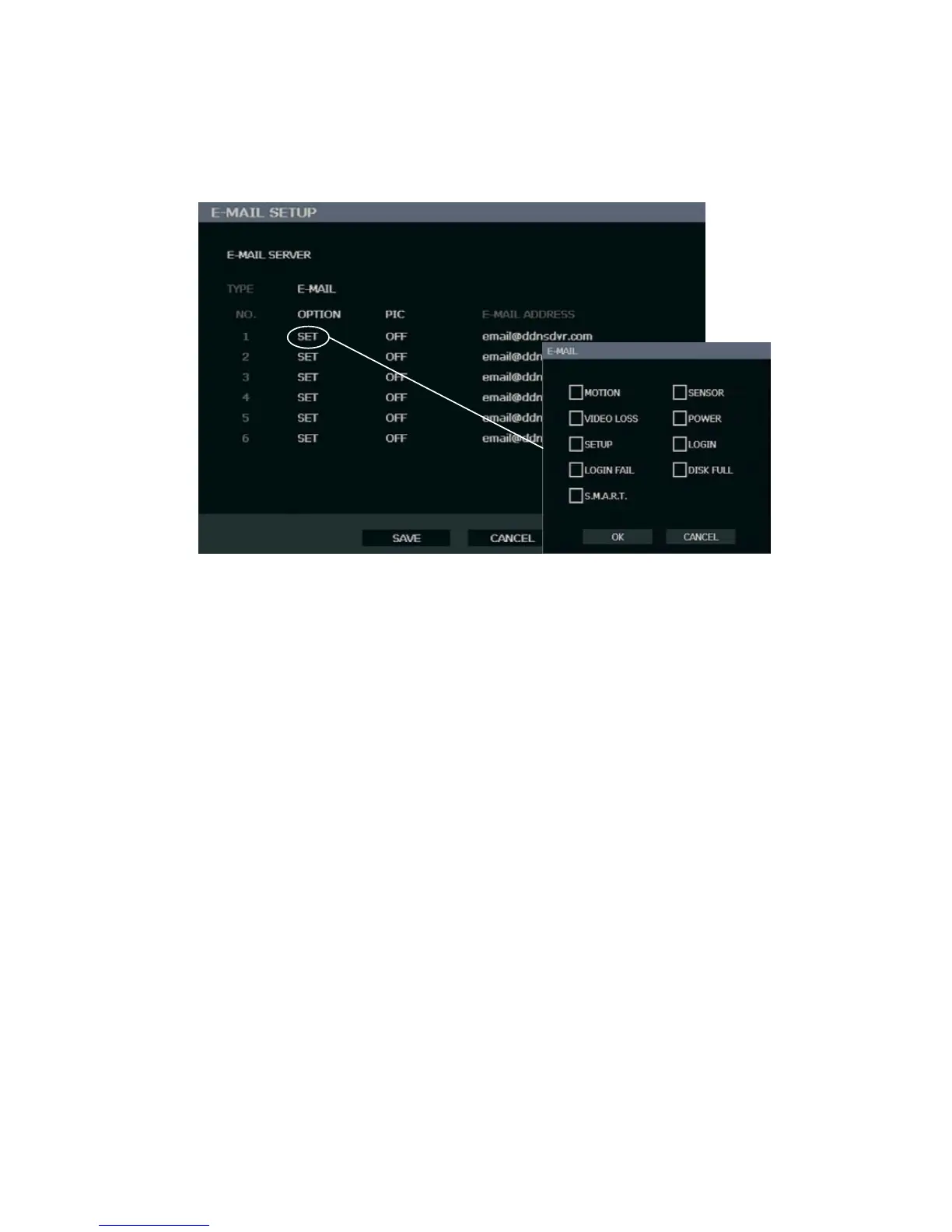
E-mail Setup
The recorder can send an e-mail notification to up to six defined e-mail addresses when an
event happens.
E-MAIL SERVER – DVR / SMTP [Configure the recorder to use selected e-mail server.]
OPTION – Define the type of event that will trigger an e-mail notification.
MOTION – After a motion alarm is triggered.
SENSOR – After a sensor alarm is triggered.
VIDEO LOSS – After video loss on a camera
POWER – When the DVR is shutdown and restarted.
SETUP – When a user accesses Setup.
LOG IN – When a user logs in.
LOGIN FAIL – After one failed login attempt.
DISK FULL – When the HDD reaches the user-defined maximum disk full
percentage. See DISK MANAGEMENT – OVERWRITE.
S.M.A.R.T. – When the HDD reaches the user-defined maximum temperature.
See DISK MANAGEMENT – S.M.A.R.T..
PIC – ON / OFF [Enable to send a picture of the event.]
E-MAIL ADDRESS – Enter the e-mail address.



 To Next Page