48
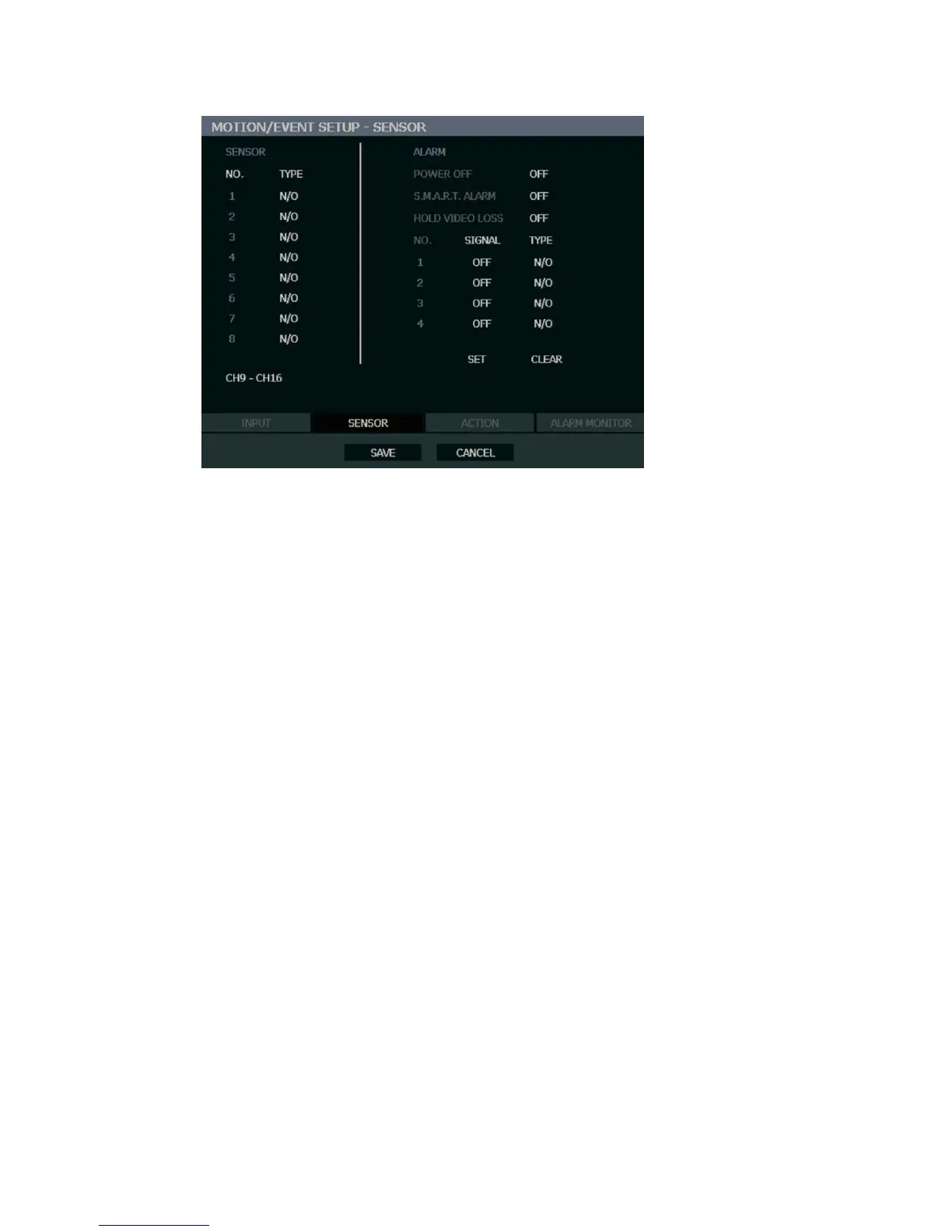
Sensor
Sensor Setup
1. Use the arrow buttons to select Sensor 1 and press ENTER to change to N/O (Normally
Open) or N/C (Normally Closed).
2. Repeat for all sensors.
3. Select SAVE and press ENTER to save settings.
Alarm Setup
1. Use the arrow buttons to select Alarm1 and press ENTER to turn the SIGNAL to OFF or
ON.
2. Set each Alarm to N/O (Normally Open) or N/C (Normally Closed).
3. Repeat for all relays.
4. Select SAVE and press ENTER to save settings.
Power Off
The POWER OFF option is a preset function that triggers an alarm relay when the recorder
loses power. This function is preconfigured to set alarm relay No. 4 to ON and N/C. When a
power loss occurs, alarm relay No. 4 will open. When power is restored the alarm will close.
S.M.A.R.T. Alarm
The S.M.A.R.T. ALARM option is a preset function that triggers an alarm relay when the
HDD exceeds the temperature threshold configured on the SYSTEM > DISK SETUP >
S.M.A.R.T. page. This function is preconfigured to set an alarm relay to ON and N/C. When
the HDD exceeds the temperature threshold, the alarm relay will open. When the temperature
is at a safe level again the alarm will close.
Note SET and CLEAR are used to test the alarm relay operation. SET is used to
manually activate all relays that are set to ON. CLEAR is used to manually
deactivate all relays.
Hold Video Loss
When set, the alarm will stay on when a channel loses video. The alarm will turn off when
Video returns.



 To Next Page