29716AF 67
BACKUP (EXPORT)
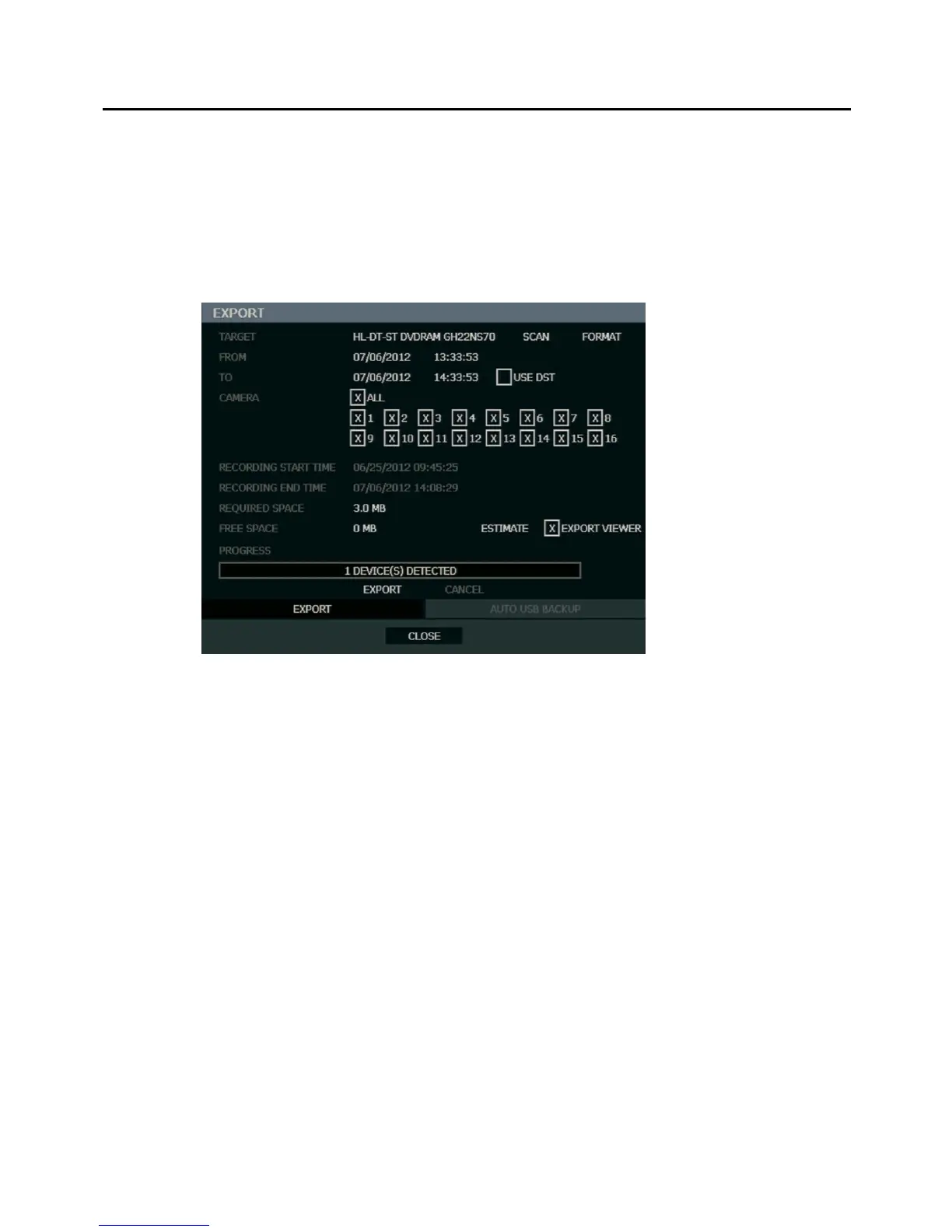
Manual Export
Back up recorded data on a CD-RW, DVD-RW or connected USB device.
Tip Using this export method, video data is saved in a proprietary format and must be
viewed using the Export Viewer software.
To configure a data backup:
1. Press BACKUP on the front panel or remote control.
or
Click MENU on the hover menu and select BACKUP.
2. Connect a USB device or insert a CD/DVD.
3. Select SCAN to locate the device.
4. Select the desired CAMERAs and the FROM and TO time for the backup.
5. Select ESTIMATE to display estimated data size and free space available.
6. Select the EXPORT VIEWER check box to add the Export Viewer to the backup file.
7. Select EXPORT.
Note The recorder supports DVD+R, and DVD-R. DVD-RW/+RW may not operate
correctly.
Caution Refer to the USB Flash Drive Approved List in the Introduction chapter. If you are
using a new USB device to back up your data, you must format it first as FAT32.
Note ESTIMATE must be selected first, before WRITE. If any backup parameters are
changed (Date, Time, Channels) you must select ESTIMATE again.
Caution Do not shutdown the system during the backup process.



 To Next Page