54
ReportStar
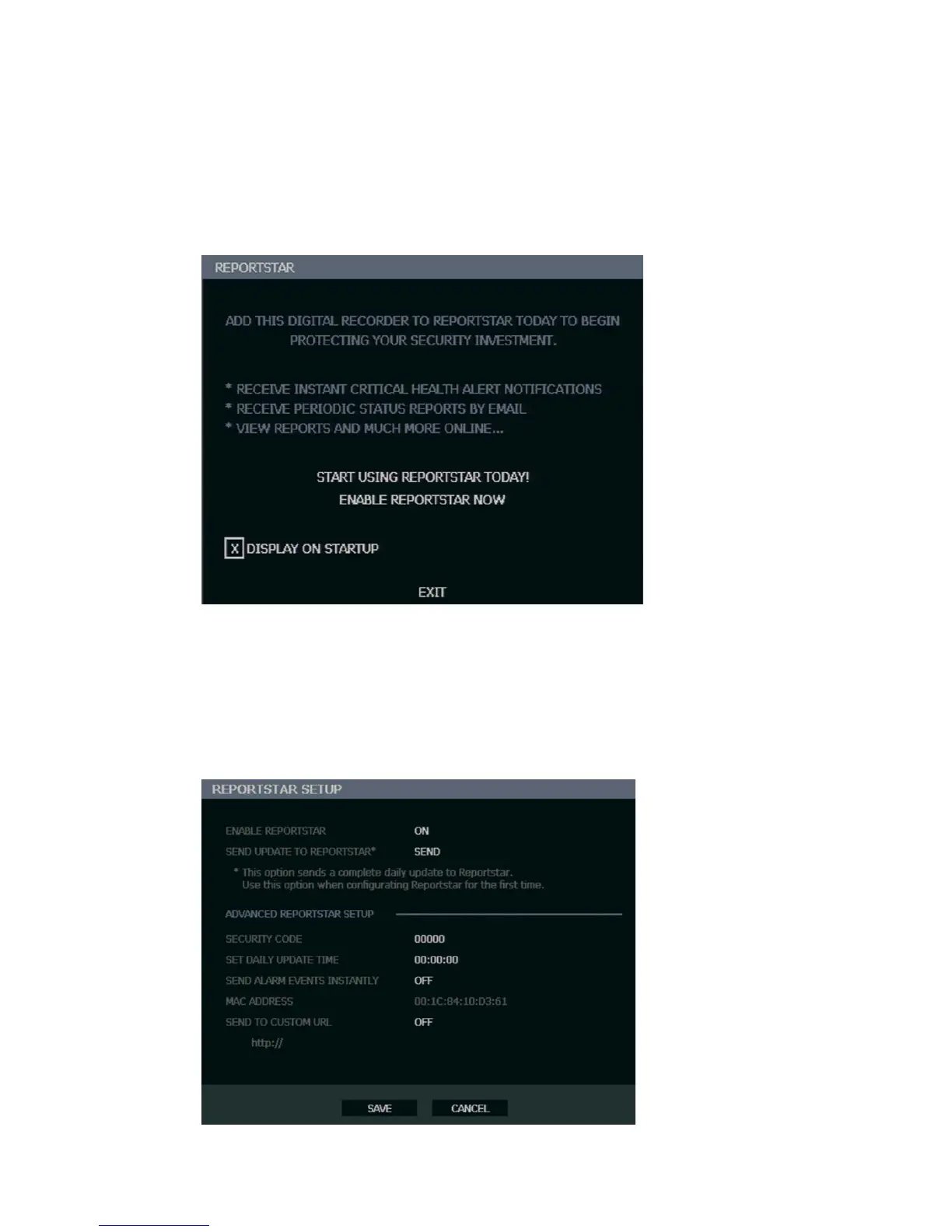
To enable ReportStar on your recorder during the initial configuration:
1. Click ENABLE REPORTSTAR NOW.
Note: To enable ReportStar at any time after the initial configuration, go to NETWORK >
REPORTSTAR SETUP and then set ENABLE REPORTSTAR to ON.
2. Log in using the admin user account. (default username: admin, password: <blank>)
3. Set the DAILY UPDATE TIME.
4. Click SEND next to SEND UPDATE TO REPORTSTAR to send a test report to
ReportStar.
5. To send Alarm Events to ReportStar, set SEND ALARM EVENTS INSTANTLY to ON.
6. Click SAVE to save your settings.



 To Next Page