29716AF 51
NETWORK
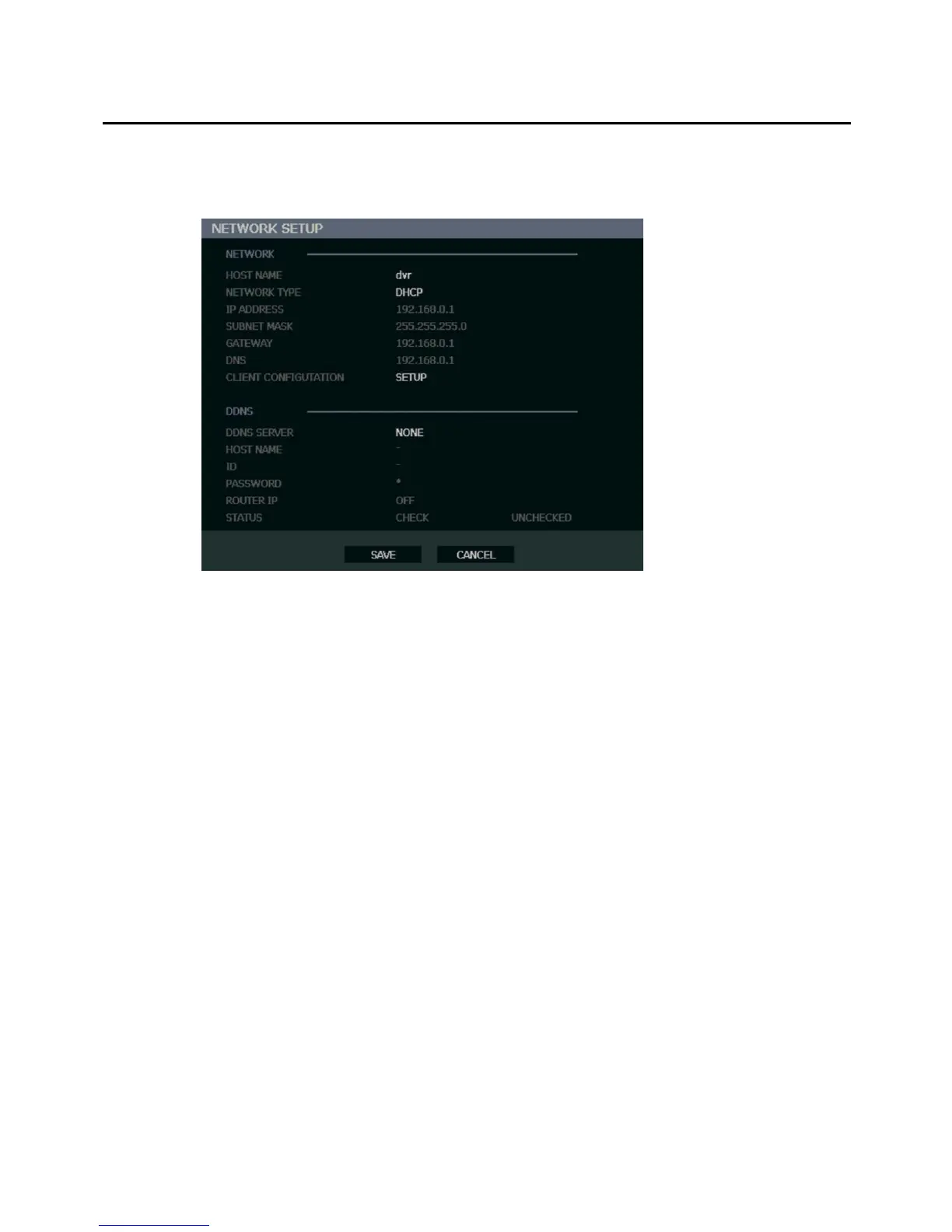
Network Setup
Configure network settings.
Network
HOST NAME – Hostname for the recorder on the network.
NETWORK TYPE – STATIC IP (User must manually define a static IP address. Contact your
network administrator for this information.)
DHCP (System gets IP address automatically from a DHCP server.)
IP ADDRESS – DHCP or STATIC. Contact your network administrator for this information.
CLIENT CONFIGURATION – Set up the connection ports and Max transfer speed for remote
connections.
CENTER PORT – The E-Series recorder uses the Center port and the
primary communication port to create remote connections. This port
must be the same as the port setting on the remote PC.
VIDEO PORT – The E-Series recorder uses multiple ports to create
remote connections: the remote port is user defined (default 2000),
and a secondary port is automatically assigned (default 2002). The
recorder assigns the secondary port based on the remote port, in
increments of two. (ex: if you set the remote port to 2222, then the
secondary port will be 2224). Verify that all these ports are available
when setting up Network Address Translation (NAT) or firewall.
WEB PORT – Defines the port that Internet Explorer uses to connect
over the web and view video. If this port is changed then the new port
must be defined when attempting to web connect (ex: if your IP
address is 10.0.0.5 and you change the web port to 800, then you
must type http://10.0.0.5:800 in your browser).
MAX TRANSFER SPEED – Set network bandwidth. This feature is
used for slower internet connections to throttle the amount of data the
recorder sends across the network at a time.



 To Next Page