Opticon
H15
User Manual
2-13
2.2. Charging the Battery Pack
Before using the Terminal, charge the battery pack.
Charge time: The initial charge cycle for the battery pack is approximately 6 hours.
Subsequent charging cycles are approximately 4 hours.
When charging the battery pack, the charging LED indicator on the Terminal turns Red.
After the battery pack is fully charged, the charging LED indicator turns Green.
CAUTION: Do not remove the battery pack too long from Terminal after you have already
full-charged the battery pack and backup battery pack and start to use the Terminal.
Otherwise the data stored inside SDRAM memory will be lost. Please also keep in mind
power the Terminal off if you want to change the main Battery pack.
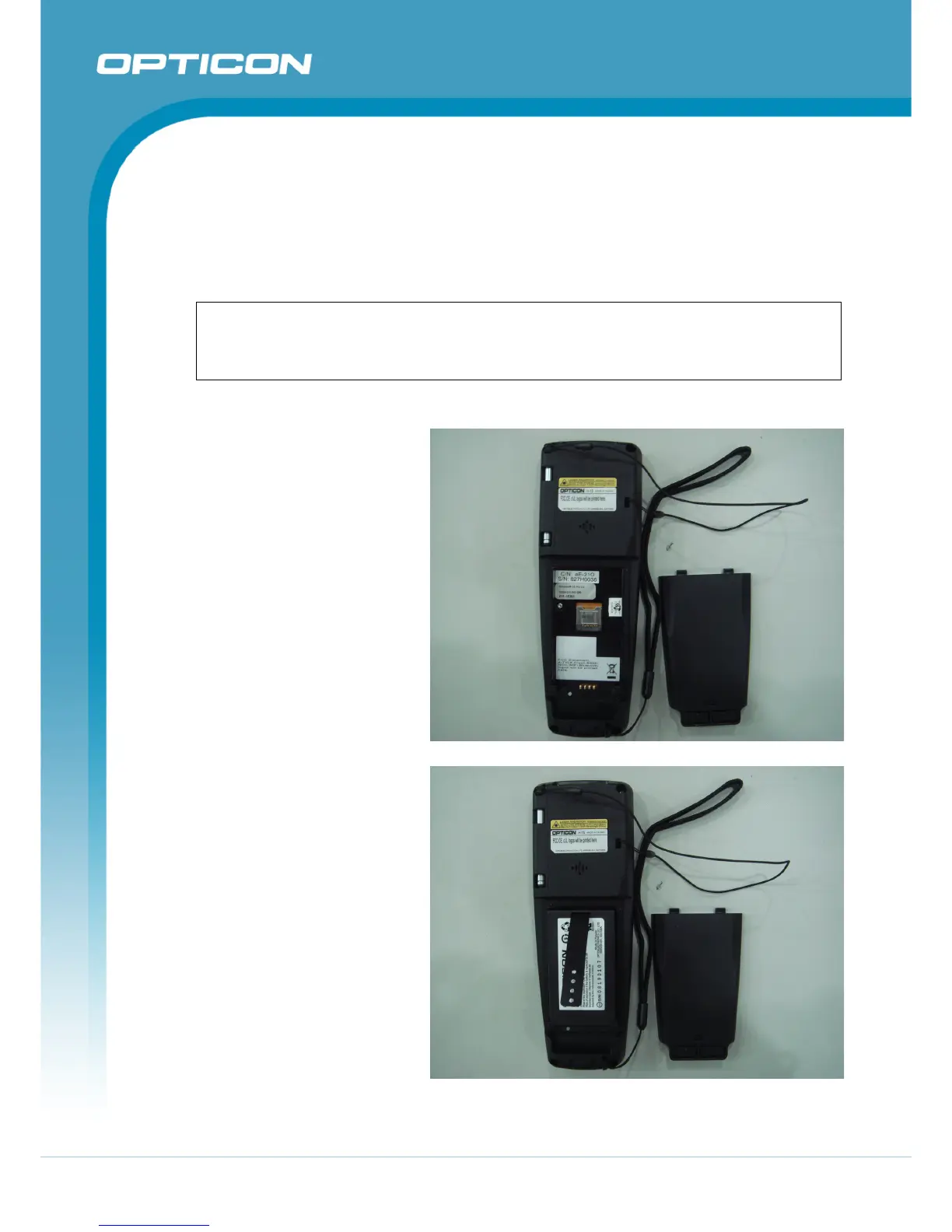
2.2.1. Installing the battery pack in the Terminal
1.
Slide the two battery cover
latches toward the center and
lift the battery cover away.
Figure 2-2. Detach the battery cover from Terminal
2.
Insert the battery pack into
the battery compartment with
the label facing out, and make
sure the battery fits into place.
Figure 2-3. Insert the battery pack



 To Next Page