Opticon
H15
User Manual
3-27
3.2.17. PC Connection
ICON ITEM & FUNCTION
“PC Connection” Tab
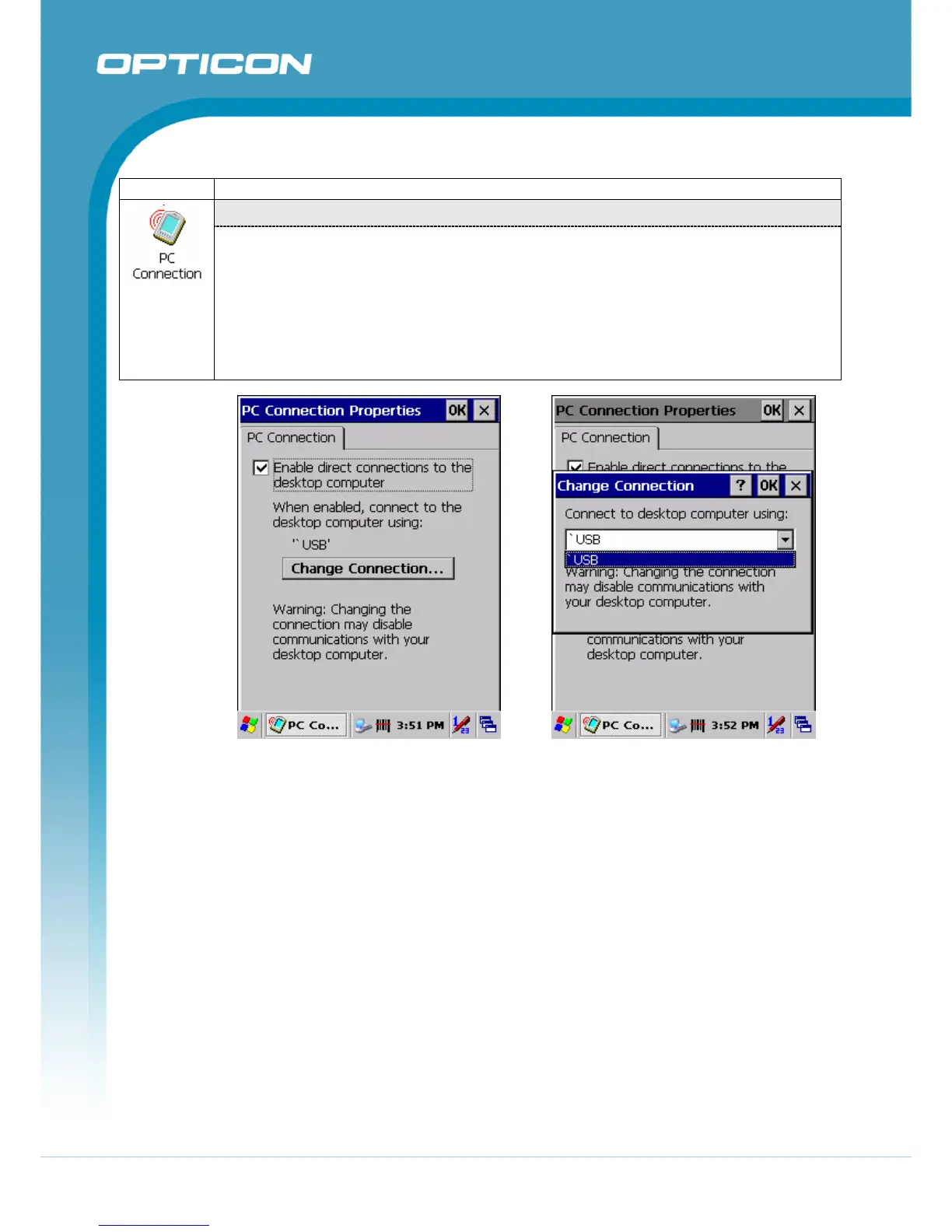
• Select the first checkbox to enable direct connections to the desktop computer
(Figure 3-60).
• Tap the “Change Connection…” button to modify the connection method from
USB or Serial (Figure 3-61).
• To exit the “Change Connection” dialog, press “OK” from the control bar, or press
the <Enter> key on the keypad.
• To exit the “PC Connection” properties control panel, press “OK” from the control
bar, or press the <Enter> key on the keypad.
Figure 3-60. PC Connection Figure 3-61. PC Connection



 To Next Page