Opticon
H15
User Manual
3-32
3.2.22. System
ICON ITEM & FUNCTION
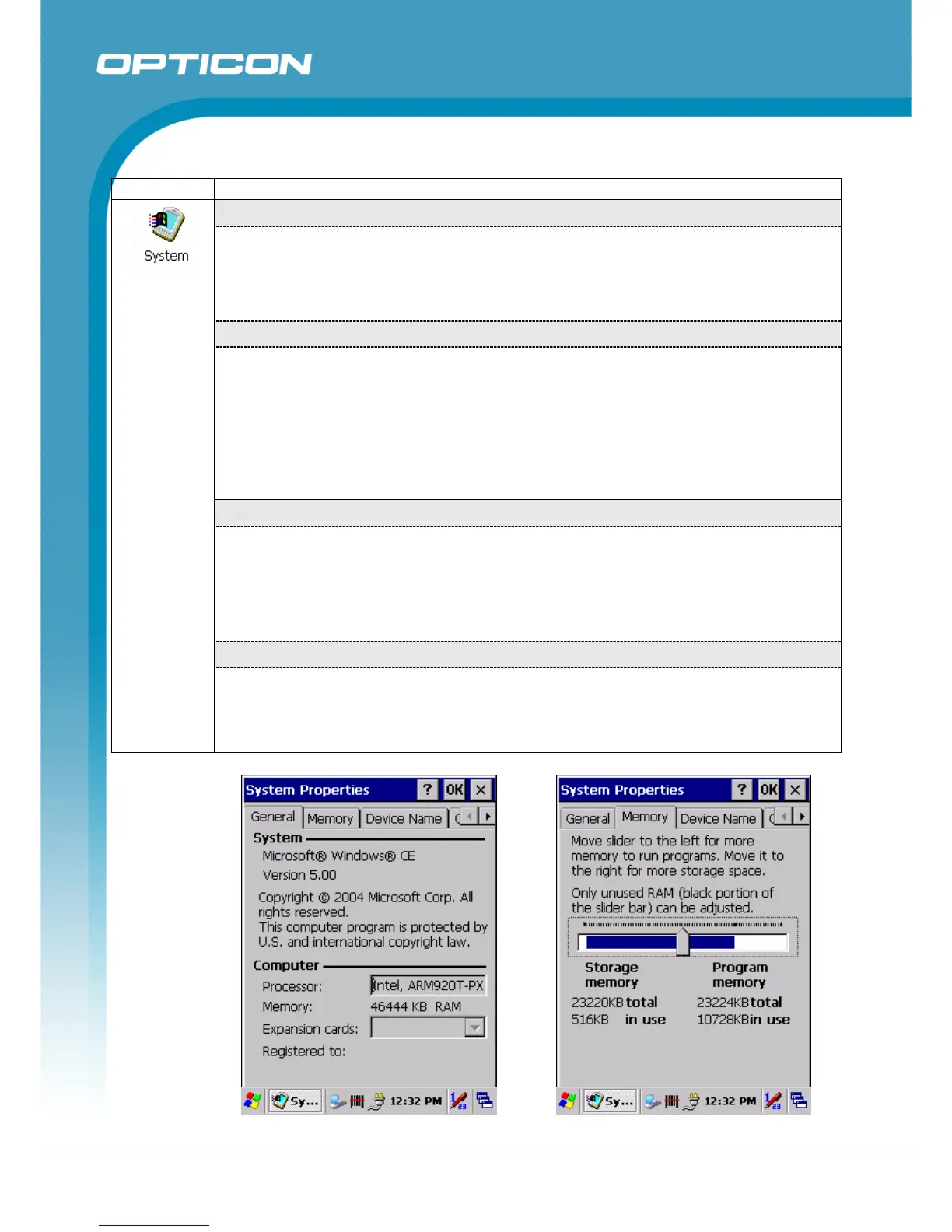
“General” Tab
(Figure 3-72)
• Use this tab to read:
o Operating System information
o Information about Processor type, Memory size, Expansion card
“Memory”
(Figure 3-73)
• Move the slider to adjust memory allocation. Default storage memory is normally
set to
~32MB with the reminder assigned to Program memory.
• Press the “OK” key on the Keypad.
NOTE: The difference between the RAM size in Information Properties and the total
memory size of storage memory and program memory is used by the operating
system.
“Device Name” Tab
(Figure 3-74)
• Your device uses this information to identify itself to other computers.
• The input panel will open to facilitate data entry.
• To close the Device Name, press the “OK” button, or press the <Enter> key on
keypad.
“Copyrights” Tab
(Figure 3-75)
• Refer to this tab for specific copyright data. As a user, you are responsible to read
this statement.
Figure 3-72. System General Figure 3-73. System Memory



 To Next Page