Opticon
H15
User Manual
3-34
3.2.24. Volume & Sounds Properties
ICON ITEM & FUNCTION
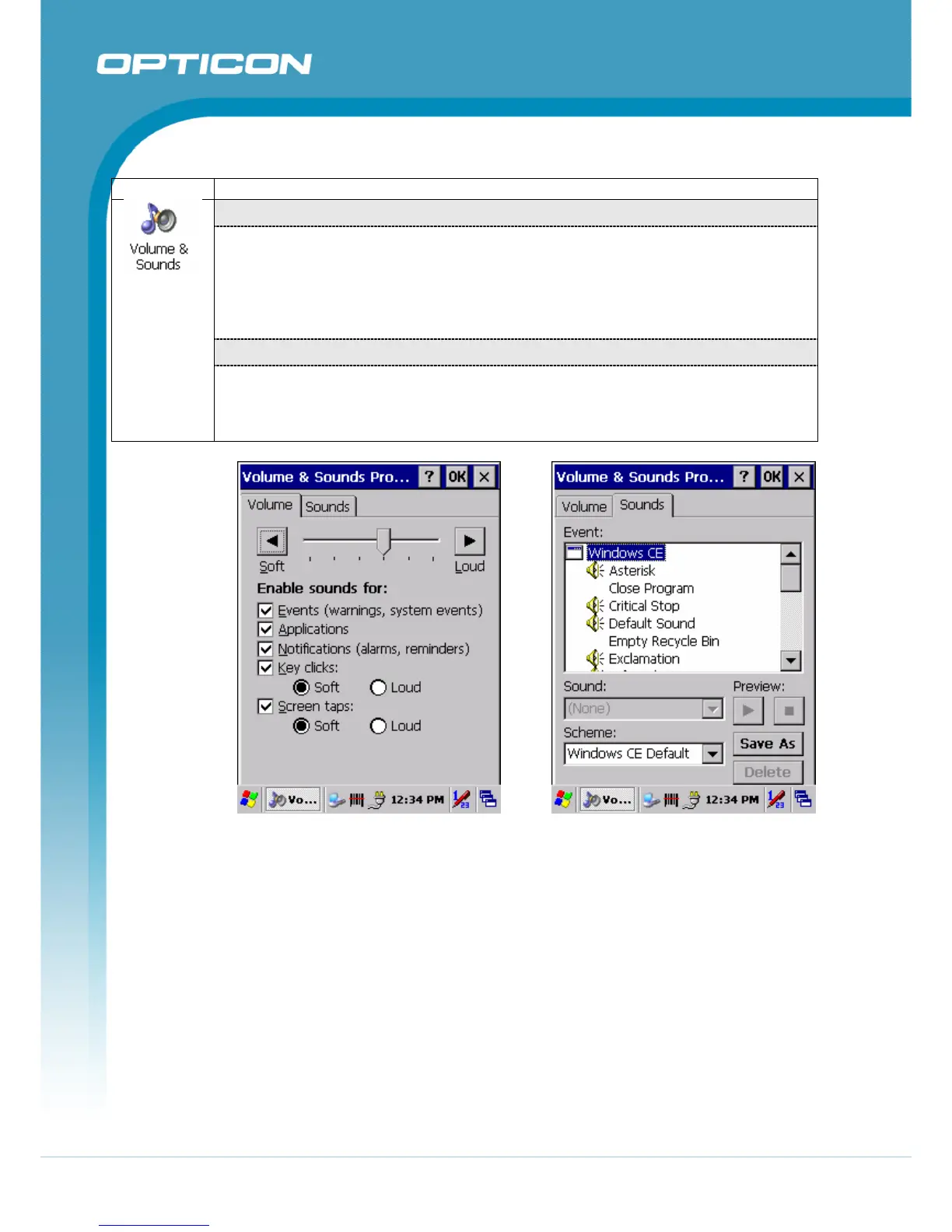
“Volume” Tab :
(Figure 3-77)
The factory default for Volume is the fourth level. You can adjust the volume to your
environment and comfort.
• Set the volume by adjusting the slider from Soft to Loud, or press Right or Left
edge of Navigation keys.
“Sounds ” Tab:
(Figure 3-78)
• Enable the desired sounds for key clicks, screen taps, notifications, and
applications.
Figure 3-77. Volume & Sounds Properties
– Volume
Figure 3-78. Volume & Sounds Properties
– Sounds



 To Next Page