Opticon
H15
User Manual
3-10
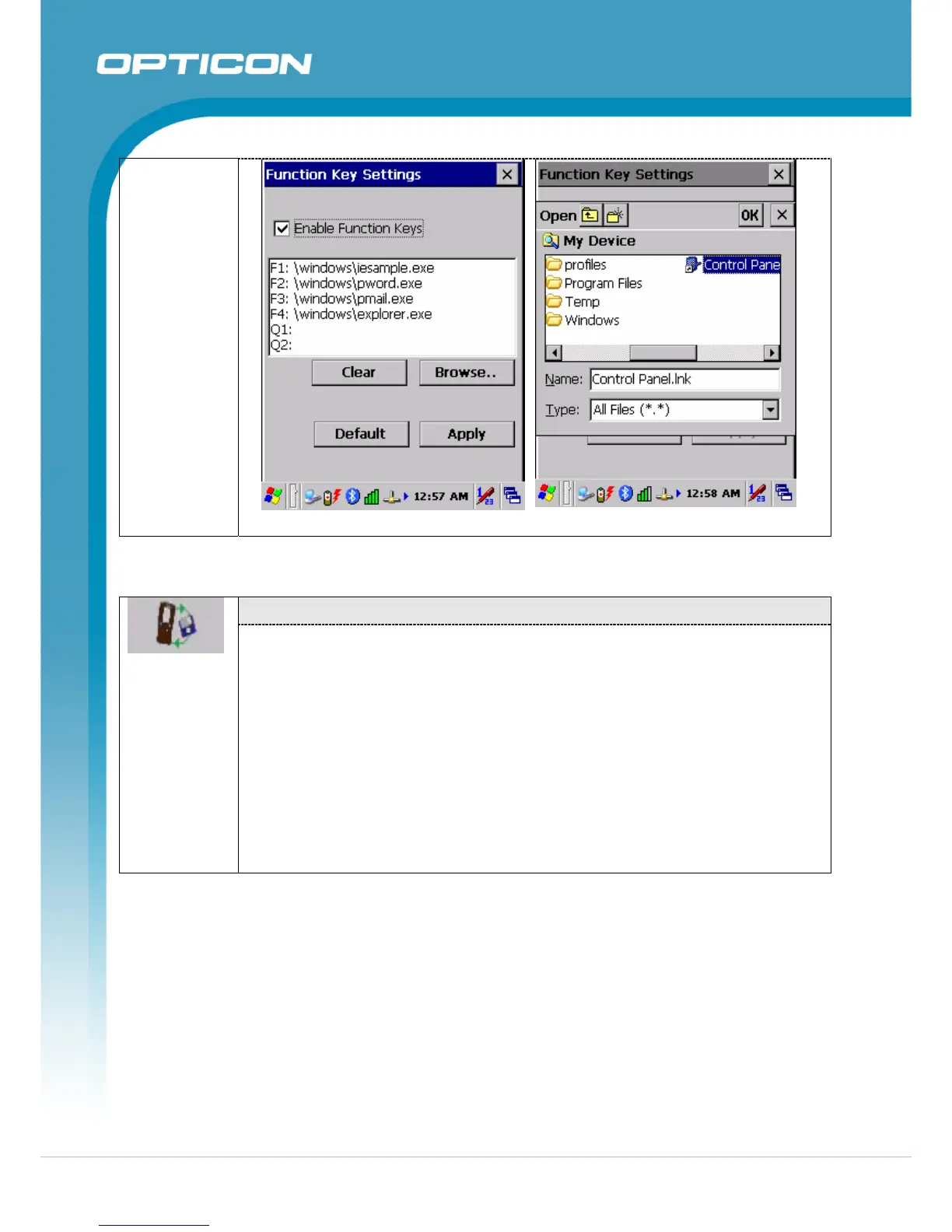
Figure 3-20. Choose Fn-Key Figure 3-21. Assign Fn-Key
3.2.7. Control Center – Backup & Restore
“Backup / Restore” Tab:
• You can backup and restore the system to/from a flash disk or an inserted
memory card (Figure 3-22 , Figure 3-23)
• When you launch the backup/restore application, it checks the backup file in
the DoC directory first. If you select an alternate storage location, it will also
check that location.
• If the application finds the backup file, the date of that file appears in the Last
backup date dialog; if not, the Backup Now / Restore Now button is
disabled.
When you press the Backup/Restore button, a warning dialog box appears.
(Figure 3-24, Figure 3-25).
• When system backup/restoring is finished, a message dialog appears.
(Figure 3-26).



 To Next Page