Opticon
H15
User Manual
2-20
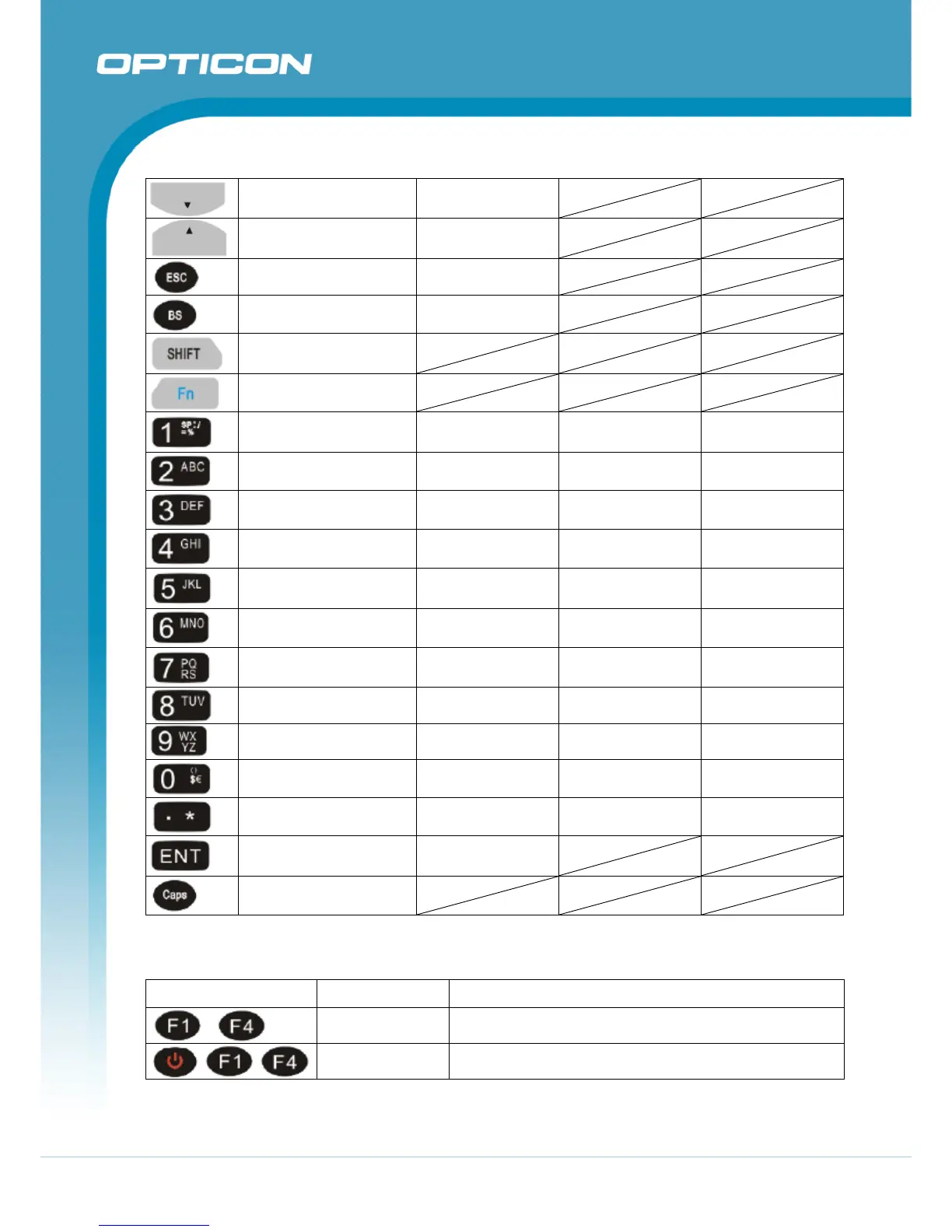
Down Page Down
Up Page Up
ESC Audio Mute
Backspace TAB (Tabulation)
Shift to text mode
Function change
1
@ (at) Space: \ = % Space: \ = %
2 ’ a b c A B C
3
+ (Plus Sign)
d e f
D E F
4 Paste g h i
G H I
5 Del (Delete) j k l
J K L
6
- (Minus Sign)
m n o
M N O
7 Copy p q r s
P Q R S
8 & (AND) t u v T U V
9
* (Asterisk)
w x y z
W X Y Z
0 € 〔 〕 $ € 〔 〕 $ €
. (Point) Start Menu * , ; @ * , ; @
Enter /
Caps (capital mode)
Table 2-4. Special reset key combinations
Reset Key Functionality Definition
Warm Reset
Press “F1” and “F4” button simultaneously.
Cold Reset
Press “Power”, “F1” and “F4” button simultaneously.



 To Next Page