Opticon
H15
User Manual
2-18
2.3.5. Muting the sound
To mute the sound, press the key first, and then press the
key to turn off and on of the sound.
2.3.6. Using the stylus
The stylus is located next to the hand strap on the left rear of the PDT. The stylus
functions the same as the mouse on a PC. Use the stylus to:
• Navigate the display, select menu items, and open optional applications.
• Tap the characters on the soft keyboard panel.
• Drag the stylus across the screen to select multiple items.
CAUTION: Never use a pen, pencil, or other sharp object on the display; such
items can damage the touch screen.
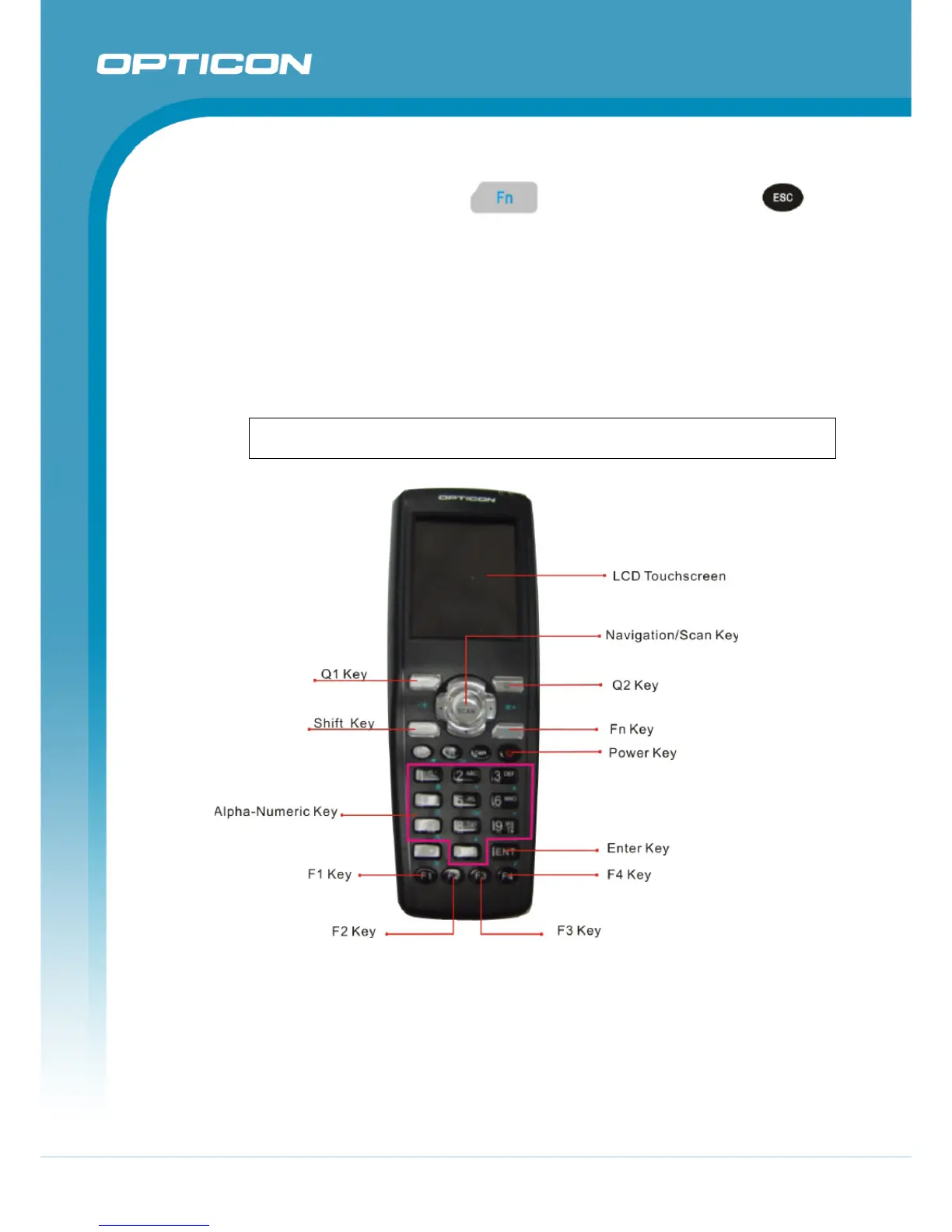
2.3.7. Using the keypad
Figure 2-9. Terminal Keypad
The keypad contains entry keys for numeric and alpha characters, special reset
combinations and function keys. For a description refer to Table 2-3 to Table 2-7.
2.3.8. Using the Special Functions
The “Fn” key is used in combination with other keys to type special characters and
perform system functions. For a description refer to Table 2-6. Special Function
key define.



 To Next Page