Opticon
H15
User Manual
3-17
3.2.11. Input Panel
ICON ITEM & FUNCTION
“Input panel” Tab
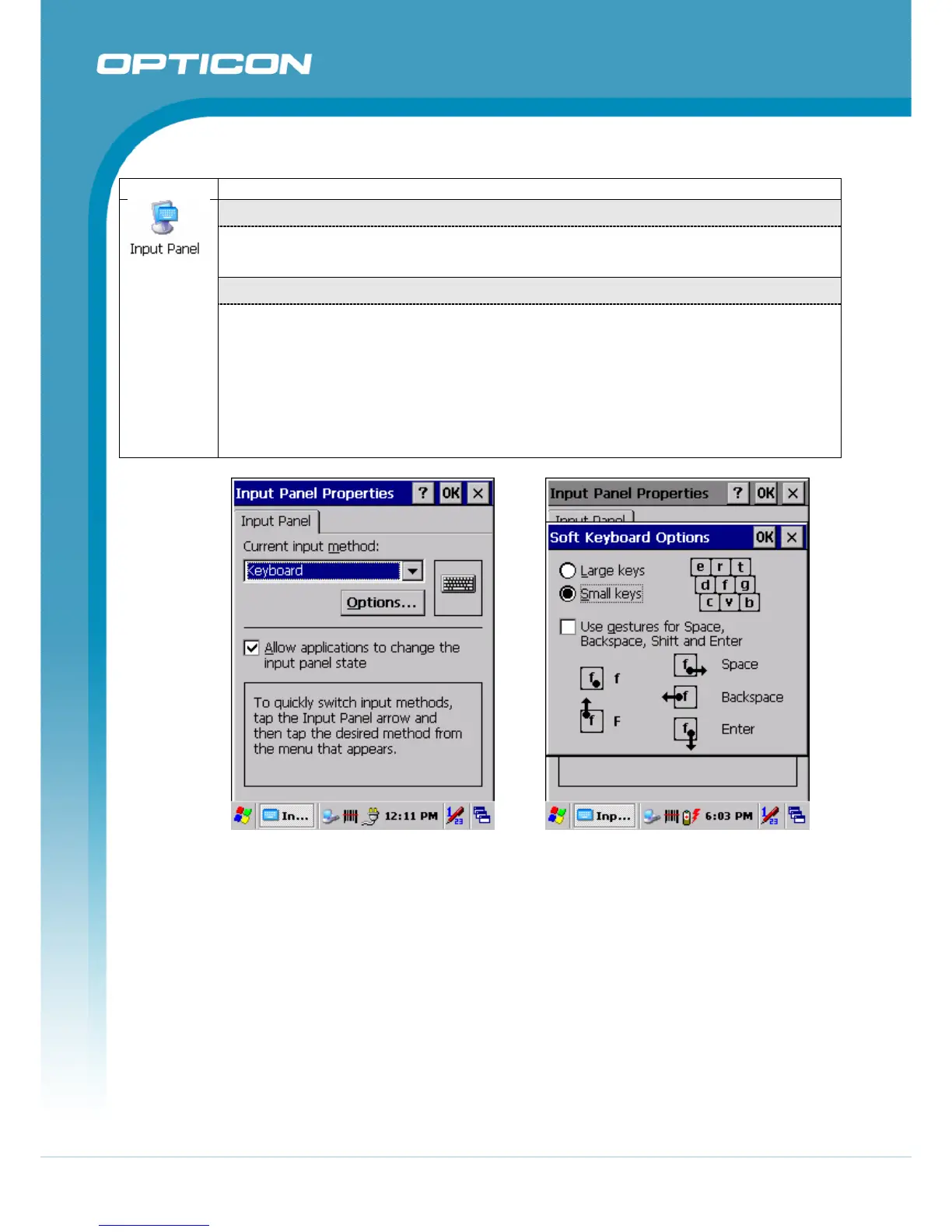
• Select the input method you want to change (Figure 3-36).
• To change the Soft Keyboard Options , tap “Option” (Figure 3-37).
“Options” Tab
Change the soft keyboard options as desired, selecting from:
• Large or small keys
• Using gestures for space, black-space shift, and enter.
• To exit the soft keyboard Options, press “OK” on the control bar, or press the
<Enter> key on the keypad.
• To exit the Input Panel, press “OK” on the control bar, or press the <Enter> key
on the keypad.
Figure 3-36. Input Panel Properties Figure 3-37. Input Panel Soft Keyboard
Options



 To Next Page