Opticon
H15
User Manual
2-33
c) Status Tab
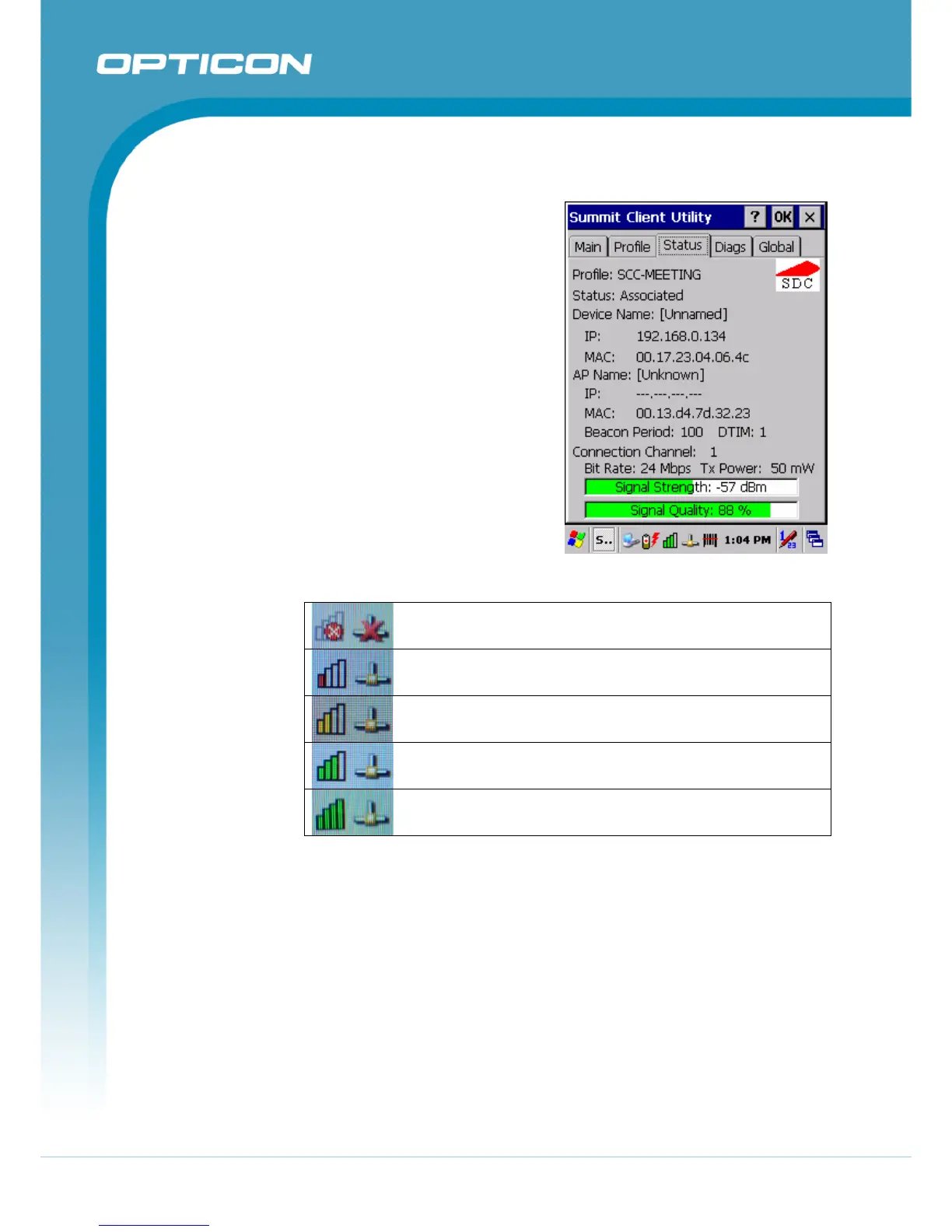
The Status tab provides status
information on the radio.
• Active profile
• Radio’s status: Down (not
recognized), Disabled, Not
Associated, Associated, or [EAP
type] Authenticated
• Client info: Name, IP address,
and MAC address
• AP info: Name, IP address,
MAC address, beacon period,
DTIM interval
• Connection info: Channel, data
rate, transmit power, signal
strength, and signal quality
802.11b/g WLAN is not connected to a network.
802.11b/g WLAN signal is Low.
802.11b/g WLAN signal is Average.
802.11b/g WLAN signal is Good.
802.11b/g WLAN signal is Very Good.
Figure 2-15. Signal Quality Indicators
Figure 2-14. Status tab



 To Next Page