EasyManua.ls Logo

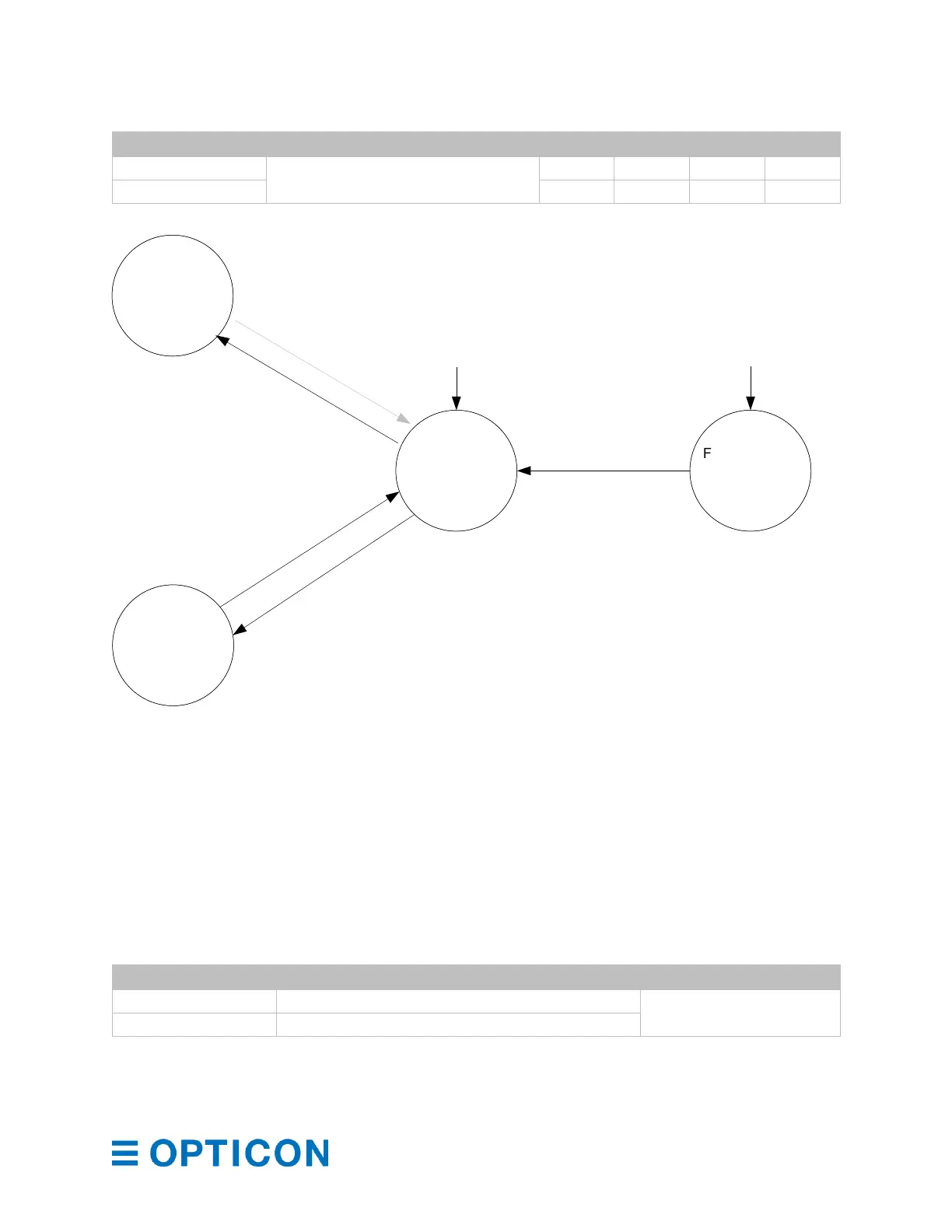
Opticon MDI-4100 - Basic Commands; Trigger Command; Figure 7: Transition Diagram in Fast Boot Mode

Opticon MDI-4100
139 pages
Print Icon
To Next Page IconTo Next Page
To Previous Page IconTo Previous Page
Loading...
MDI-4000 Series Serial Interface Manual
13
Boot Time Specification (IF: UART/USB, VCC = 3.3V, 5.0V TA = 25°C)
Mode
Description
Min.
Typ.
Max.
Unit
Normal Boot
Time taken to be ready after
supplying the power
-
510
ms
Fast Boot Mode
-
425
ms
*1
Only configures the factory default settings in an environment where power is stable.
*2
These areas are erased when a firmware update is loaded and can be rewritten up to 100,000 times.
Figure 7: Transition Diagram in Fast Boot Mode
3.5 Basic Commands
3.5.1 Trigger Command
You can start and stop reading by sending commands. When the read cycle timeout is set to 0
seconds (Y0 command), the read time with the Z command is set to ‘Indefinitely’ and reading
continues until a Y command is received. For timeout limited reading, use the Yx commands.
For more information, see Read Timing” on page 48.
Trigger Commands

Command
Description
Notes
Z
Start the read cycle
Command only
Y
Stop the read cycle
Active Settings
in RAM
Startup Settings
stored in flash
*
1
*
2
Custom Settings
stored in flash
*
2
Factory Default
Settings
stored in flash
*
1
*
2
Z2 Command
Copy the active settings
to startup settings
[BAP Command
Copy the custom settings
to active settings
[BAQ Command
Copy the active settings
to custom settings
Serial Command
Changes one or
more active settings
Power on/ Reset or
Default Command or
Firmware Update
Copy the factory default
settings to active settings
[EFY Command
*
1
Changes one or
more settings

Table of Contents

Related product manuals