CHAPTER FIFTEEN
Conguration
118
Conguration
15.2.3 General
Use the arrow keys to navigate and choose between the setup options
(described below).
Select Save to apply the settings changes you have made and return to the
Conguration screen.
Select Cancel to discard changes made to settings and return to the
Conguration screen.
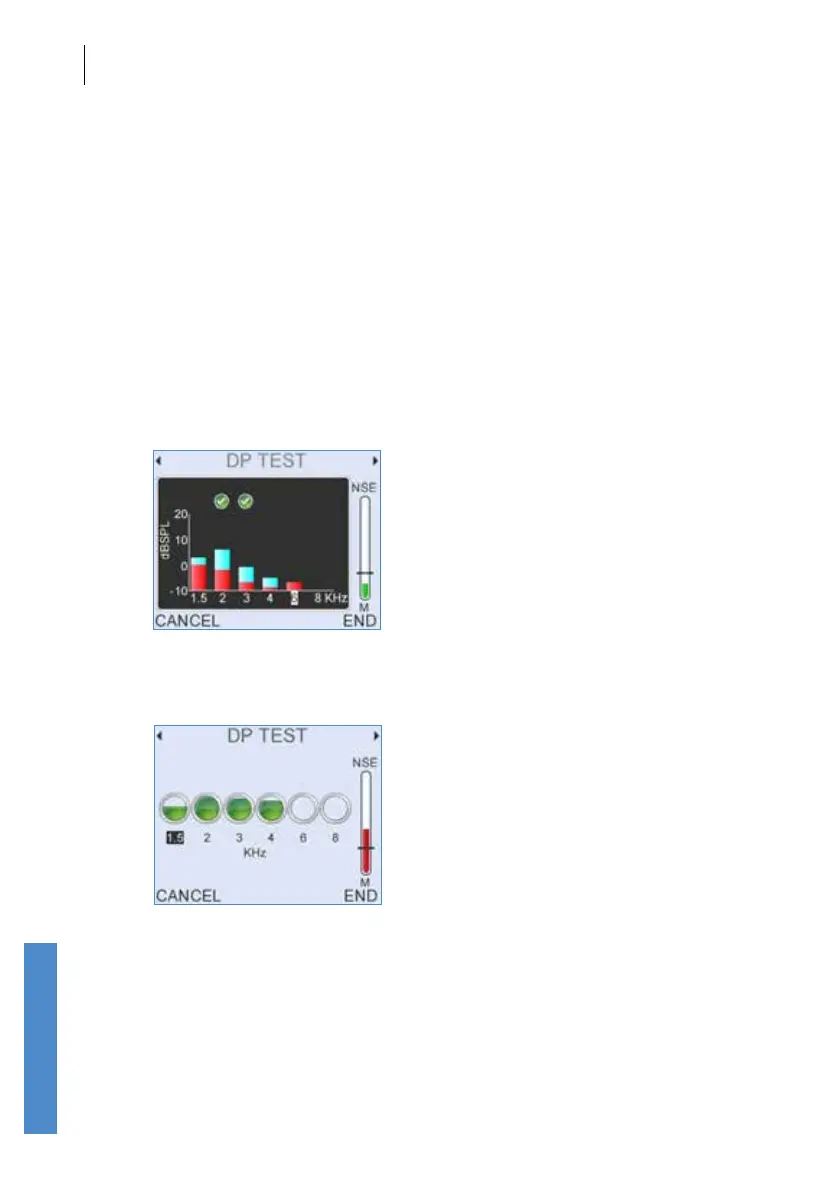
Display
If dBSPL is selected a bar chart showing signal and noise at each
frequency is displayed during testing.
If Circles is selected, each circle represents the SNR recorded at a
particular frequency.
Whichever setting is chosen as default, the other option is available during
the test as a side screen, accessed using the left and right arrow keys.
The Circles display is not available in DP 12 Freq mode.



 To Next Page