Otoport OAE+ABR
User Manual for Otoport DP+TE model
63
OAE test procedure
7.2 Patient details
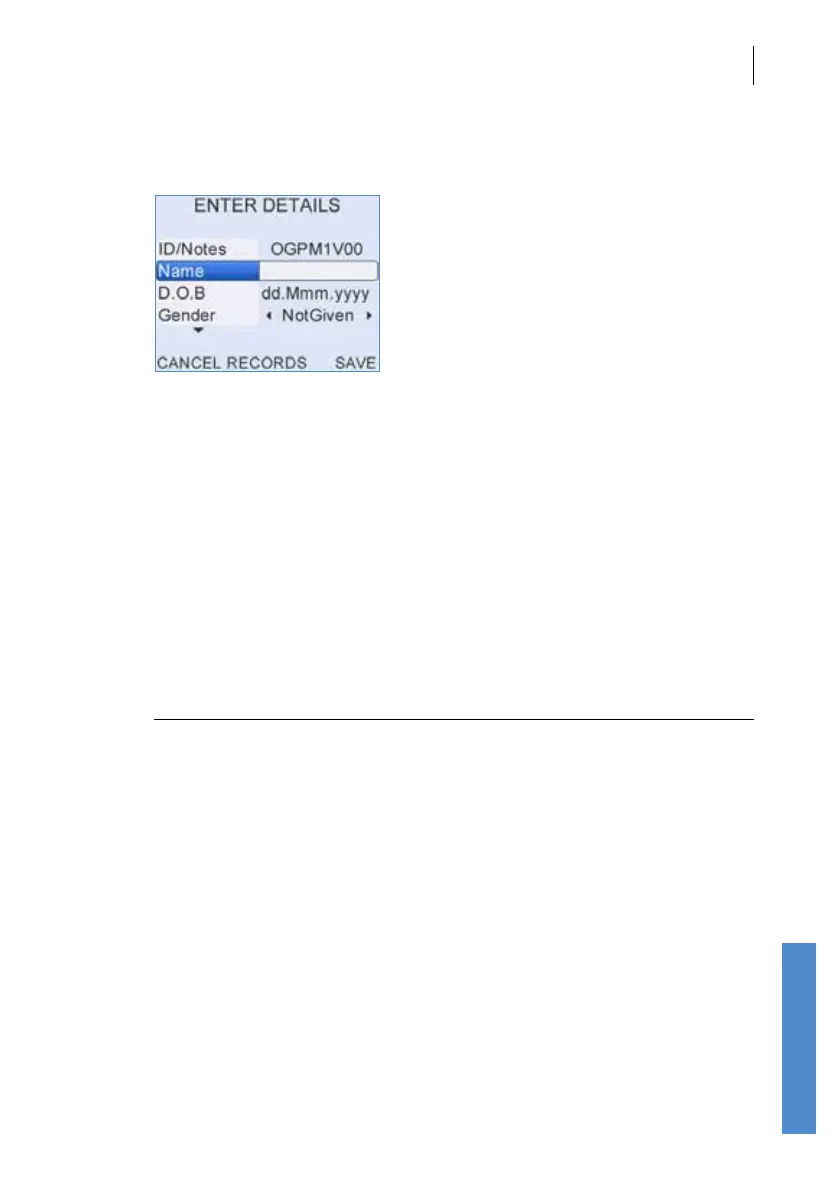
Patient details can be entered before testing by selecting Test (with Quick
Save O).
Details can also be entered after the test by selecting Last, this is the only
route for entering details if Quick Save is On.
If you are retesting an existing patient then they can be selected, and their
details viewed, from Records (see chapter
14).
A Date of Birth (D.O.B) and Gender may also be added for the patient.
A further three elds are available by scrolling down using the arrow keys.
These are NICU (Yes or No), Location (Inpatient, Outpatient or At Home)
and Facility.
Note:
It is only possible to store one Facility on the Otoport and it
should not be changed for individual patients. If you wish to
change the Facility, download and erase all test records from
the Otoport rst.
It is also not possible to set the NICU eld to Yes if Location
is set to Outpatient or At home. The elds are automatically
corrected in this case.
If the test was run using the Last option, test results will be saved to the
same patient. All elds except Location, Facility and NICU can be edited.
When the patient details are complete, select Save.



 To Next Page