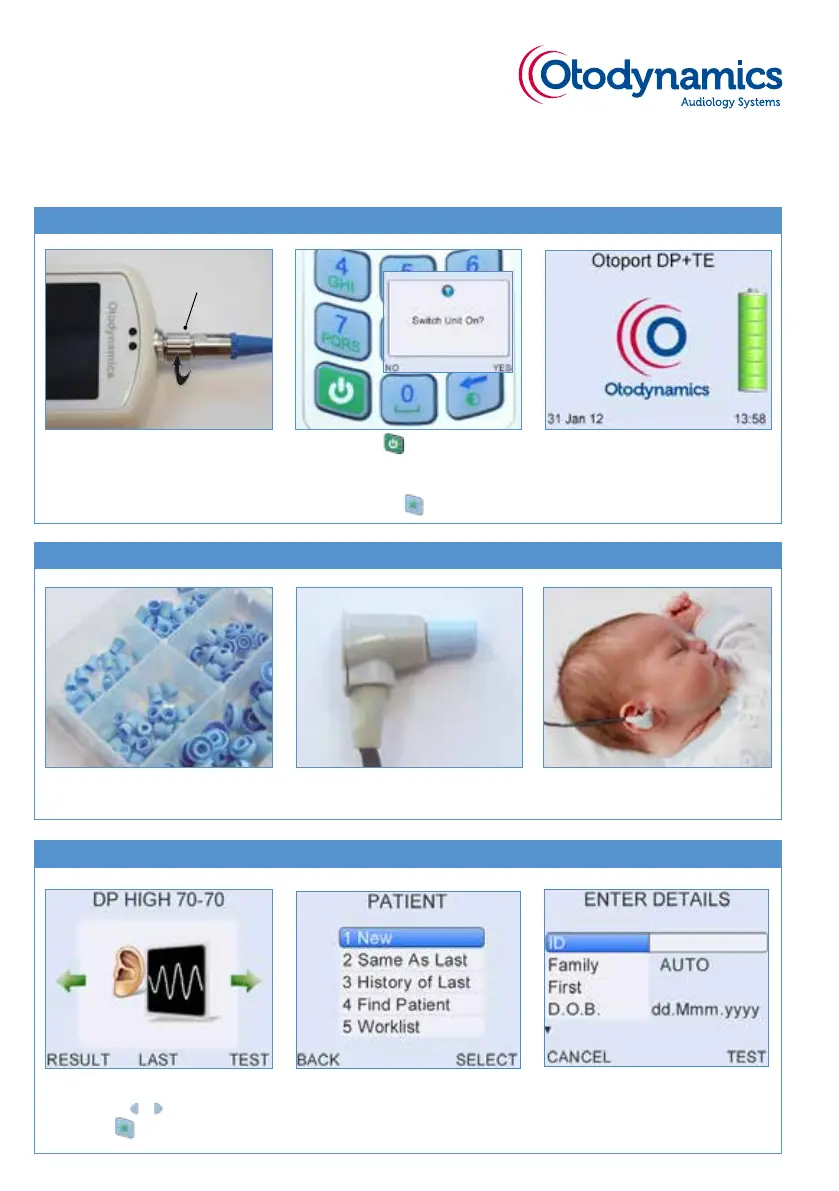
1 Select a DP or TE test mode
using the buttons.
Select to TEST.
Otoport DP+TE
OAE QUICKSTART
Step 2. Fitting the earpiece
Step 1. Setting up your Otoport
Step 3. Performing a test
knurled sleeve
1 Select an appropriate
DP tip (blue).
2 Fit the DP tip to the
earpiece.
3 Fit the earpiece in the ear
canal.
1 With the arrow at the front,
connect the DP (grey) probe
and screw the knurled sleeve
until nger tight.
2 Press the button to turn
on the Otoport. Conrm
within 2 seconds by
pressing the button.
3 Date, time and battery
status are displayed while
system checks are
performed.
2 Select a stored patient or a
New patient.
3 Enter patient details then
select Test.



 To Next Page