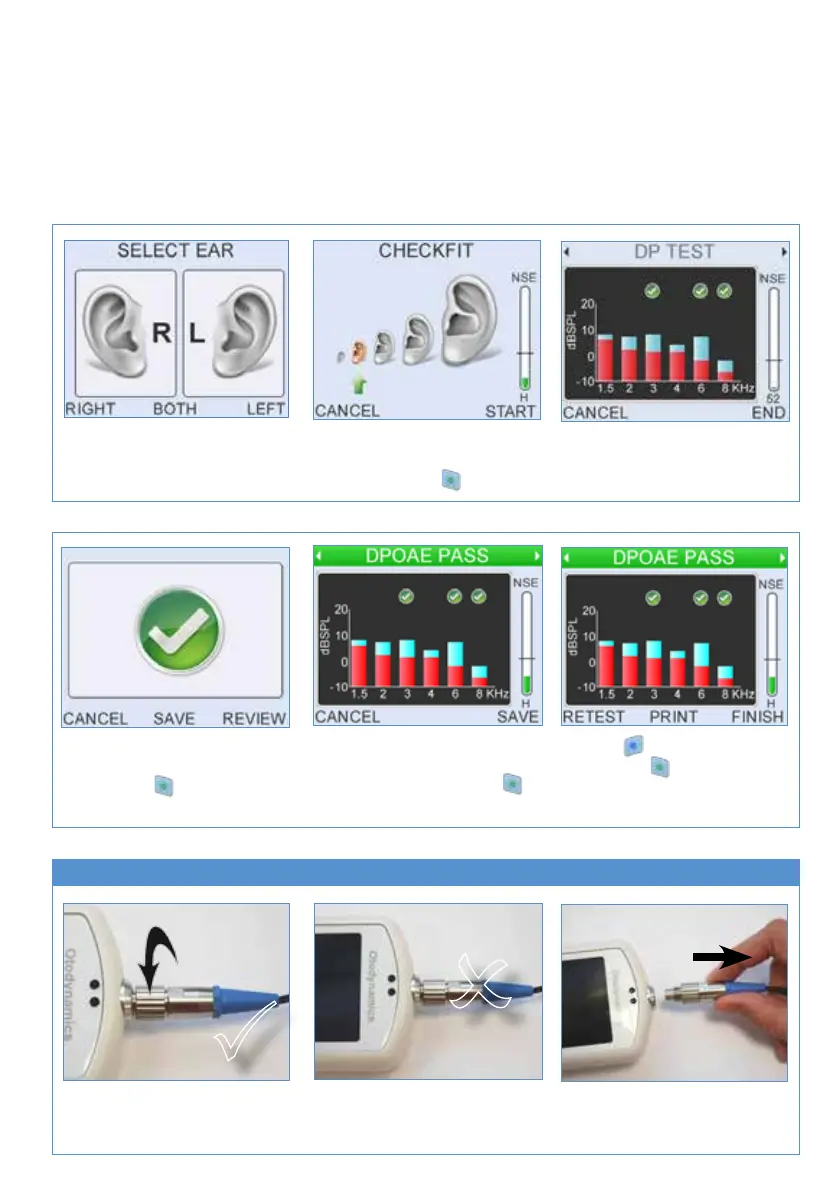
7 The test will auto-stop and a
result graphic will be shown.
Press the button to
REVIEW the result.
8 The test result will be
displayed at the top of the
test screen. Press the
button to SAVE the test.
E. Disconnecting the probe
Step 4. Disconnecting the probe
P
O
3 Gently pull out the probe.1 Unscrew the knurled sleeve.
2 Do NOT turn the main probe
body.
9 Press to Retest the same
patient or to Finish the
test.
6 An OAE histogram is
continuously updated during
the test.
4 Select Right or Left ear.
5 The size of the ear being
tested is indicated by the
graphic. Press to START.



 To Next Page