Chapter 5. Peripheral Equipment
Section
3004nstallation
Recording and Playing Messages
You can record the VAU messages from either an extension or a trunk.
Notes: You must use a DTMF telephone to record and play VAU
messages. To change existing messages, record over them.
To record and play messages, complete the following steps.
1.
Do one of the following:
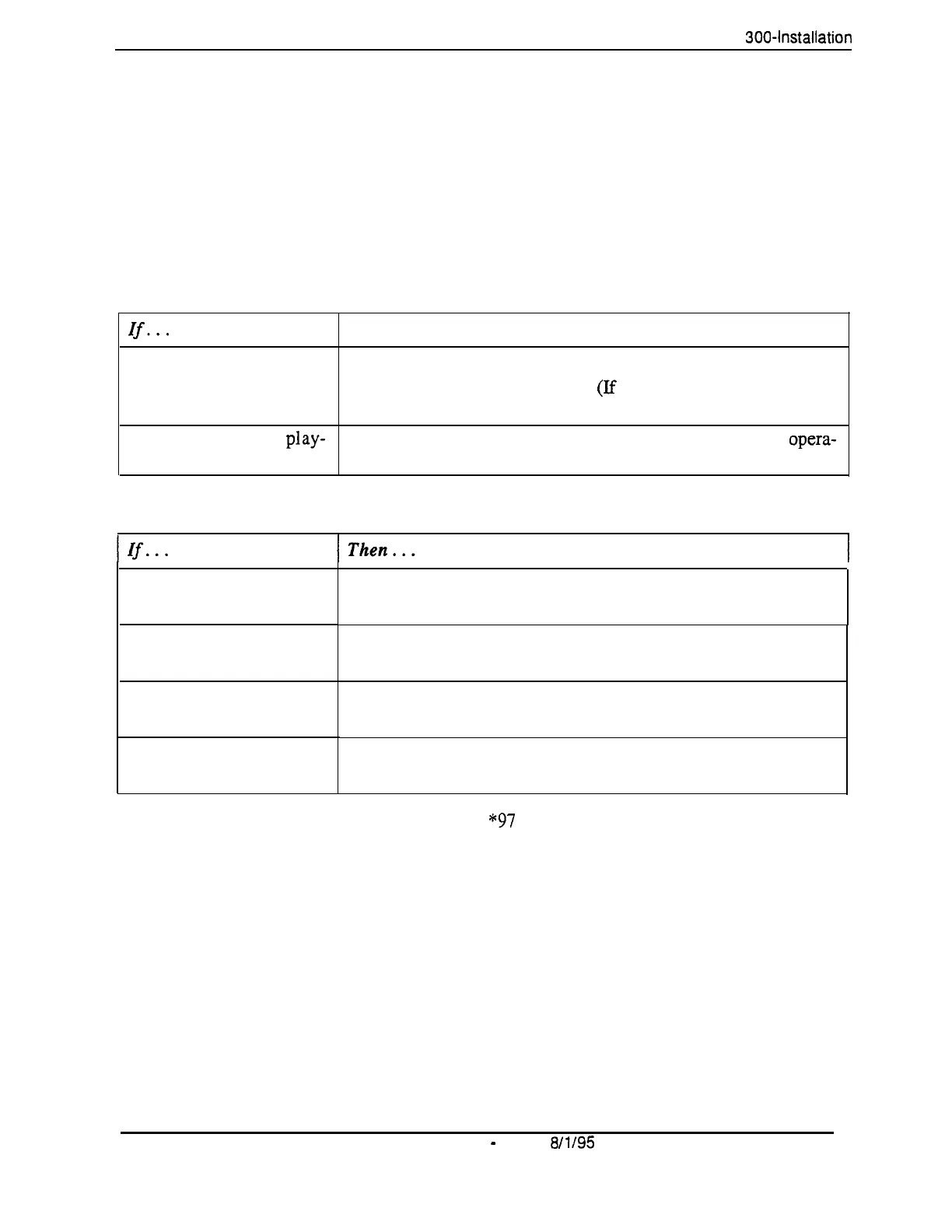
If...
Then. . .
You are recording or piay- Take your phone off hook.
ing from an extension
Dial the VAU extension number.
(If
the intercom is set for Voice,
dial 1 to change from Voice to Tone.)
You are recording or play- Dial the phone number of the VAU, or call in and have the
opera-
ing from a trunk
tor transfer you to the VAU extension.
2.
After the VAU answers, do one of the following:
You want to record the
first message
You want to record the
second message
You want to play the first
message
You want to play the
second message
Dial * 98 1
Wait for a beep. After the beep, record the message.
Dial * 98 2
Wait for a beep. After the beep, record the message.
Dial*971
The VAU plays the message.
Dial*972
The VAU plays the message.
Notes: You can enter the
“97
codes again to replay messages without
ending your call. You can only record one message at a time. To record
another message, you must end your call and redial the VAU.
3.
When
the
operation
is complete.
put the phone
on
hook.
Note: For more inforrnation on the VAU and its operation, see Section
770, “Voice Announce Unit User Guide.”
5-26 DBS Manual
-
Issued
8/1l95
DBS-70-300
Technical Manuals Online! - http://www.tech-man.com















 To Next Page