Section
300~Installation
Chapter 3. Cabinet Installation
Syste m Initia liza tio n
1.
Confirm that the DBS power switch is
OFF.
2.
Plug the power cord into a dedicated 120V 15 amp AC wall outlet.
Note: A surge protector should be installed on the power cord.
3.
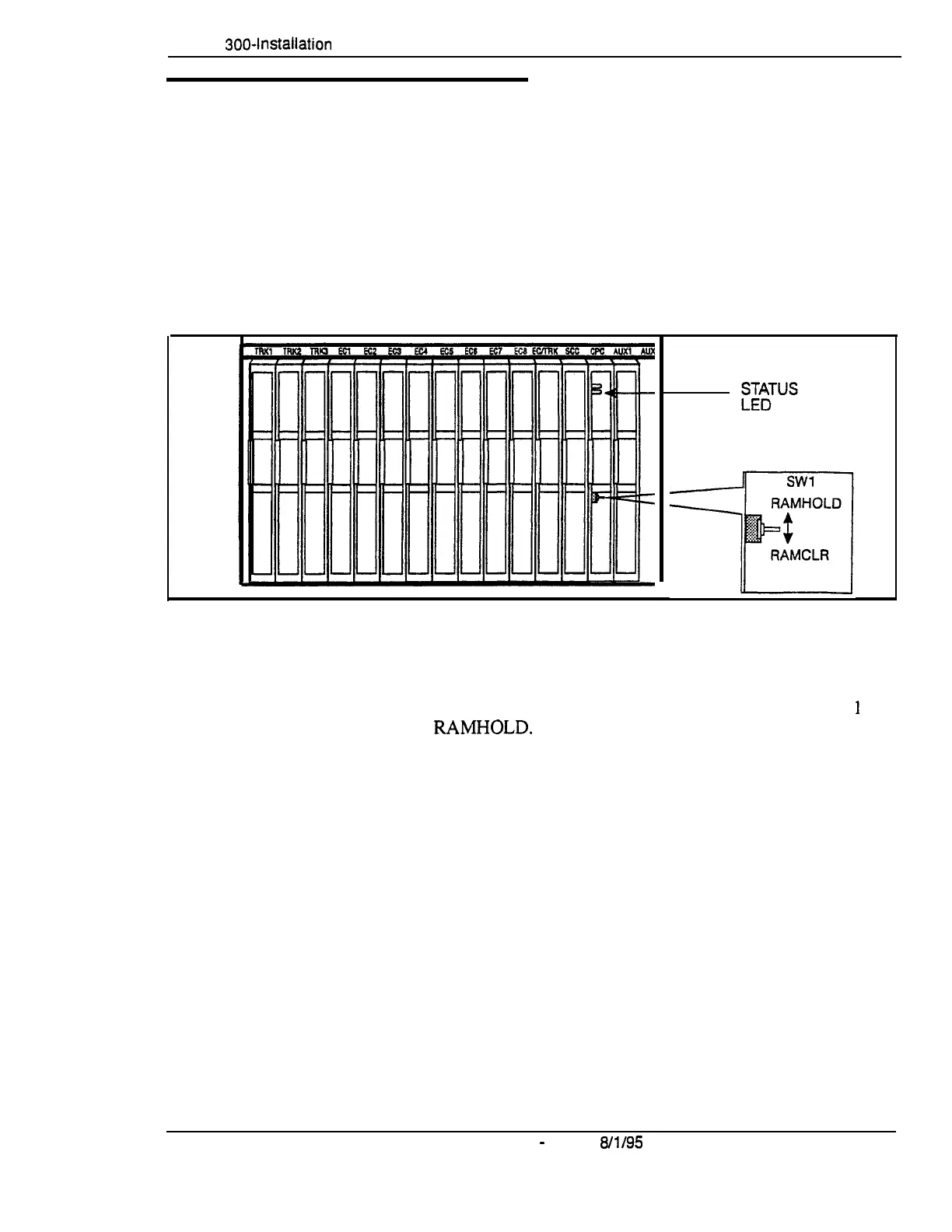
Set SW1 on the CPC card to RAMCLR (RAM Clear).
‘igure 3-17. CPC memory clear switch
4.
Turn the power switch on.
As the system loads, the bottom LED lamp on the CPC card will flash.
.
5.
Once the bottom LED lamp on the CPC card stops flashing, set SW
1
on
the CPC to
RAMHOLD.
DES-70-300
DBS Manual
-
Issued
8/l/95
3-l 7
Technical Manuals Online! - http://www.tech-man.com















 To Next Page