Chaoter
3. Cabinet Installation
Section
300~Installation
Installation
F,
1.
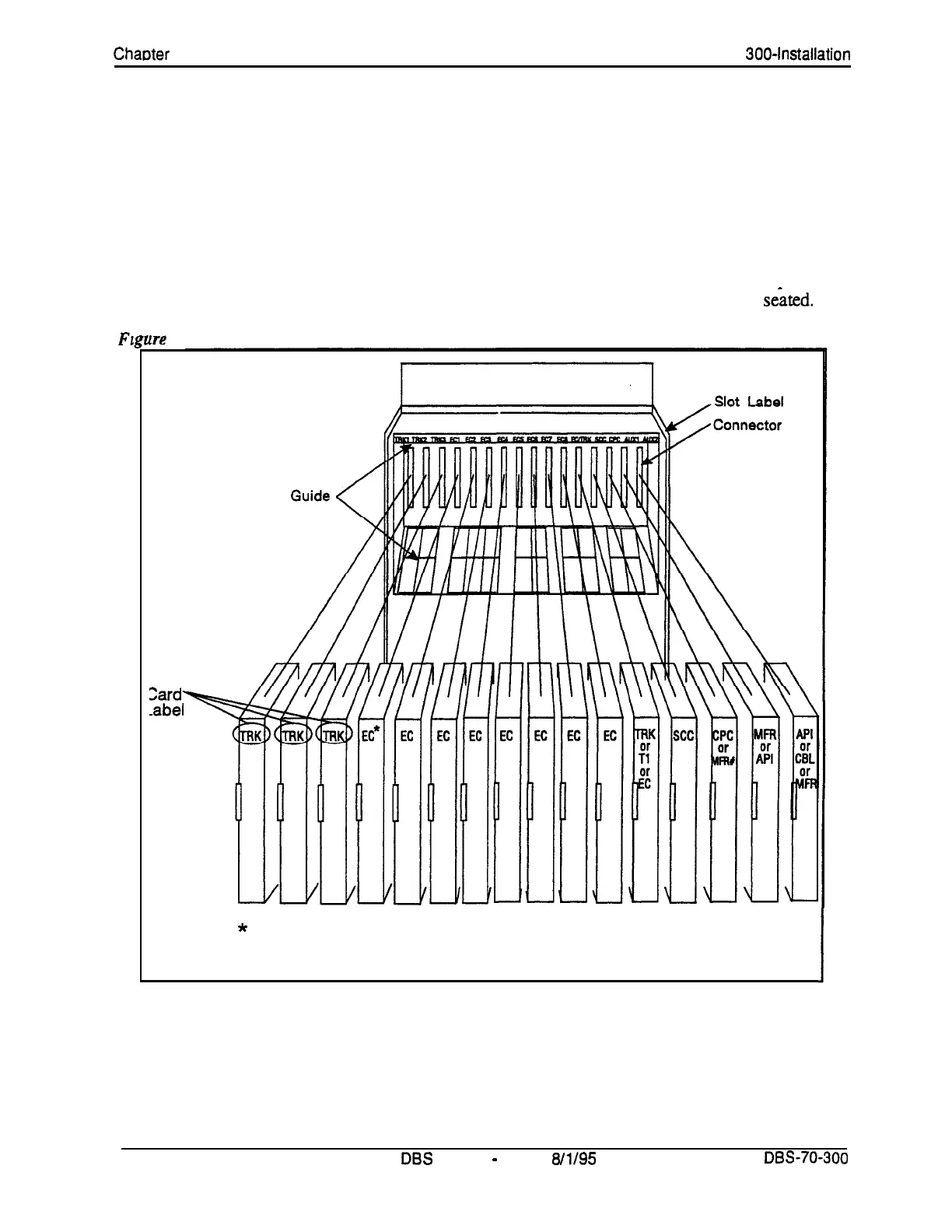
With the lettering on the card pointed up, position the card within the slot
guides. (See Figure 3-7.)
2.
Hold the card on the top and bottom edges with both hands and carefully
push the card into the slot.
3.
When the connector at the far end of the card touches the corresponding
connector on the backplane, press the card in until it is firmly
seated.
rre
3-7. Printed circuit card installation
Zard-
.abel
*
The extension card installed in this slot must be digital.
#The MFR card can be installed in the CPC slot of slave cabinets.
3-8 .
DBS
Manual
-
Issued
8/l/95
DES-70-300
Technical Manuals Online! - http://www.tech-man.com















 To Next Page