Chapter 3. Cabinet Installation
Section
300~Installation
C a rd Insta lla tio n
Guidelines
A
Caution:
Before handling printed circuit cards, discharge static elecuic-
.
ity by grounding yourself. Static electricity can damage components.
Turn off the power before installiing. Installing cards with the power on
can damage components.
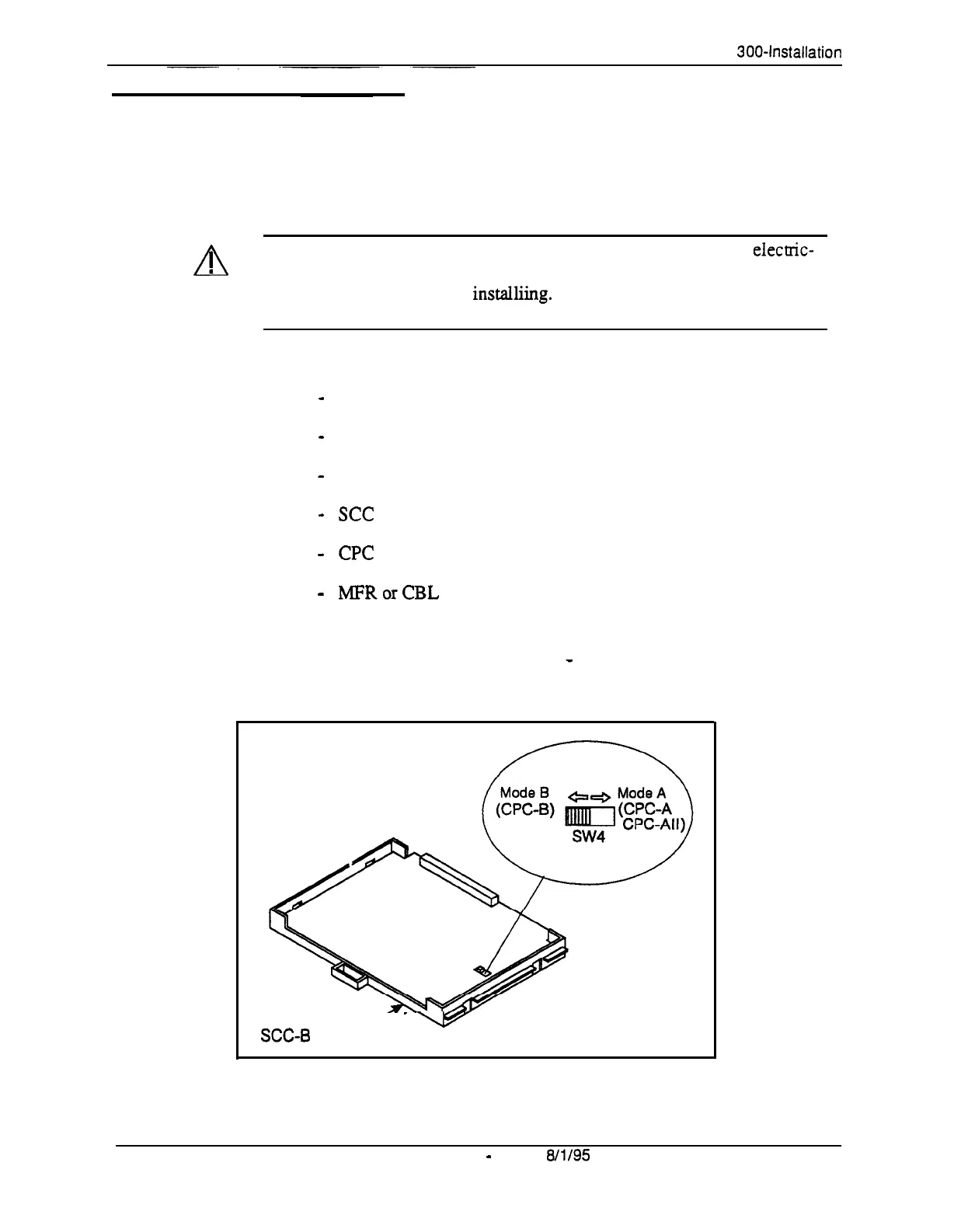
Figure
3-5.
SCC-B Switch 4
l
Install the cards in the following order:
-
TRK
-
DEC
-
AEC or API
-
see
-
CPC
-
MFRorCBL
l
If you are installing a CPC-A or CPC-AII card with an SCC-B card, set
SW4 to “Mode A.” The default setting is “Mode B,” which specifies that
CPC-B is used.
SCC-6
Card’
_
-
3-6
DBS Manual
-
Issued
8/l/95
DBS-70-300
Technical Manuals Online! - http://www.tech-man.com















 To Next Page