Section
300~Installation
Chapter 3. Cabinet Installation
Wa ll- Mo unting the Ca bine t
Guidelines
A
Caution: Always turn the power switch OFF before beginning
installa-
I
tion.
l
The DBS is shipped with the cover installed to protect components. Before
wall-mounting the cabinet, remove the cover.
l
Handle the cabinet carefully to avoid damage.
Installation
1.
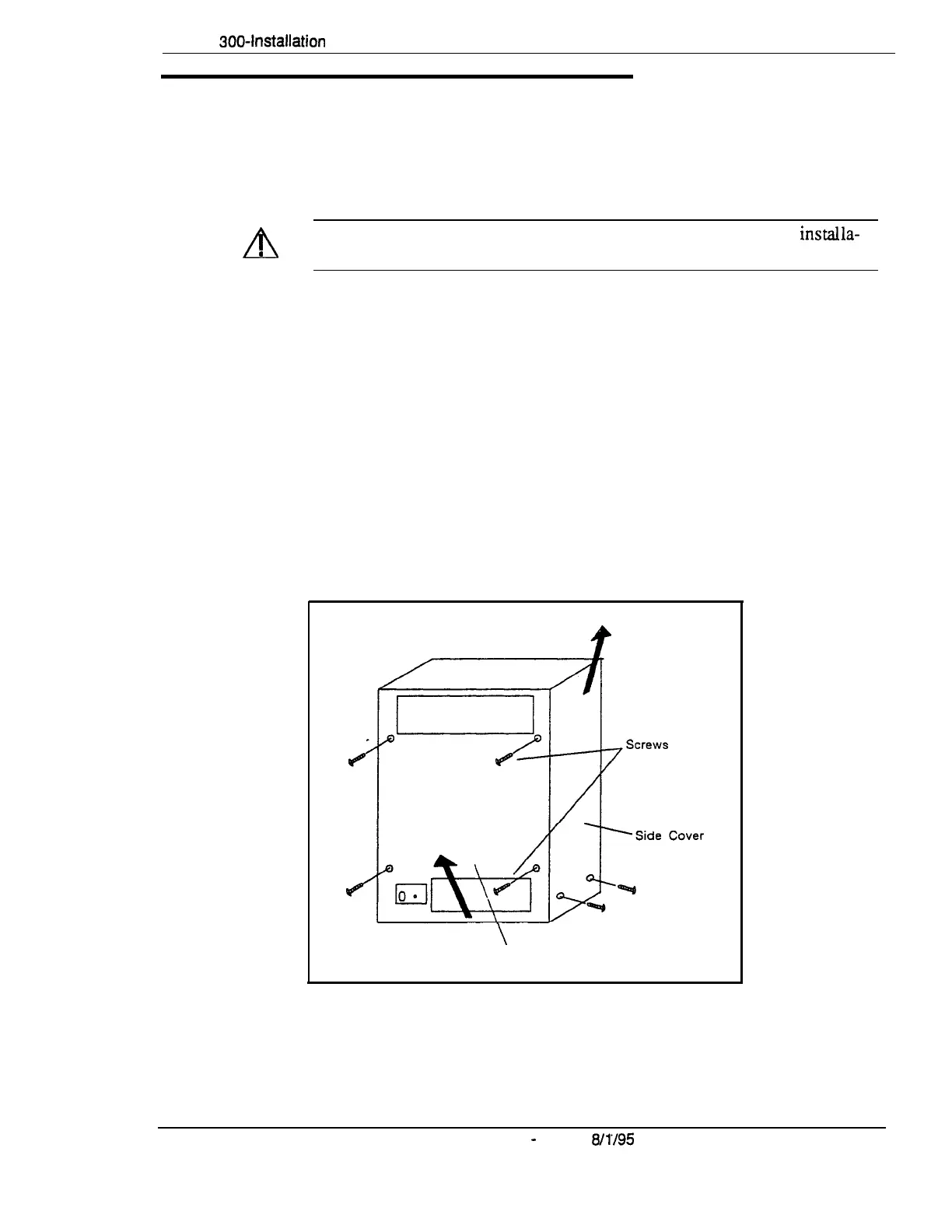
Remove the eight screws from the front and sides of the cabinet.
2.
Take the front cover off by pulling it from the bottom and lifting it up.
3. Take the side covers off by sliding them up, then away.
Figure
3-1. Cover removal
\
Front Cover
DBS-70-300 DBS Manual
-
Issued
8/1’/95
3-3
Technical Manuals Online! - http://www.tech-man.com















 To Next Page