Chapter 3. Cabinet Installation
Section
300-Installation
4.
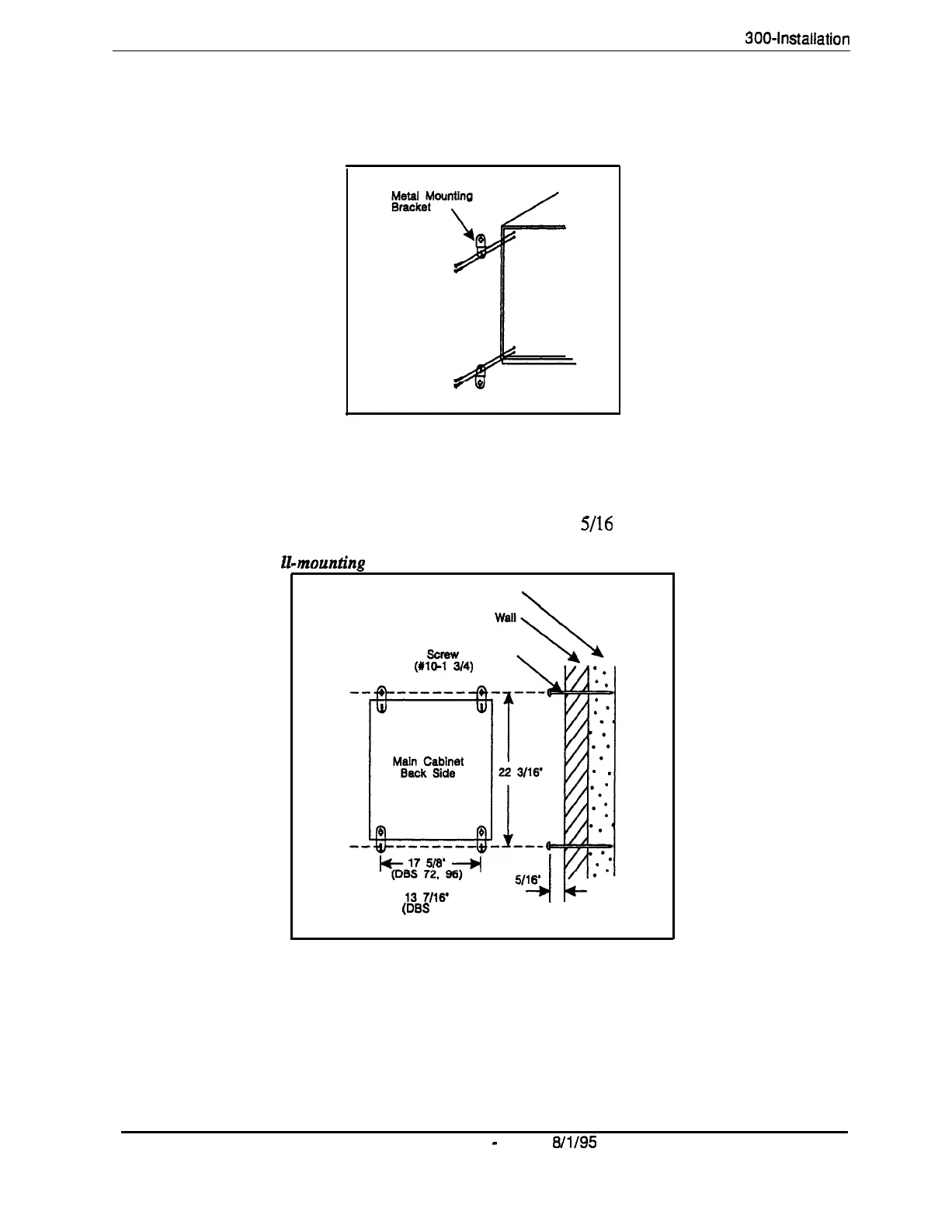
Attach the mounting brackets to the four comers of the back side of the
cabinet.
Figure 3-2. Cabinet mounting bracket
Figure 3-3. Cabinet wa
5.
Install four screws in the wall studs according to the dimensions given in
Figure 3-3. (Note that the width dimension is different for the DBS 40.)
.
The screws are used to attach the mounting brackets to the wall. The
screws should protrude from the wall
5/16
in.
mountinp
Stud
\
(DES
40)
6.
Hang the cabinet on the wall by placing the mounting brackets over the
screws.
7.
Tighten the screws to secure the cabinet.
3-4
DES Manual
-
Issued
8/l/95
DBS-70-300
Technical Manuals Online! - http://www.tech-man.com















 To Next Page