Section 700 - Operation Chapter 5. Key Telephone Features
576-50-700 DBS 576 (USA) issued September 2001 5-31
• If a call is unsupervised transferred to a busy extension, the call will camp on to the busy
extension.
• To transfer to a outside party, it is best to use supervised transfer. If the trunk-to-trunk on-hook
transfer restriction is enabled, a blind transfer will result in the loss of the second call but the
second call will be kept on hold. If not enabled and the second outside party is busy, the
transferred party will receive busy.
Caller ID Call Log
Description
The Call Log keeps a record of Caller ID calls that ring individual phones. The Call Log allows you to
view Caller ID calls that have been sent to your phone and, if desired, return a call. Calls are shown in
order, with the most recent call appearing at the top of the display.
For Large- and Small-display phones, there are two Call Log display modes. These modes define how
Caller ID information is displayed for the call being viewed (the first two lines of the display).
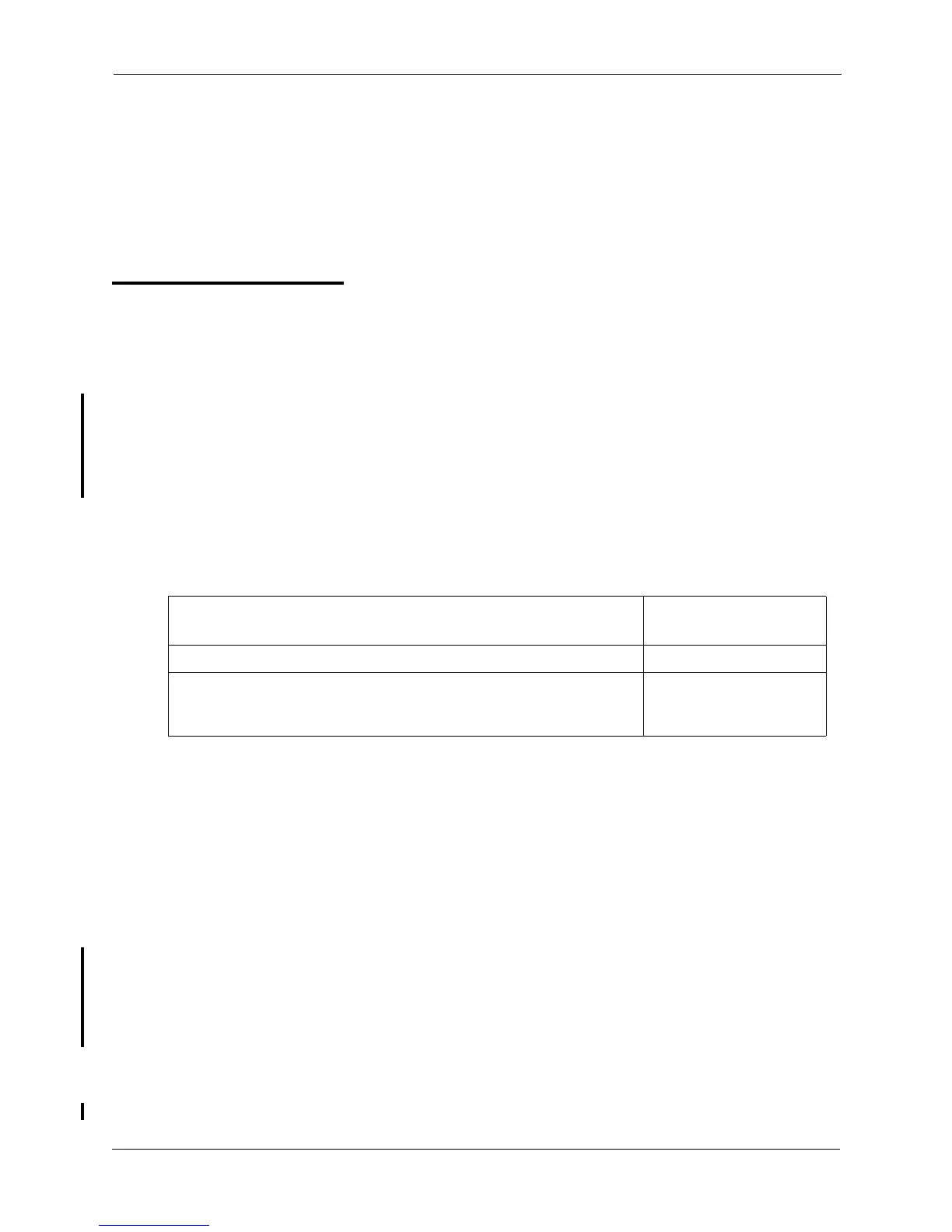
The following table shows maximum number of extensions that may have call logs and the number of
entries.
Table 5-2. Call log maximums
The Call Log stores information for Caller ID calls that ring a phone. If the phone does not ring (for
instance when Call Forward - All Calls is active), there is no entry in the Call Log for that call.
Each Call Log entry includes the following call information:
• Calling number
• Time and date
• Whether the call was answered
• How the call was routed.
With Version 5.0, if an FF key is assigned as a Caller ID key, the key flashes when Caller ID
information is received and the call is not answered (Busy/No Answer/CFWD/Hunting). This key can
then be pressed to access the Call Log.
Call Log Operation on a Small- and Large-Display Key Telephones
Operation
See Section 750 - Key Phone User Guide for operating instructions and Call Log display examples.
Call Log Maximums Maximum
Maximum number of extensions with Call Log 20 per cabinet
Number of log entries that can be stored for an extension. (After the call
log fills with 10 entries, each additional entry overwrites the oldest log
entry.)
10













 To Next Page