4-10 DBS 576 (USA) issued September 2001 576-50-700
Chapter 4. User Maintenance Section 700 - Operation
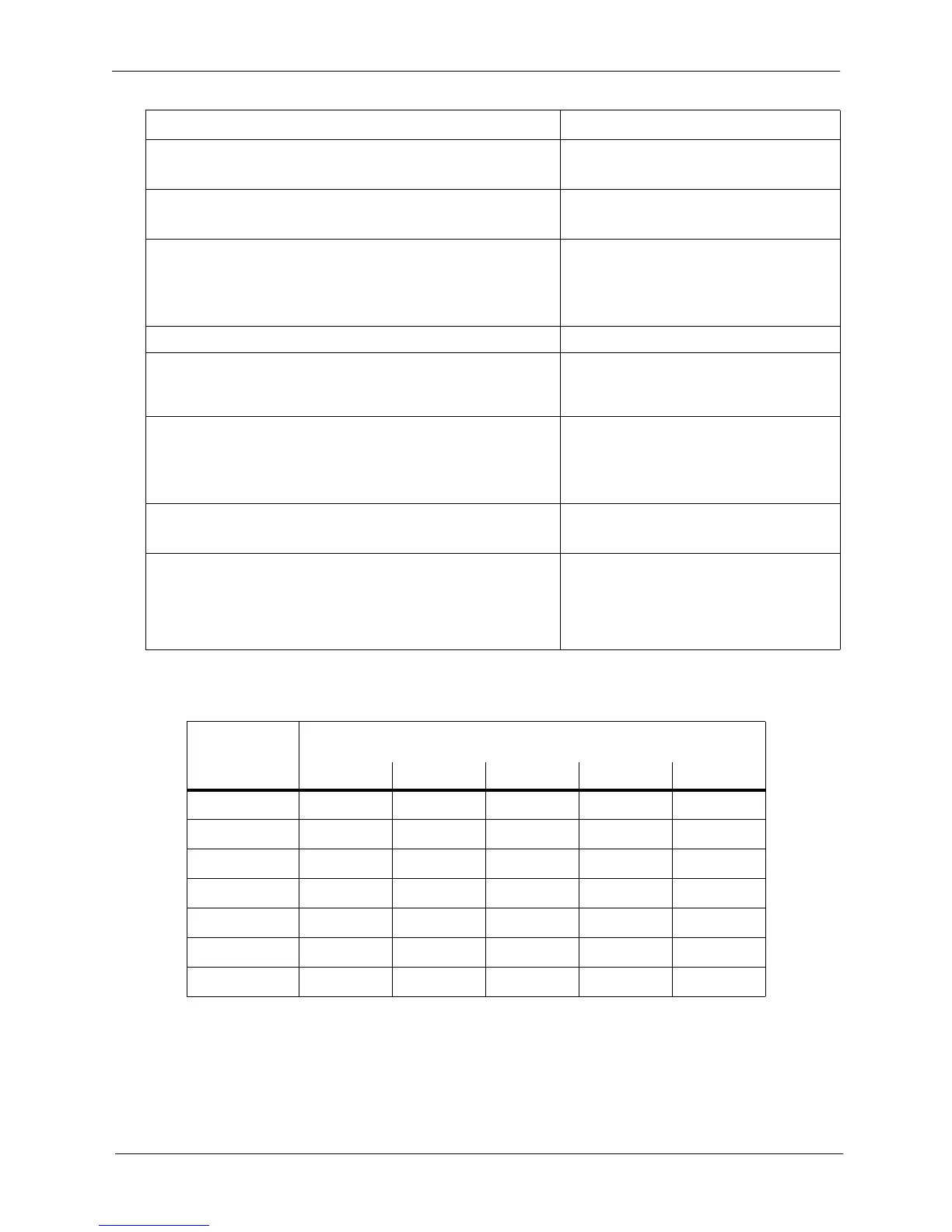
Table 4-1. Day of the Week - addresses
Hardware Requirements
•N/A
5. Press the HOLD key. 3-
D of Week PTN displays
6. Press the HOLD key. 300 :
1st SUN Pattern displays
7. Enter pattern (0 - no pattern, 1 - pattern 1, 2 - pattern 2, 3 -
pattern 3) for the first Sunday.
Note: To clear an entry or existing data, press the FLASH
key.
8. Press the HOLD key to store the entry. Next Day of Week mode displays
9. To set additional Day of Week modes, press the volume up
or down key or press the HOLD key to move to the desired
mode.
Desired Day of Week mode displays
10. Repeat steps 7-9 until the remaining days in the month are
set.
Note: The entry positions are listed in Table 1 on page 4-
10.
11. Press the AUTO key to exit the entry mode. 3-
D of Week PTN displays
12. To return to the top menu level (81), press the PROG key.
OR...
To exit the User Maintenance mode, press the ON/OFF
key.
81-
User MAINT displays
OR...
ON/OFF LED goes off
ADDRESSES
FOR THESE
DAYS OF THE
WEEK:
-- DAY OCCURRENCE --
(e.g., 1st Sunday=address 300; 2nd Sunday=address 307)
1st 2nd 3rd 4th 5th
Sunday
300 307 314 321 328
Monday
301 308 315 322 329
Tuesday
302 309 316 323 330
Wednesday
303 310 317 324 331
Thursday
304 311 318 325 332
Friday
305 312 319 326 333
Saturday
306 313 320 327 334
Action Result













 To Next Page