37
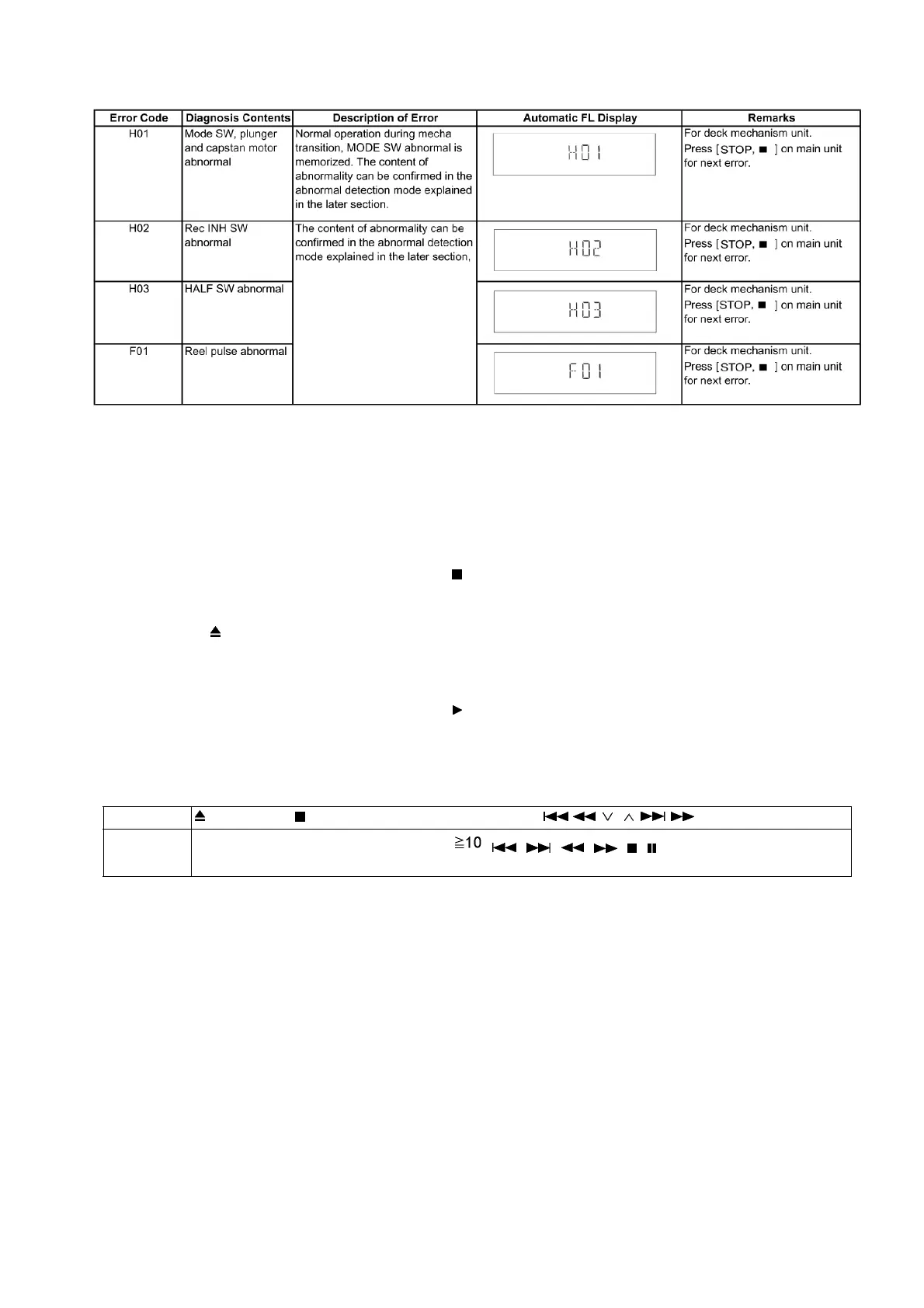
6.5.6. Deck Mechanism Error Code Table
6.6. Sales Demonstration Lock Function
This function prevents discs from being lost when the unit is used for sales demonstrations by disabling the disc eject function.
"LOCKED" is displayed on the unit, and ordinary operation is disabled.
6.6.1. Setting
• Prohibiting removal of disc
1. Select the DVD/CD function.
2. At POWER ON condition, press and hold down the button and the power button on the main unit for at least three sec-
onds. (The message, “LOCKED” appears when the function is activated.)
Note:
OPEN/CLOSE button is invalid and the main unit displays “LOCKED” while the lock function mode is entered.
• Prohibiting operation of selector and disc
1. Select the DVD/CD function.
2. At POWER ON condition, press and hold down the button and the power button on the main unit for at least three sec-
onds. (The message, “LOCKED” appears when the function is activated.)
Note:
The following buttons are invalid and the main unit displays “LOCKED” while the lock function mode is entered.
6.6.2. Cancellation
The lock can be cancelled by the same procedure as used in setting. ("UNLOCKED" is displayed on cancellation. Disconnecting the
power cable from power outlet does not cancel the lock.)
Main unit
OPEN/CLOSE, /-TUNE MODE/—FM MODE, SELECTOR, / / , / /
Remote con-
troller unit
iPod/USB, FM/EXT-IN, NUMERIC KEYS 0~9, , , , , , , , RETURN, FUNCTIONS, FL DIS-
PLAY/SLEEP, MUTING











 To Next Page