73
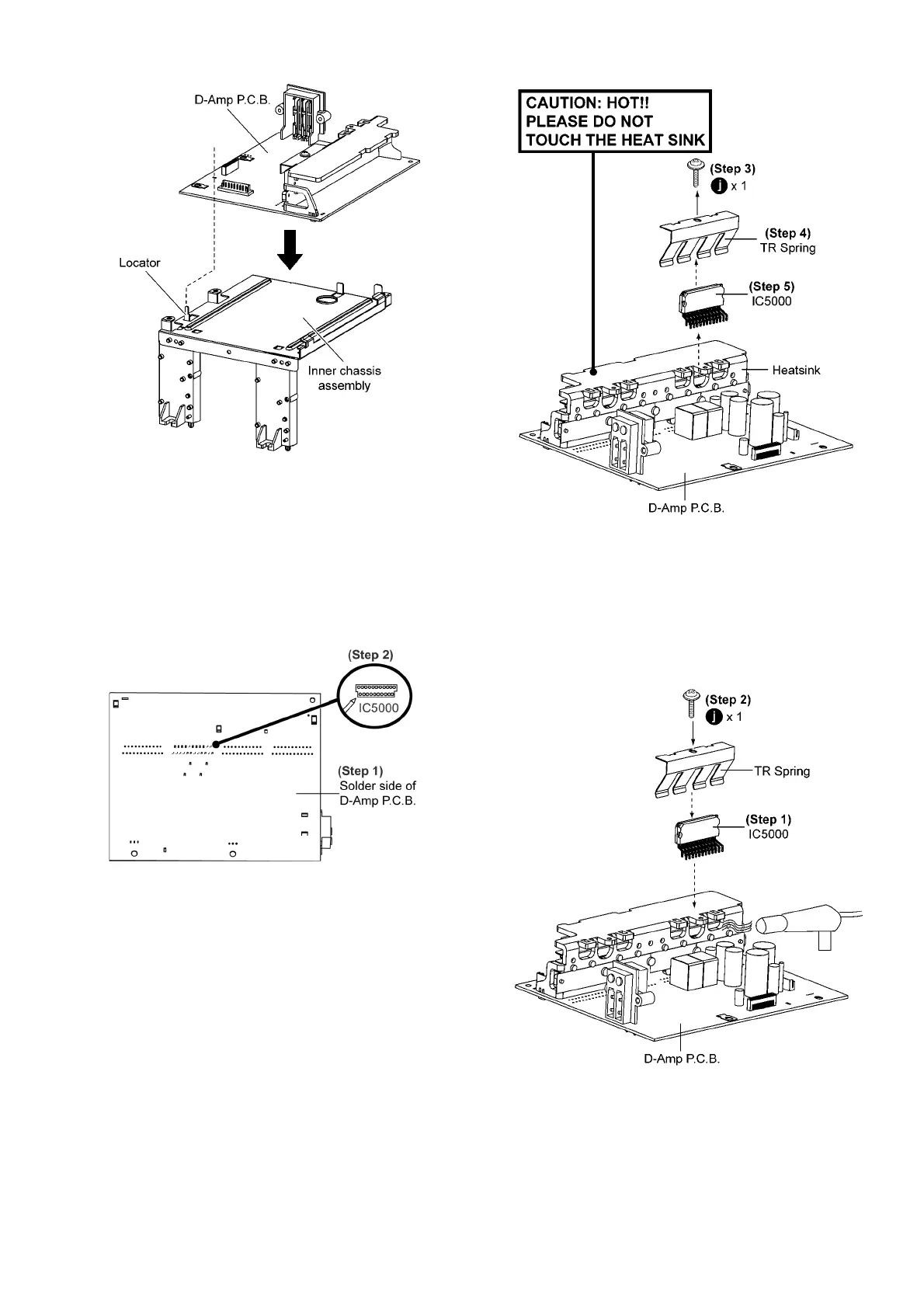
Caution: During assembling, ensure the D-Amp P.C.B. is
seated properly on the locator of the Inner chassis assem-
bly.
9.20. Replacement of Audio Digital
Power Amp IC (IC5000)
• Follow the (Step 1) to (Step 5) of Item 9.3
• Follow the (Step 1) to (Step 7) of Item 9.4
• Follow the (Step 1) to (Step 7) of Item 9.19
Step 1 Flip over D-Amp P.C.B..
Step 2 Desolder pins of the Audio Digital Power Amp IC
(IC5000) on the solder side of D-Amp P.C.B..
Step 3 Remove 1 screw.
Step 4 Remove TR Spring in the direction of arrow shown.
Step 5 Remove Audio Digital Power Amp IC (IC5000).
Caution: During replacement of the part, avoid touching
the heatsink, it may lead to injuries.
9.20.1. Assembly of Audio Digital Power
Amp IC (IC5000)
Step 1 Mount the Audio Digital Power Amp IC (IC5000) on to
D-Amp P.C.B..
Step 2 Screw back TR Spring to hold the Audio Digital Power
Amp IC (IC5000) onto the Heatsink Power Unit.
Step 3 Solder the pins of Audio Digital Power Amp IC.
Step 4 Use a blower to remove the minute particles after the
screwing of TR Spring.











 To Next Page