90
12 Measurements and Adjustments
12.1. Cassette Deck
1. Input point: Not Applicable.
2. Input signal: Test Tape (QZZCWAT).
3. Measuring point: Pin 3 (signal) & Pin 2 (ground at Deck P.C.B.).
4. Mode: Tape.
5. Preparation Items:
a. Test tape (as described in item 2).
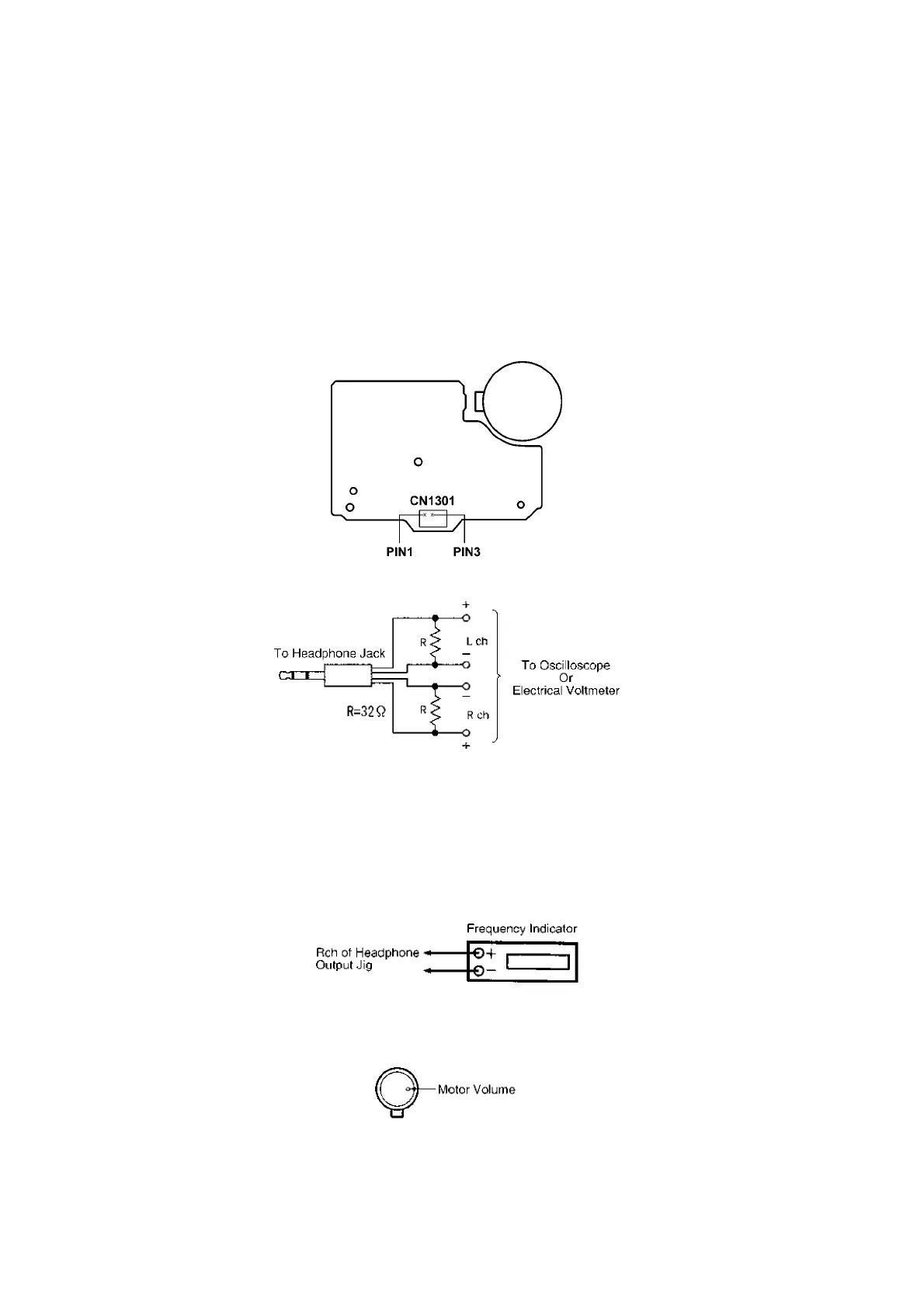
b. Headphone Jack output jig (Figure 2).
c. Frequency indicator.
d. Electrical voltmeter.
e. Digital frequency counter.
f. Oscilloscope.
Figure 1
Figure 2
12.2. Tape Speed Adjustment
1. Connect the frequency indicator to the R-ch of the headphone output jig (Figure 3).
2. Insert the test tape (QZZCWAT).
3. Playback the middle portion of the test tape (QZZCWAT).
4. Adjust the motor screw so that the following output level is produced. (Figure 4)
(Adjustment Range: 3,000 ± 90Hz).
Figure 3
Figure 4











 To Next Page