Planning the CS configuration 340
SmartWare Software Configuration Guide 31 • CS context overview
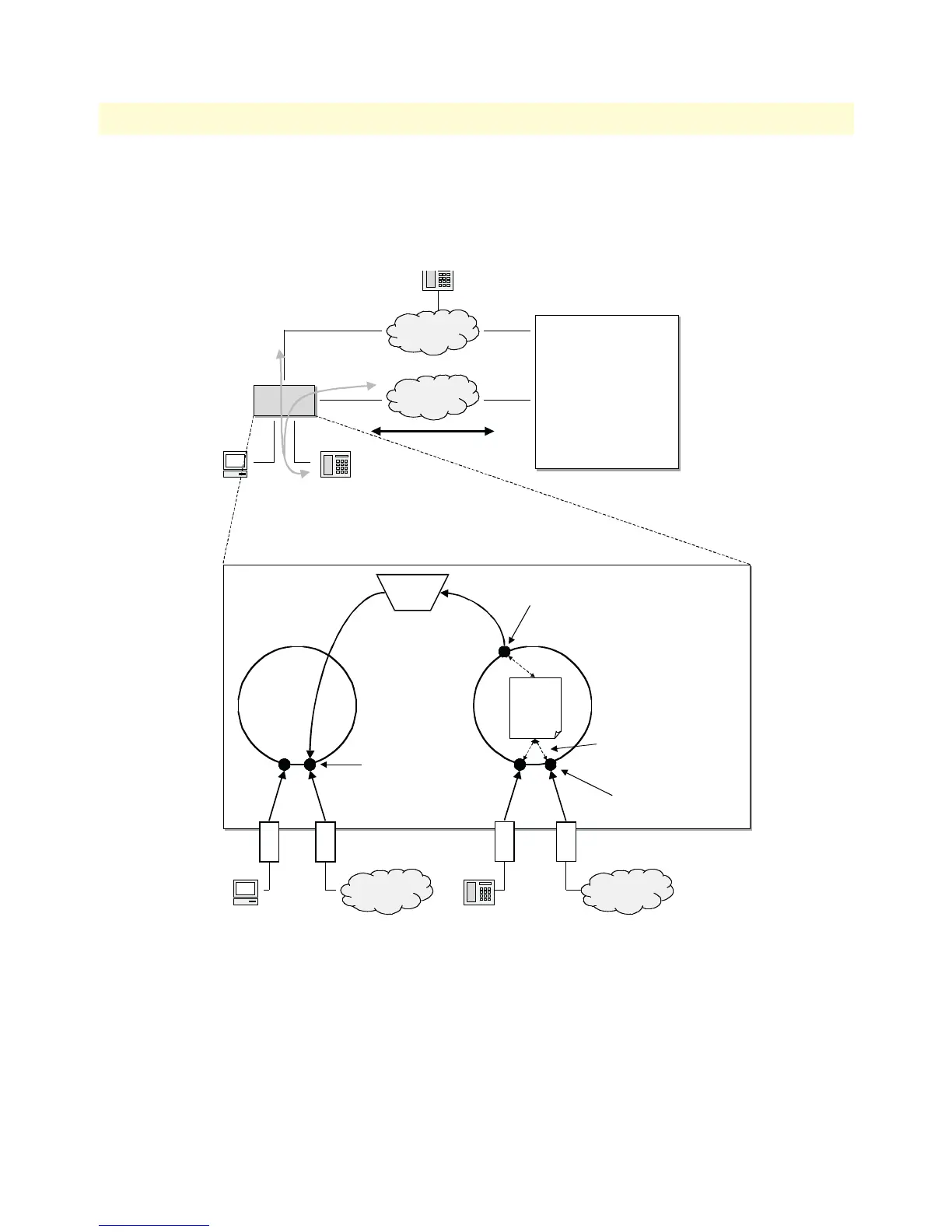
Figure 48 shows a typical application with a remote office in an enterprise network. The example focuses on the
SmartNode in the remote office. There is an ISDN phone, a personal computer, a connection to the public ISDN
network, and a connection to the IP backbone. The VoIP protocol used is H.323 with a codec G.711. A call can
be routed to the IP backbone and the public ISDN network depending on its prefix and number length.
Figure 48. Remote office in an Enterprise network
An application like that shown in figure 48 would require the following CS configuration:
• Since the remote office is connected to the public switched telephone network, the clock-source comes from
the corresponding ISDN port. (Described in section “Configuring general CS settings” on page 341).
Node
Node
IP
Backbone
PSTN
Remote Office
ISDN PhonePC
193.192.37.12
172.16.101.1
Main Office
H.323, Codec G.711
H.323 GW
eth 0/0
bri
bri
eth 0/1
Context CS
switch
Context IP
router
Session
Router
Ethernet interfaces
Call routing
ISDN interfaces
H.323 interface
IP
Backbone
PSTN
PC
193.192.37.8
Call Routing



 To Next Page