VoIP profile configuration task list 577
SmartWare Software Configuration Guide 47 • VoIP profile configuration
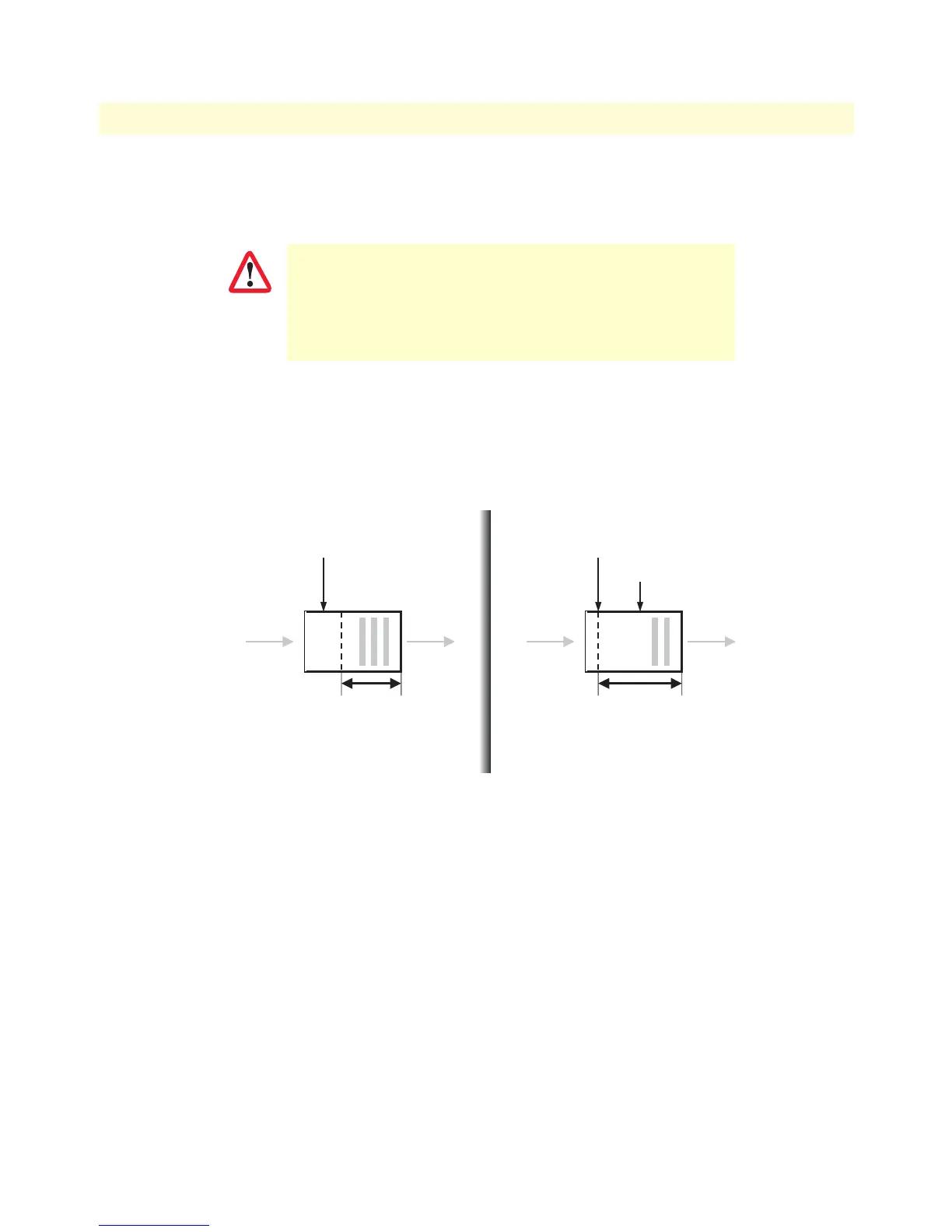
The operating modes for the dejitter buffer are illustrated in figure 4:
• Adaptive—The adaptive buffer automatically adapts to variations in the network’s delay characteristics and
in general yields the best results for voice conversations.
• Static—The static buffer is useful for voice conversations if you have specific information about your net-
work’s delay characteristics (such as jitter period, etc.), so it should only be used by experienced users.
• Static-data—The static-data mode if you want to create a profile for fax or modem transmission without
using the T.38 or fax bypass features described later in this chapter
Figure 4. Adaptive versus static dejitter buffer
Procedure: Configure the dejitter buffer.
In the adaptive dejitter buffer there are parameters that can be
configured (such as shrink-speed, grow-step, etc.) that should not
be changed unless it is necessary to do so. An incorrect configura-
tion can lead to interoperability problems and loss of service.
Therefore, it is strongly recommended that only expe-
rienced users change these parameters.
IMPORTANT
Adaptive Fixed
max delay => max fill level
Adaptive algorithm resizes
buffersize up to max delay,
depending on network traffic !
voice packets
max delay => buffersize
Fixed algorithm sets buffersize to max delay.
Generally mean delay of voice packets is
max delay / 2
voice packets
mean delay = max delay / 2



 To Next Page