Call router configuration task list 514
SmartWare Software Configuration Guide 40 • Call router configuration
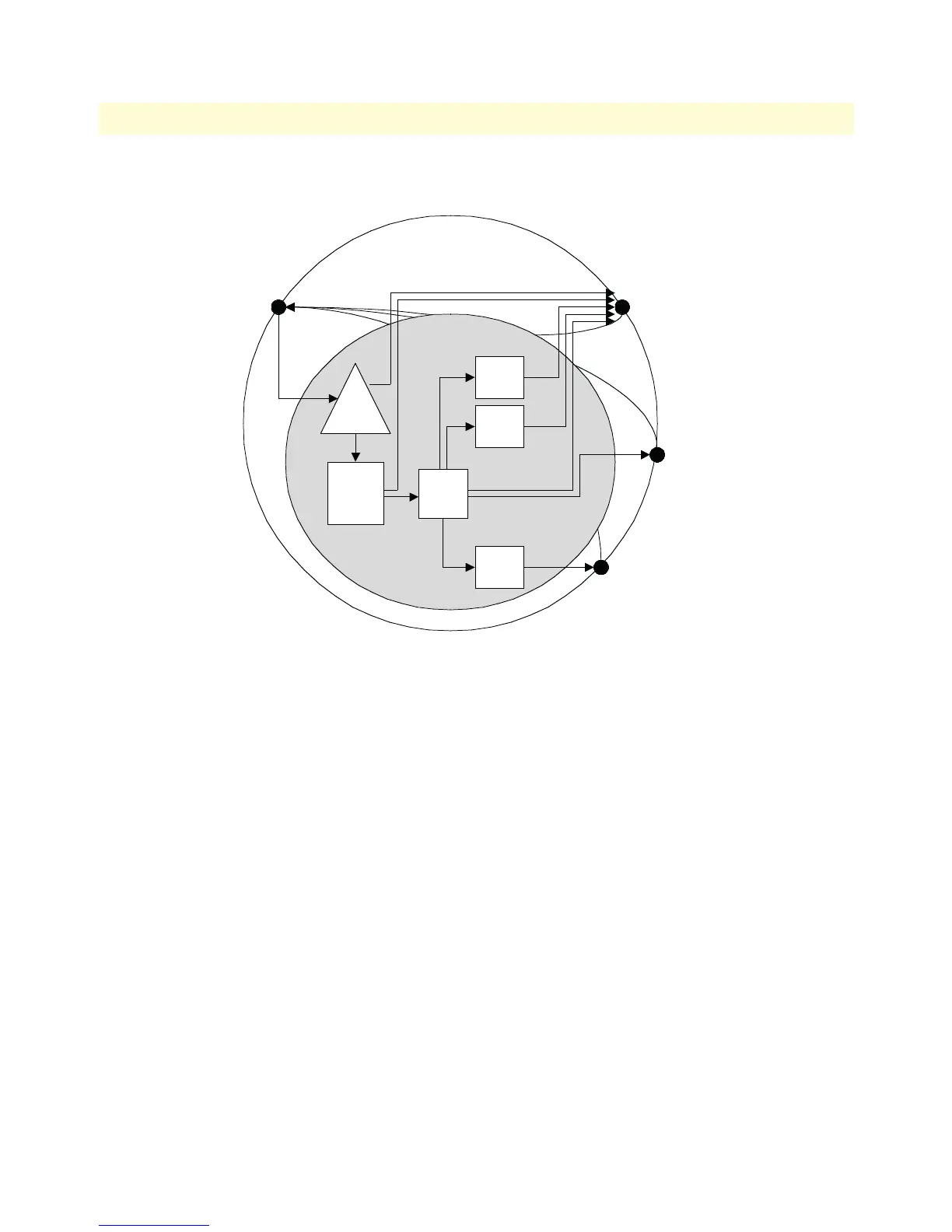
Figure 74 shows the corresponding CS Context and call router elements in node A:
Figure 74. CS context and call router elements
We assume that the CS interfaces have already been created and configured. So we can start directly with the
call router elements.
Since the command sequence is quite long it is useful to create the configuration offline and download it using
TFTP.
Note In the following lines the prompt is omitted as in a configuration file and for
better readability.
#-------------------------------------------------------------
# Call Router Config File
#-------------------------------------------------------------
context cs switch
#
# Hunt-group service "SVC-FALLBACK" to catch VoIP network errors
#
service hunt-group SVC-FALLBACK
no cyclic
timeout 6
route call 1 dest-table ISDN-SERVICE
route call 2 dest-interface LOCAL-BREAKOUT
Context
interface isdn IF-PBX-A
interface isdn IF-LOCAL-BREAKOUT
Call Router
TAB-
ISDN-
SERVICE
MAP-
CAC-
MELON
interface h323 IF-NODE-B
interface sip IF-NODE-C
SVC-
FALL
BACK
TAB-
DEST-
A
MAP-
CAC-
APPLE
MAP-
CAC-
ORANGE



 To Next Page