SIP location-service 522
SmartWare Software Configuration Guide 41 • SIP call-router services
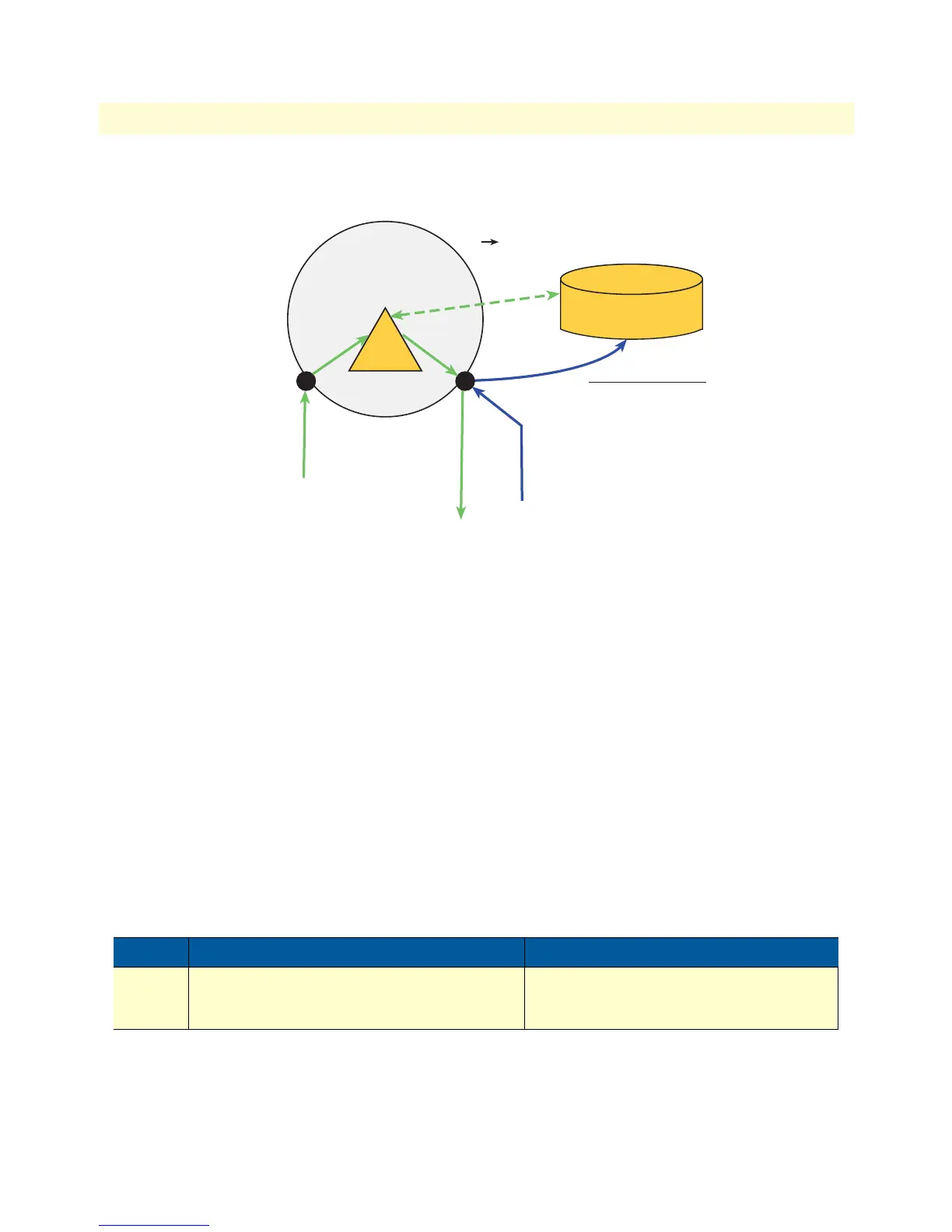
Figure 75. Registration and Lookup
SIP location-service configuration task list
The following section describes how to create a new location-service and how to enter the configuration mode
of an existing one. In addition, it describes all commands and sub commands of the location-service configura-
tion mode. All configuration tasks for a location-service are listed below.
• Enter location-service configuration mode (see page 522)
• Bind a location service (see page 523)
• Configure multi contact behavior (see page 523)
• Configure the hunt timeout (see page 523)
Entering SIP location-service configuration mode
The service sip-location-service command enters the configuration mode of an existing location-service or cre-
ates a new one with a specified name. It also destroys an existing service by using the no form of the command.
Mode: Context CS
Step Command Purpose
1 [name] (ctx-cs)[switch]#[no] service sip-
location-service <service-name>
Creates/Destroys a SIP location-service or
enters the configuration mode of an existing
one.
Location Service
Domain:
biloxy.com
Context CS
Service
Location - Service
sip2
sip1
Lookup
Domain: biloxy.com
Identity: john.doe
Contact: 192.168.10.1:5060
Create address binding:
Identity: john.doe
Contact: 192.168.10.1:5060
Interface: sip1
REGISTER biloxy.com
From: john.doe@biloxy.com
To: john.doe@biloxy.com
Contact: 192.168.10.1:5060
INVITE sip:john.doe@192.168.10.1:5060
INVITE sip:john.doe@biloxy.com



 To Next Page