76700 -47/94-
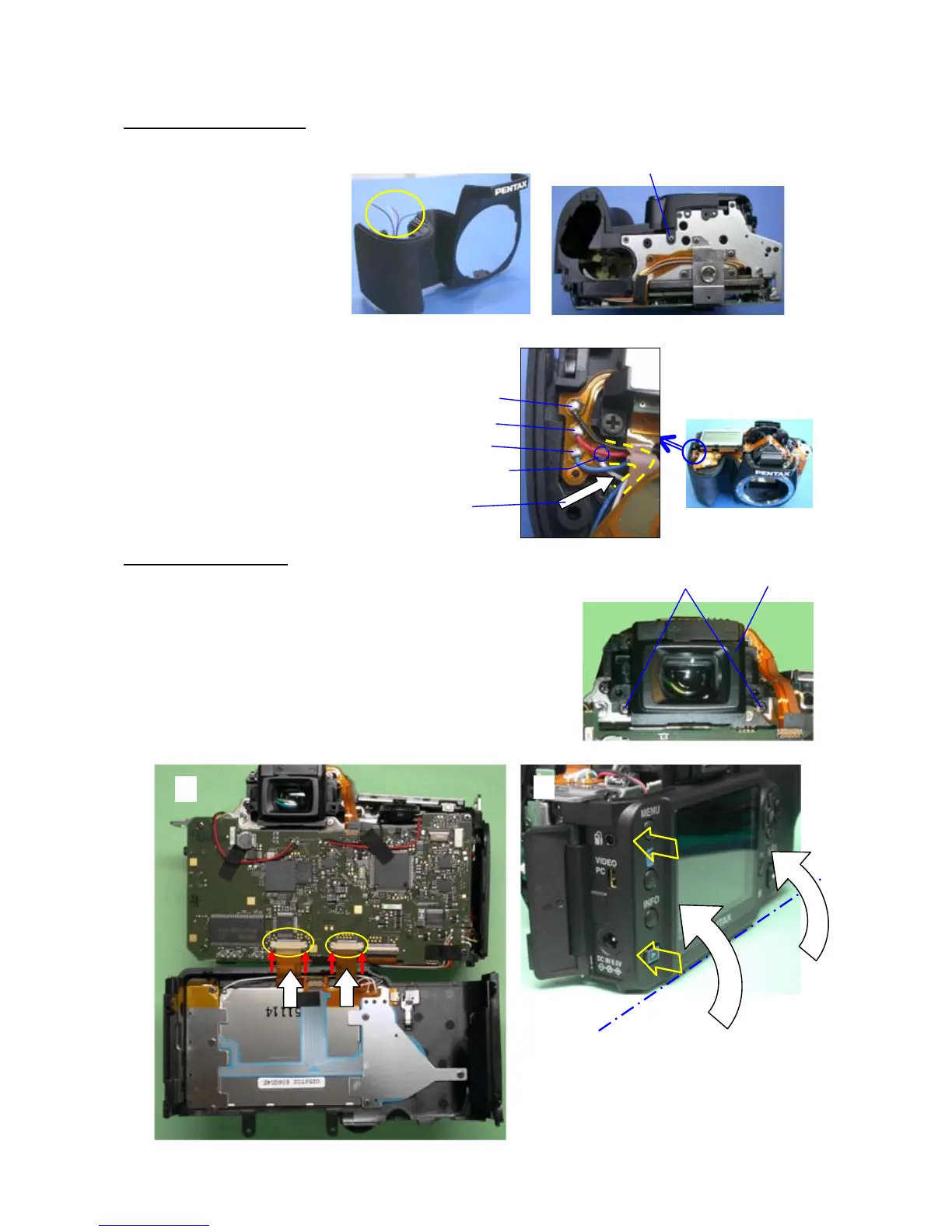
15. A150 (Front cover)
(1) Install A150 while noticing direction of 4 lead wires.
(2) CNL-D1.7x2.5
(3) Solder 4 lead wires (Black, Red, Blue and White)
(4) Arrange lead wires as shown figure.
16. A201 (Back cover)
*Befor installing A201, confirm installed condition for parts.
(1) Install M311 with engaging the Diopter adjustment lever.
(2) CNL-D1.7x3.0 (x2)
(3)Before installing A201,open the SD card cover.
(4) Connect two flex from back cover. (Slide lock)
(5) Install from terminal side of back cover.
(2)
(1)
(2)
(1)
(4)
(5)
(3)
Black
Red
Blue
White
(4)



 To Next Page