76700 -72/94-
24-4 Adjustment procedure
1) Start the adjustment software and connect the camera to the computer
2) Select SHUTTER SPEED ADJUSTMENT
3) Select the 1/4000 shutter tester and go to data input screen.
4) Input conversion data (mS). If the data is NG, back to the data input screen and input [0.25]
and finish the adjustment
5) After finish the adjustment, execute the software adjustment and then disconnect the connection.
6) [Confirmation] follow the above procedure 3 and 4, the shutter speed should be
within 0.227mS ~ 0.30 mS (1/4000)
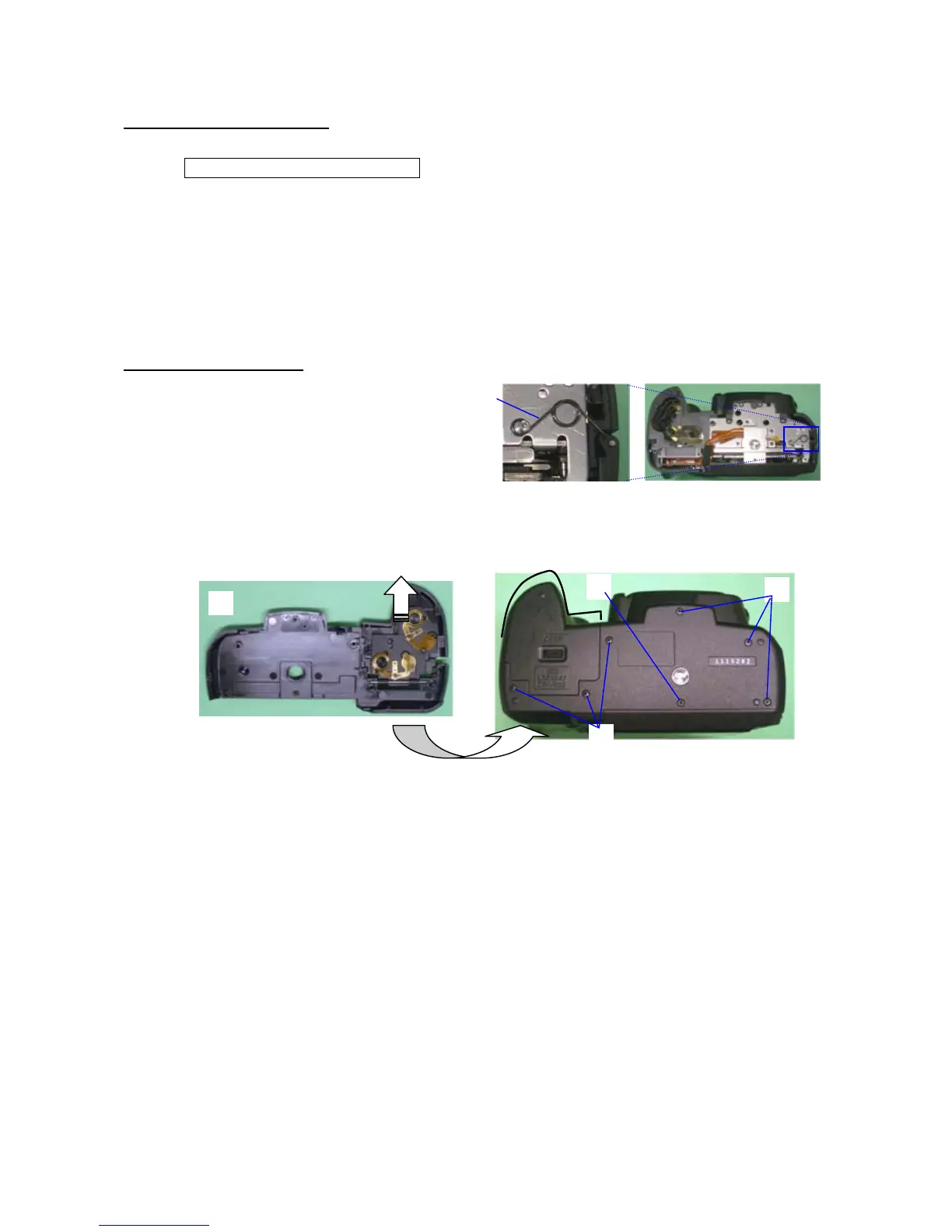
25.A401 Bottom cover
① A167 Spring
② Keep open the battery cover and then install
Bottom cover
③ A67 Screws x 3 (5mm)
④ A75 Screw (1.7x1.8)
⑤ A73 Screw x 3 (4.5mm)
⑥ Confirm that battery cover open/close smoothly
①
⑤
③
④
②



 To Next Page