130
4
Function Reference
Focusing
You can focus with the following methods.
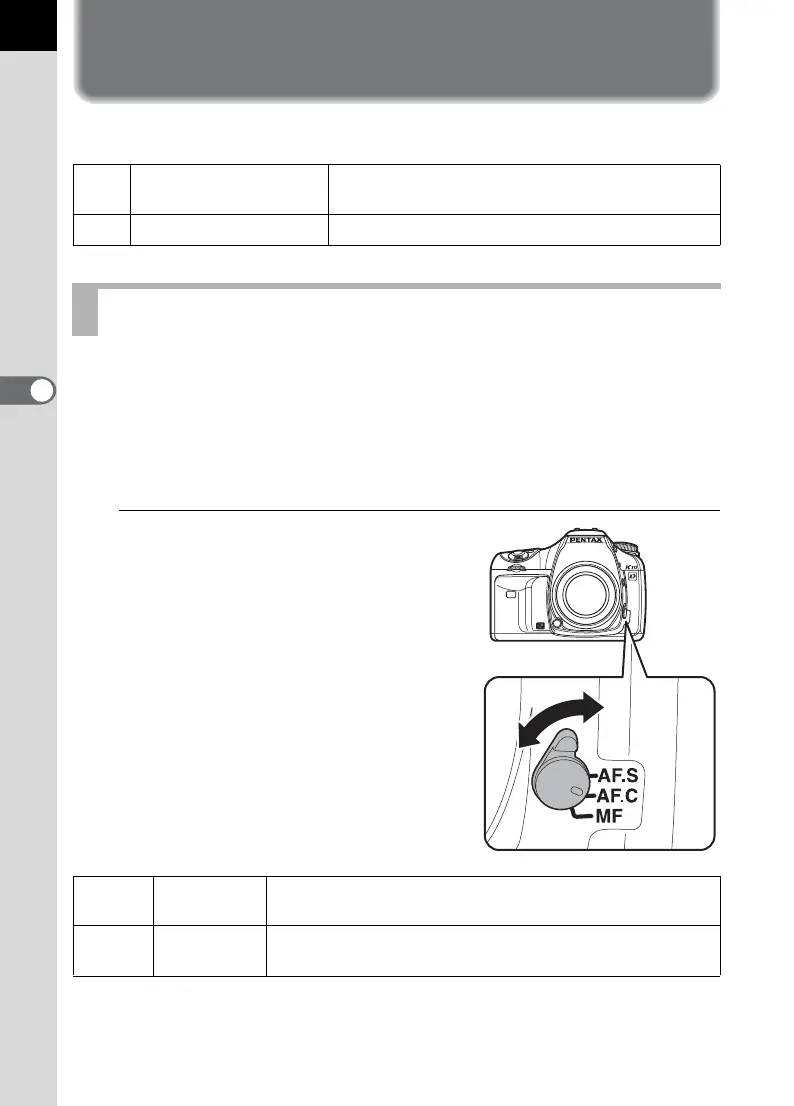
You can also choose the autofocus mode from l (Single mode) where
the shutter release button is pressed halfway to focus on the subject and
the focus is locked at that position, and k (Continuous mode) where
the subject is kept in focus by continuous adjustment while the shutter
release button is pressed halfway. The factory default setting is l.
1
Set the focus mode lever to
l or k.
=
Autofocus
The camera is focused when the shutter release
button is pressed halfway.
\
Manual focus Manually adjust the focus.
Using the Autofocus
l
Single mode
When the shutter release button is pressed halfway to
focus on the subject, the focus is locked at that position.
k
Continuous
mode
The subject is kept in focus by continuous adjustment
while the shutter release button is pressed halfway.



 To Next Page