163
4
Function Reference
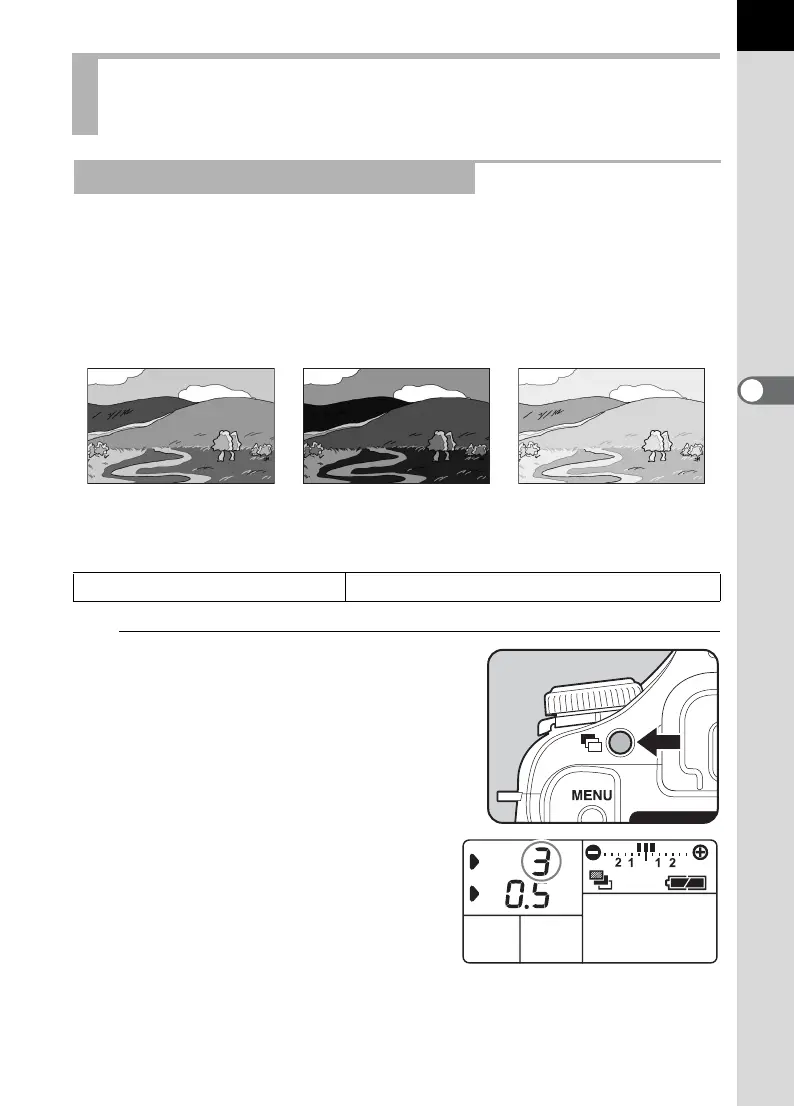
You can take continuous pictures with different exposure when the shutter
release button is pressed. The first frame is exposed with no
compensation, the second frame is underexposed (negative
compensation) and the third is overexposed (positive compensation)
(when the number of frames is set to [3]).
You can set [Auto Bracketng order] in the [A Custom Setting] menu.
1
Set the number of frames.
Turn the front e-dial while pressing
the ] button. Select OFF (no
frames), 3 or 5.
Changing the Shooting Conditions
Automatically when Shooting (Auto Bracket)
Shooting in Exposure Bracket Mode
Normal exposure Underexposure Overexposure
Auto Bracketng order
0 ´ – ´ +, – ´ 0 ´ +, + ´ 0 ´ –



 To Next Page