198
4
Function Reference
7
Use the four-way controller (45) to select O (On) or P
(Off).
8
Press the 3 button twice.
The camera is ready to take a picture.
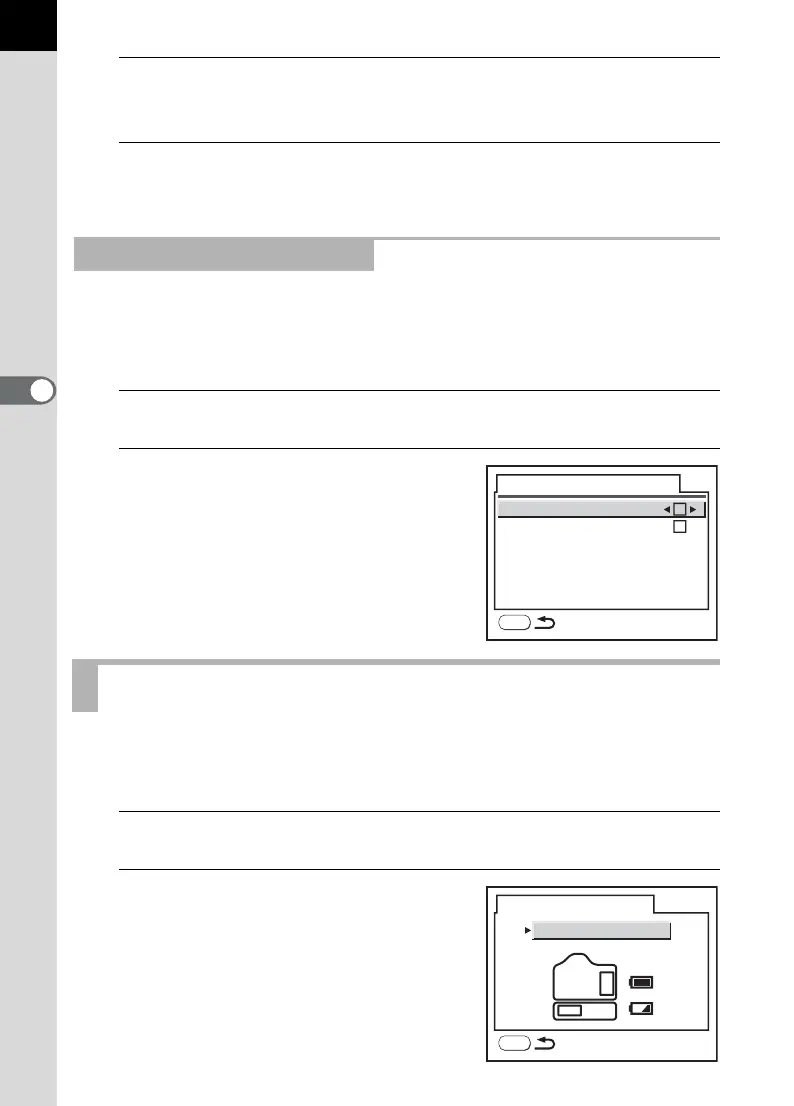
You can set whether or not to display the histogram and Bright/Dark area
warning during Digital Preview. The default setting is [Off] for the
histogram and Bright/Dark area warning.
1
Select [Digital Preview] in the [Q Playback] menu.
2
Press the four-way controller (5).
The screen for setting the Digital Preview
appears.
Proceed as from Step 4 in Instant Review.
You can set the battery priority to the camera or the battery grip when a
battery grip (p.214) is attached. The default setting is [Auto].
1
Select [Select battery] in the [R Set-up] menu.
2
Press the four-way controller (5).
The screen for selecting the battery
appears.
Setting the Digital Preview
Selecting a Battery
Digital Preview
Histogram
Bright/Dark area
MENU
Select battery
Auto
MENU



 To Next Page