89
3
Basic Operations
2
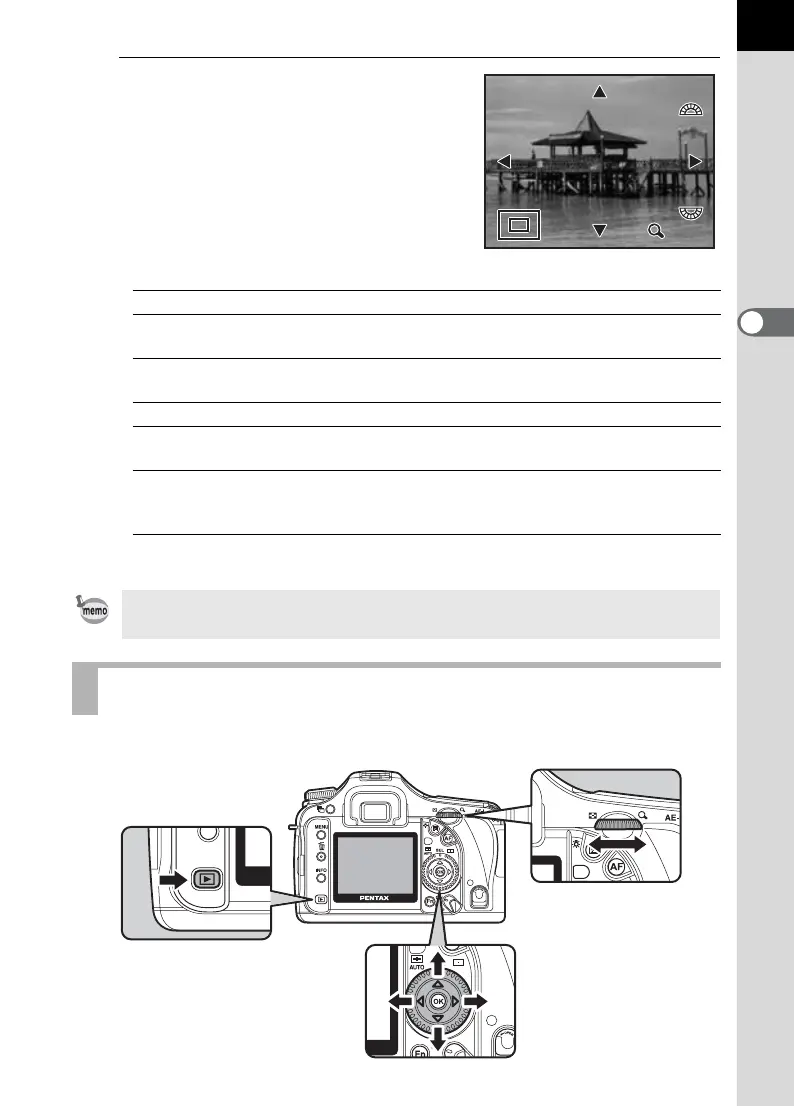
Turn the rear e-dial to the right
(toward y).
Image enlarges at each calibration (1.2
times* to 20 times).
Operations available during Enlarged view
*
The default setting for the first click (minimum magnification) on the rear e-dial (toward right)
is 1.2 times. You can change this in [Initial zoom display] in [
A
Custom Setting] menu. (p.34)
You can display 4, 9 or 16 images on the LCD monitor at the same time.
Four-way controller (2345) Moves area to enlarge
Rear e-dial (toward right)/
Green button
Enlarges image (up to 20 times)
Rear e-dial (toward left)/
m button
Reduces image (up to 1.2 times*)
4 button Returns to the original size
M button Switches information display On/
Off
Front e-dial Retains magnification and
magnification area and shows
previous/next image
You can enlarge the image by following the same procedure during Instant
Review (p.65) or Digital Preview (p.171).
Displaying Multiple Images
2×2×
100-0046
100-0046



 To Next Page