161
4
Function Reference
This allows you to deliberately overexpose (brighten) or under-expose
(darken) your picture.
Select 1/2 EV or 1/3 EV in [EV Steps] in the [A Custom Setting] menu. (p.162)
You can adjust the EV Compensation from –3 to +3 (EV) in increments of
1/2 EV or –2 to +2 (EV) in increments of 1/3 EV.
1
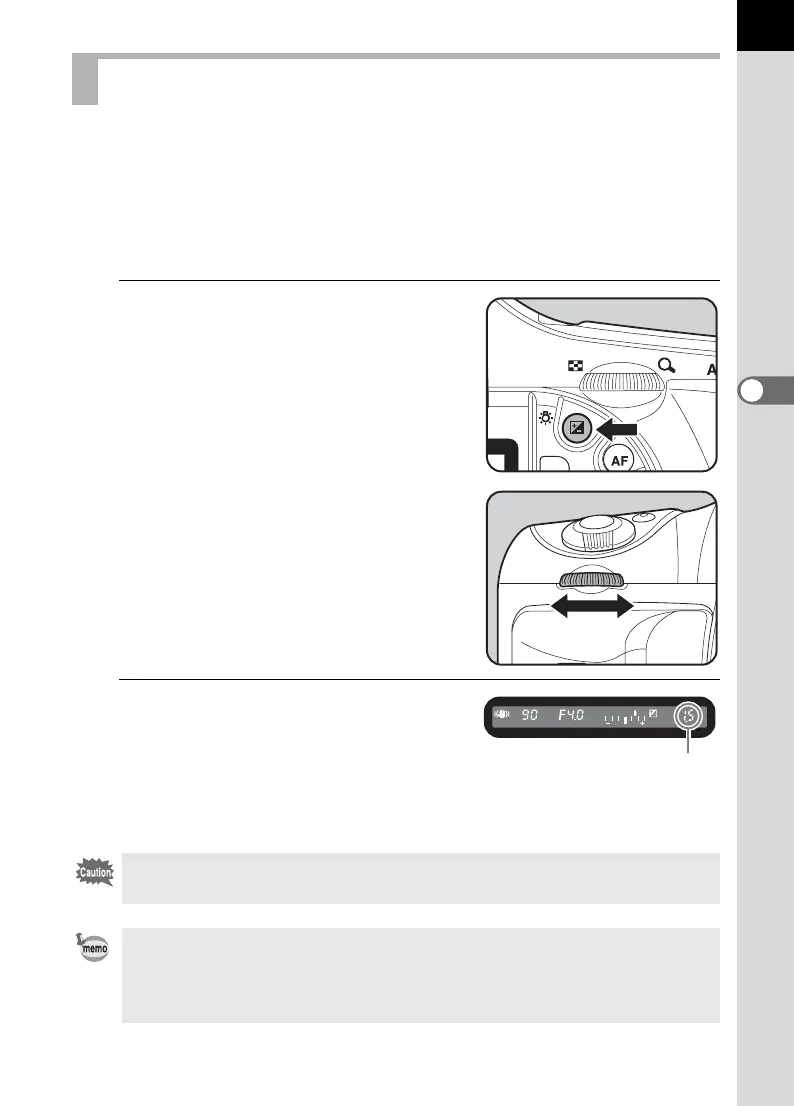
Set the compensation with the
front e-dial while the m button
is pressed.
2
Confirm the compensation
value in the viewfinder.
m is displayed during compensation.
N appears when the flash
compensation is set.
Setting the Exposure
EV compensation is not available when the exposure mode is set to
B (Green), a (Hyper-manual), p (Bulb) or M (Flash X-sync speed) mode.
• The EV compensation cannot be canceled by turning the camera off or by
setting any other exposure mode.
• The EV compensation value is reset to 0 when the Green button is pressed
while holding down the m button.
Compensation value



 To Next Page