80
3
Basic Operations
8
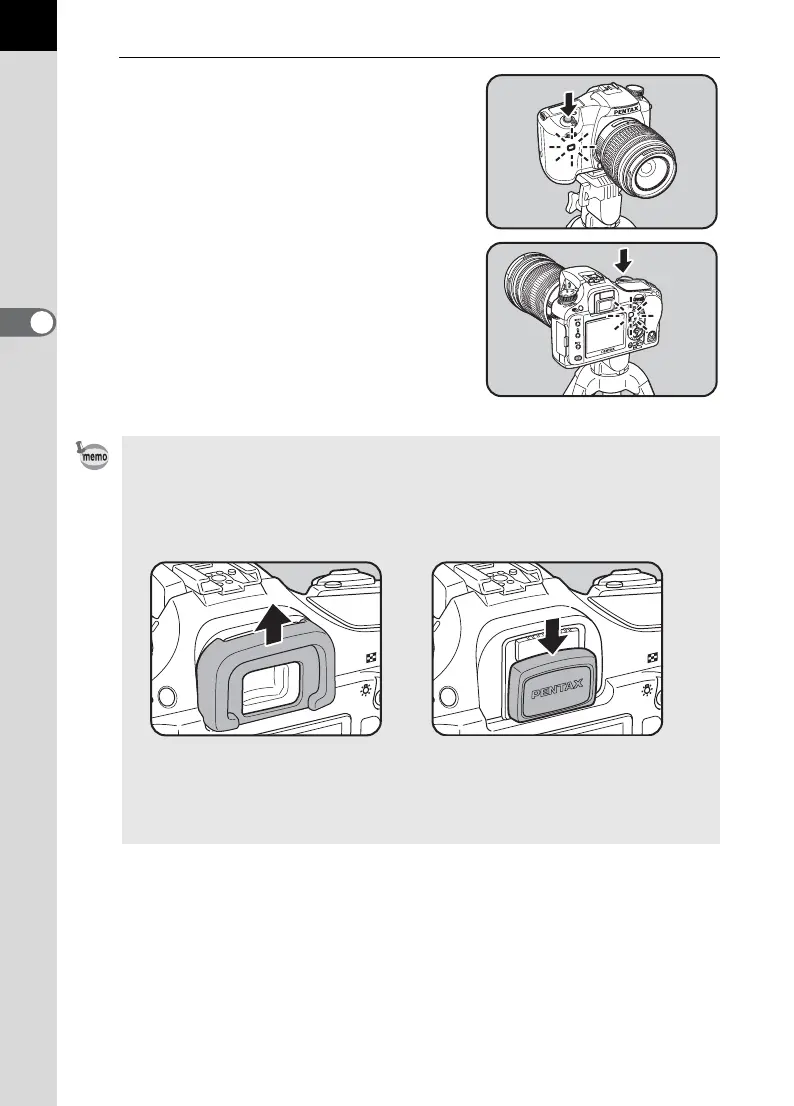
Press the shutter release
button fully.
For g, the front and back self-timer
lamps start blinking slowly and blink
rapidly 2 seconds before the shutter is
released. The beep is heard and the
rate increases. The shutter will be
released about 12 seconds after the
shutter release button is pressed fully.
For Z, the shutter will be released
about 2 seconds after the shutter
release button is pressed fully.
• The beep can be turned off (p.189).
• Exposure may be affected if light enters the viewfinder. Attach the provided
ME viewfinder cap or use the AE lock function (p.162). (Ignore the light
entering the viewfinder when the exposure mode is set to a (Hyper-manual)
(p.156).)
• Select a setting other than g or Z in the Drive Mode options screen to cancel
self-time shooting. The setting is canceled when the camera is turned off if
[Drive Mode] in [Memory] of [A Rec. Mode] (p.199) is set to P (Off).
Removing the Eyecup FP Attaching the ME Viewfinder cap



 To Next Page