82
3
Basic Operations
3
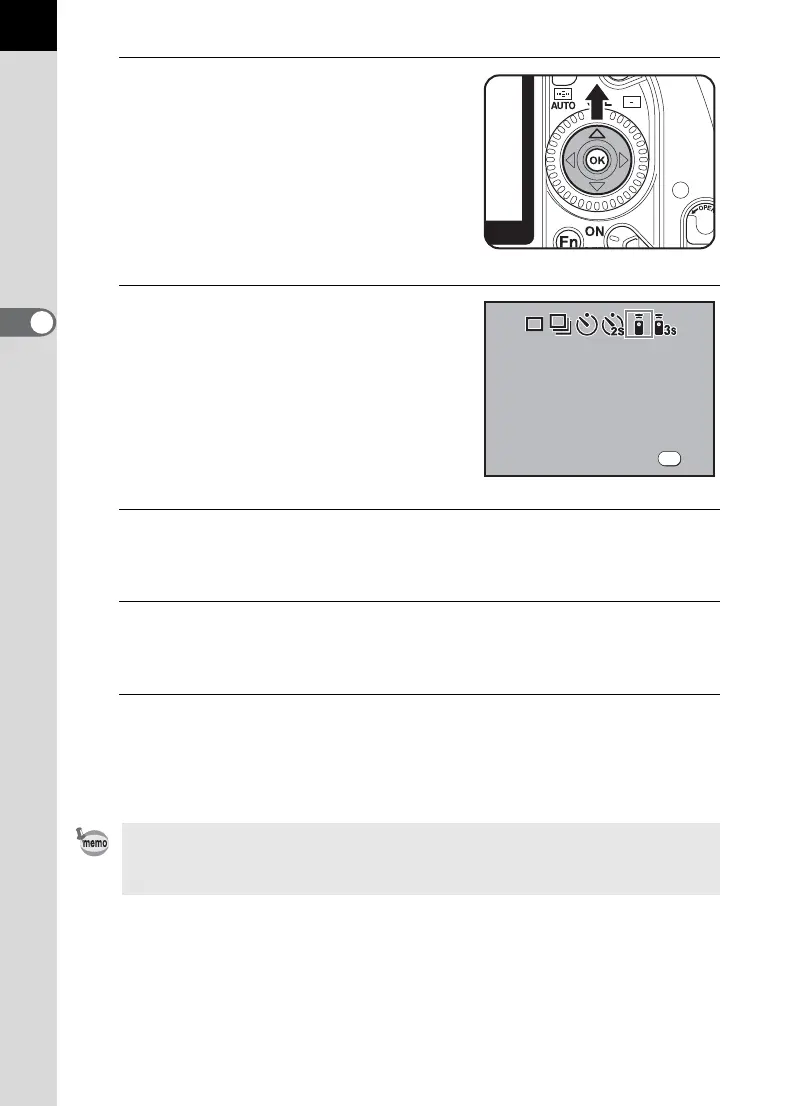
Press the four-way controller
(2).
The Drive Mode options screen
appears.
4
Use the four-way controller
(45) to select h or i.
The self-timer lamp will blink to let you
know that the camera is in remote
control wait status.
5
Press the 4 button.
The camera returns to the Fn menu screen.
6
Press the 4 button.
The camera is ready to take pictures.
7
Press the shutter release button halfway.
The autofocus system operates. The focus indicator ] appears in the
viewfinder when the subject is in focus.
You cannot focus with the remote control unit in default settings. Focus on the
subject first before operating with the remote control. You can set [AF in remote
control] to [On] in the custom function. (p.34)
OK
Drive Mode
OK
Drive Mode
Remote Control Unit
R e m o t e Con t r o l U nit
Remote Control Unit
OK



 To Next Page