63
Basic Operations
3
1
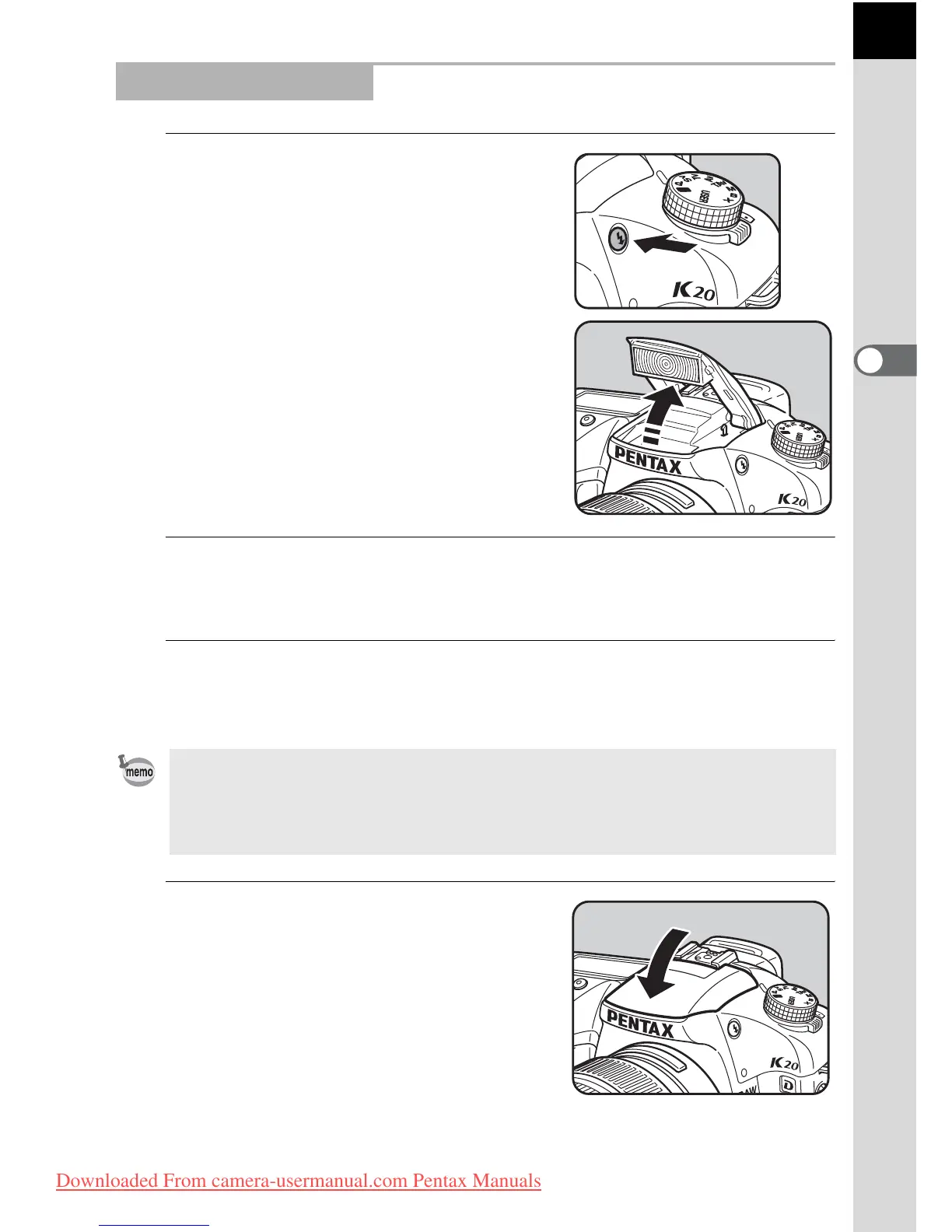
Press the K button.
The built-in flash pops up and begins
charging. When the flash is fully charged,
E appears in the LCD panel and
viewfinder.
(p.27, p.29)
2
Press the shutter release button halfway.
The focus indicator ] appears in the viewfinder when focused.
3
Press the shutter release button fully.
The picture is taken.
4
Push down on the portion
indicated in the illustration to
retract the flash.
Using Built-in Flash
• When the mode dial is at B, the flash is not discharged when the lighting
conditions do not require flash for correction even if the flash is popped up.
• The Flash On is used when the flash is popped up if the mode dial is at a
setting other than B.
Downloaded From camera-usermanual.com Pentax Manuals



 To Next Page