SMART I/O User’s Manual
March 12, 1996
©1996 PEP Modular Computers GmbH
Page 1 - 26
Introduction
1.5.4 Demo Application
Several demonstration applications are delivered with the ISaGRAF set of
disks and are installed automatically. The applications suitable for use with
the SMART I/O are prefixed SM- and serve to show how the SMART I/O
can be used through practical examples. Two such programs, the SM-
DEMO1 and 2 are discussed here :
SM_DEMO1 should be used if the SMART I/O has the SM_DOUT1
module in the first of the SMART Module slots and has SM_DIN1 in slot 2
(the last) on the SMART-BASE.
SM_DEMO2 should be used if the modules are reversed.
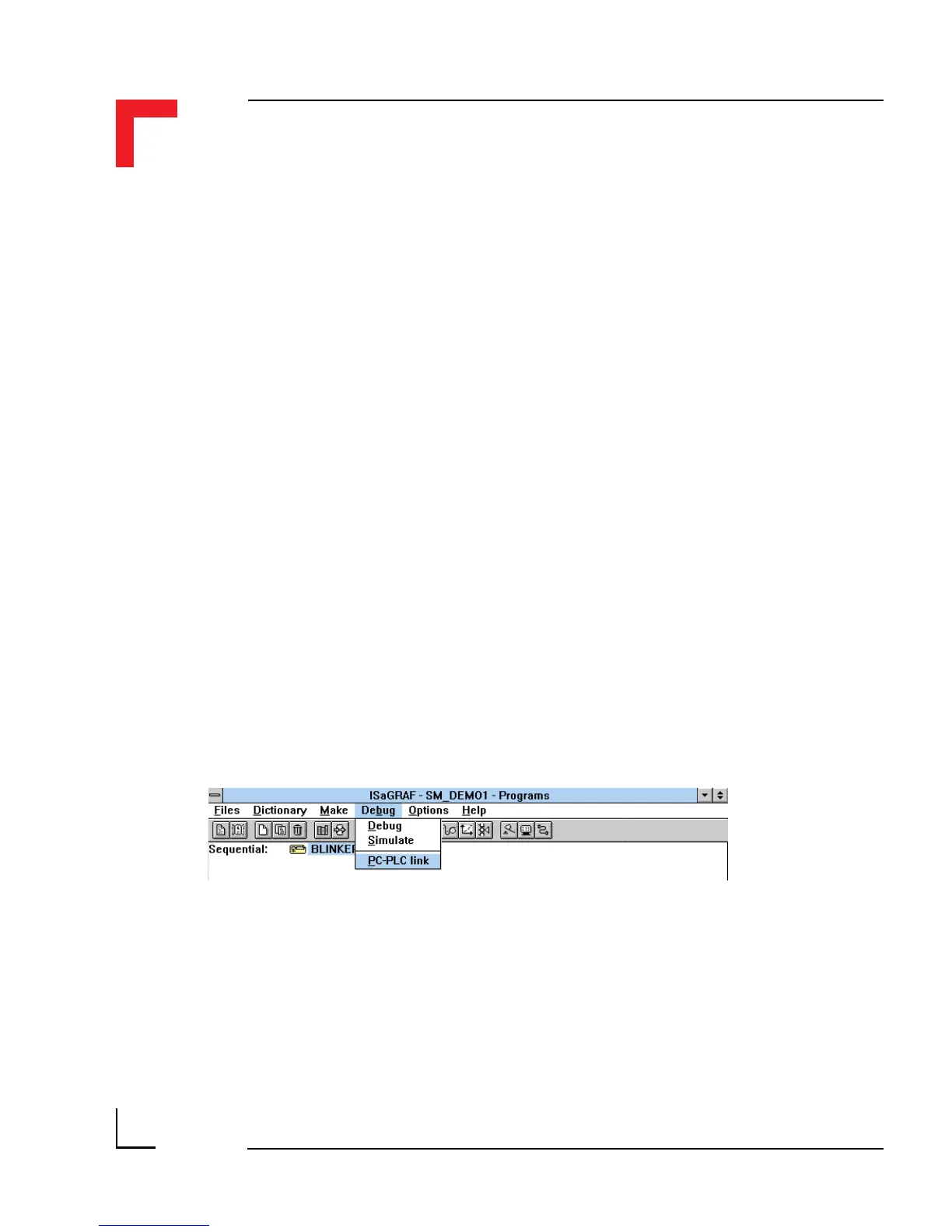
To install the demonstrations correctly, observe the following procedure and
make sure the correct diskette is in place :
•Run the Projects Program and select SM_DEMO1 or SM_DEMO2 by
double clicking on the icon;
•Go to the Debug/PC-PLC Link Menu to ensure that the correct COM
port is selected for communication to the SMART I/O;
•When confirmed, select Debug/Debug;
•From the Debugger Window, select File from the pull-down
menu if an application is already executing (indicated by Run in the
status line);



 To Next Page