23
1
2
3
4
5
6
7
8
1
2
3
4
5
6
7
8
1
2
3
4
5
6
7
8
1
2
3
4
5
6
7
8
1
2
3
4
5
6
7
8
1
2
3
4
5
6
7
8
1
2
3
4
5
6
7
8
1
2
3
4
5
6
7
8
0-50 kg
0-110 lb
51-75 kg
111-165 lb
76-100 kg
166-220 lb
101-120 kg
221-265 lb
121-135 kg
266-300 lb
136-160 kg
301-350 lb
161-180 kg
351-400 lb
181-205 kg
400-450 lb
NOTE! Not all Seating Systems can support the
weight ranges shown.
Once in the User Weight Entry mode, the current
User Weight setting will be displayed. Find the
appropriate weight range in the chart above and
select this range using Button 1 and 5.
Press Button 1 to increase the Weight Range or
Button 5 to decrease the Weight Range.
After the appropriate weight range is displayed with
the LEDs, press and hold Button 8 for two seconds
to save the setting.
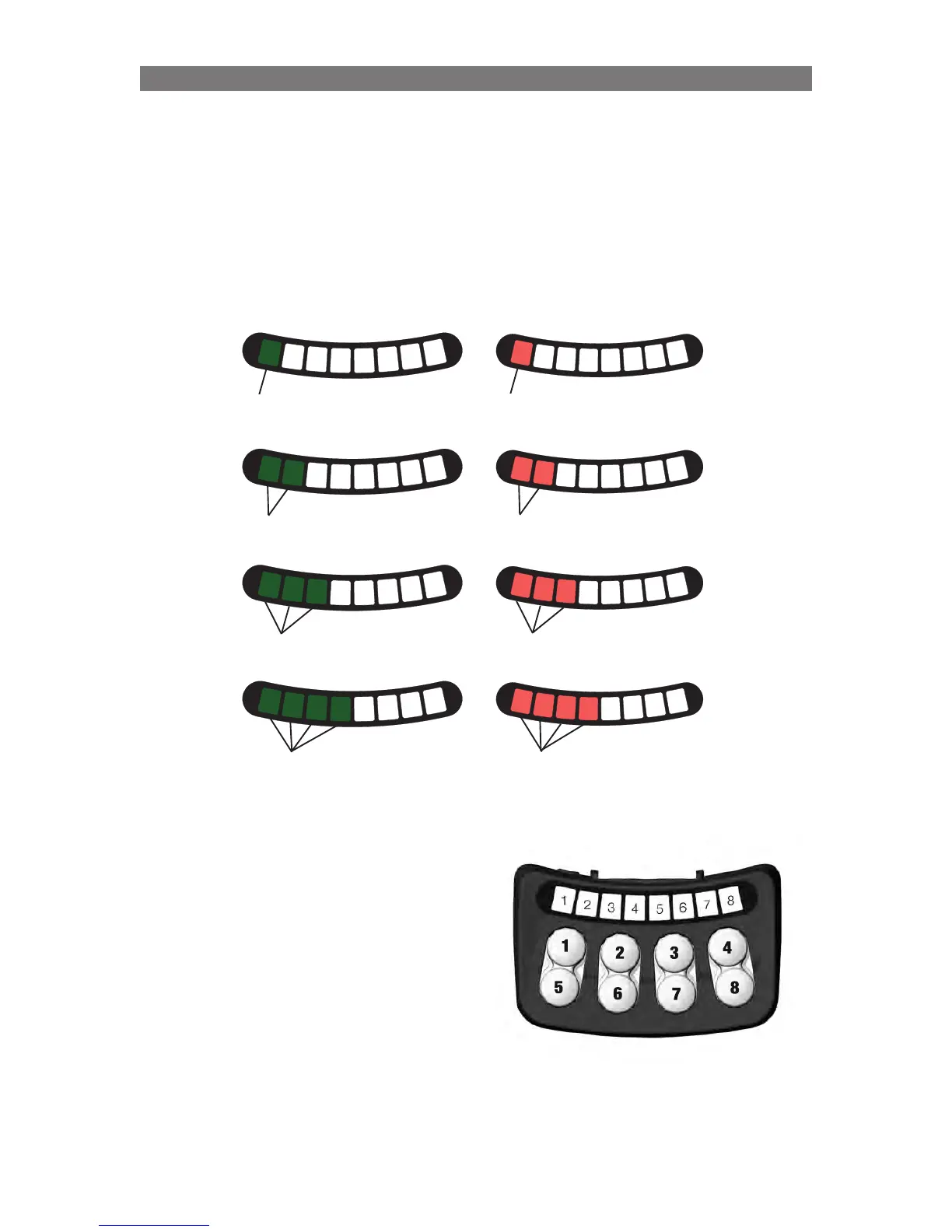
To set the User Weight Range:
To enter the User Weight Entry mode, the system needs to be started up with a combination of pressed
buttons: Press and hold Button 2 and Button 4 on the ICS Switchbox, while holding these buttons, turn on
the wheelchair with the Power Button on the Joystick (or Input Device).
Once all LEDs on the ICS Switchbox turn green, release Buttons 2 and 4.
• LED #8 will flash RED to signify User Weight Entry mode.
The user weight range is represented with LEDs 1, 2, 3, 4 on the ICS Switchbox.
Solid Green
Solid Green
Solid Green
Solid Red
Solid Red
Solid Red
Solid Green
Solid Red
Programming Configuring using the ICS Switchbox



 To Next Page