40
40
Programming Corpus VS/APE- Specific Attributes
Corpus VS/Corpus APE - Specific Attributes
Setting up Standing and Anterior tilt sequences + ground clearance
Table: Relevant adjustments for various functions/options
Adjustment
Corpus VS Corpus APE
Std.
Legrest
Power
Transfer
-20° Func-
tional
Reach
Power Adjust
Footrest
Ground Touch
X X X X X
Ground Clearance X X X X X
Standing sequence 1 X X X
Standing sequence 2 X
Legrest Extension in standing X X
Enable/Disable stand and drive X
The Ground Touch procedure should be performed first and might have to be redone after every
mechanical adjustment of the height of the footplate! The ground Touch and Clearance adjustments are
accessible from the Standing Sequence Setting Mode described below.
The ICS System allows to have up to two standing sequences active via ICS switchbox or Joystick in
seating mode. Each of the standing sequences S1 and S2 has a pre-defined sequence at delivery but can
very easily be manually set up via ICS switchbox.
Power transfer option for Corpus APE is using the same set up procedure as the Standing sequence 1,
but the maximum anterior tilt angle is much lower and the footplate will touch ground in the final position.
To successfully setup a Standing Sequence, some or all of the steps below has to be properly completed.
Note: The procedure for settings 2- 5 may differ slightly from the descriptions below for wheelchairs
delivered and programmed before May 2015.
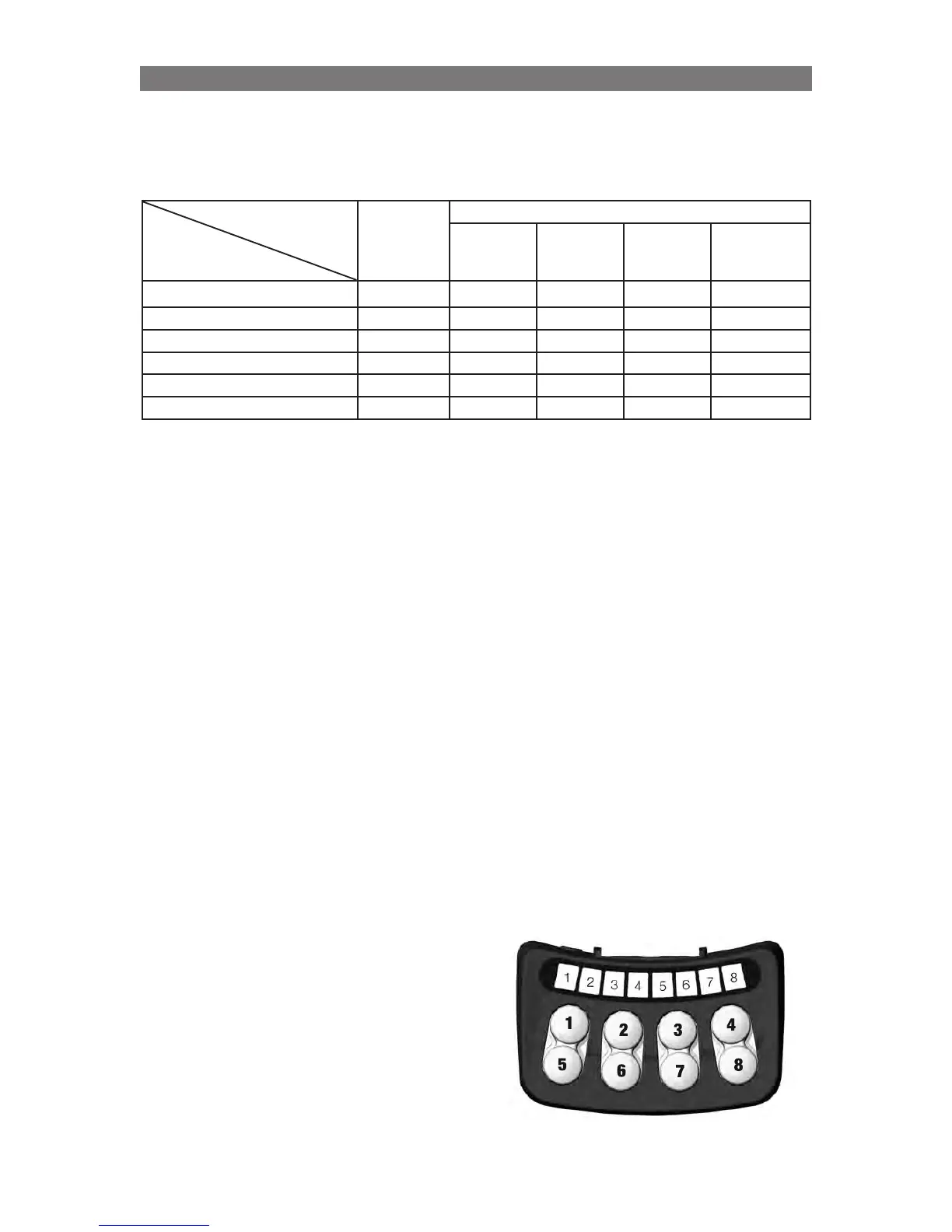
1. Enter Standing Sequence Setting mode using the ICS Switchbox:
a) Turn off the wheelchair.
b) Press and hold Button 5 and Button 7 on the ICS Switchbox
c) While holding these buttons turn on the wheelchair with the Power Button on the control panel (or
Input Device).
d) Once all LEDs on the ICS Switchbox turn green, release Buttons 5 and 7. LED #8 will be blinking
RED/GREEN.
The following type of adjustments can now be selected by pressing the ICS switchbox button:
• Button 1 - Standing sequence 1
• Button 2 - Standing sequence 2
• Button 3 - Legrest extension in standing position
• Button 4 - Ground clearance adjustment (Foot-
plate to ground)
• Button 7 - Independent Repositioning Mode IRM,
refer to page 34.
How to continue after entering any of these sequen-
ces is described in the following sections.
After finalizing an adjustment, the system must be restar-
ted and the Standing Sequence Setting mode must be
entered again to continue with the next adjustment.



 To Next Page